30
FEATURES & OPERATIONS
Audio
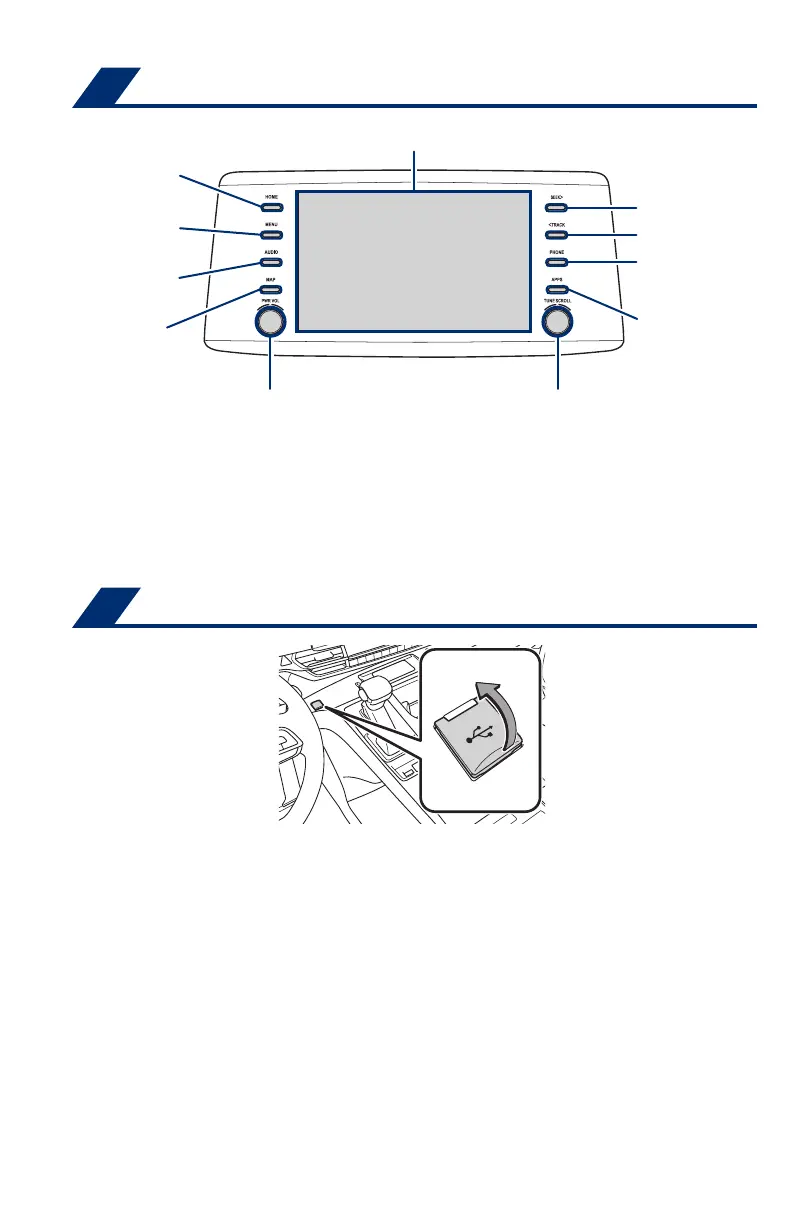
Push to turn ON/OFF
or turn to adjust volume
Turn to tune radio stations
manually or select tracks or files
Seek station/
track/
file select
Access
HOME screen
Touchscreen display
Access
Bluetooth
®
hands-free system
Access
APPS screen
Access
AUDIO screen
Access
MAP screen
Access
MENU screen
Refer to the “Navigation and Multimedia System Owner’s Manual” or visit
www.toyota.com/audio-multimedia for additional resources.
NOTE: Always use safe driving practices and follow all traffic rules.
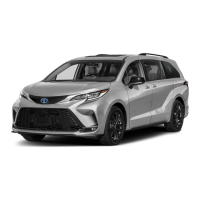
USB media port
Connecting a compatible device and cable into the USB media port will support
charging and music playback through the audio multimedia system.
In the console box
Interior panel of 3rd row seating
The vehicle must be in the “ACCESSORY” or “IGNITION ON” mode for use.
USB Type-A port: 2.5A / USB Type-C port: 3.0A
MY21_Sienna_QRG_V4_ML_0929.indd 30 10/5/20 12:14 PM





 To Next Page