47
Pre-Collision Warning
When the system determines that the possibility of a frontal collision is high, a
buzzer will sound and a warning message will be displayed on the Multi-Information
Display (MID) to urge the driver to take evasive action.
Pre-Collision Brake Assist
If the driver notices the hazard and brakes, the system may provide additional
braking force using Brake Assist. This system may prime the brakes and may apply
greater braking force in relation to how strongly the brake pedal is depressed.
Pre-Collision Braking
If the driver does not brake in a set time and the system determines that the
possibility of a frontal collision with a preceding vehicle is extremely high, the
system may automatically apply the brakes, reducing speed in order to help the
driver reduce the impact and in certain cases avoid the collision.
Refer to the Toyota Owner’s Manual for additional information on PCS w/PD
operation, settings adjustments, limitations, and precautions before attempting to
use it.
OVERVIEWFEATURES & OPERATIONSTOYOTA SAFETY SENSESAFETY & EMERGENCY FEATURES
Under certain conditions, the PCS system included with the TSS 2.0 package
may also help to detect a pedestrian or bicyclist in front of your vehicle using the
forward-facing camera and front grille-mounted radar. The forward-facing camera of
PCS detects a potential pedestrian or bicyclist based on size, profile, and motion
of the detected pedestrian or bicyclist. However, a pedestrian or bicyclist may not
be detected depending on the conditions, including the surrounding brightness
and the motion, posture, size, and angle of the potential detected pedestrian or
bicyclist, preventing the system from operating or engaging.
As part of the Pre-Collision System, this function is also designed to first provide an
alert and then automatic braking if needed.
Refer to the Toyota Owner’s Manual for additional limitations and information.
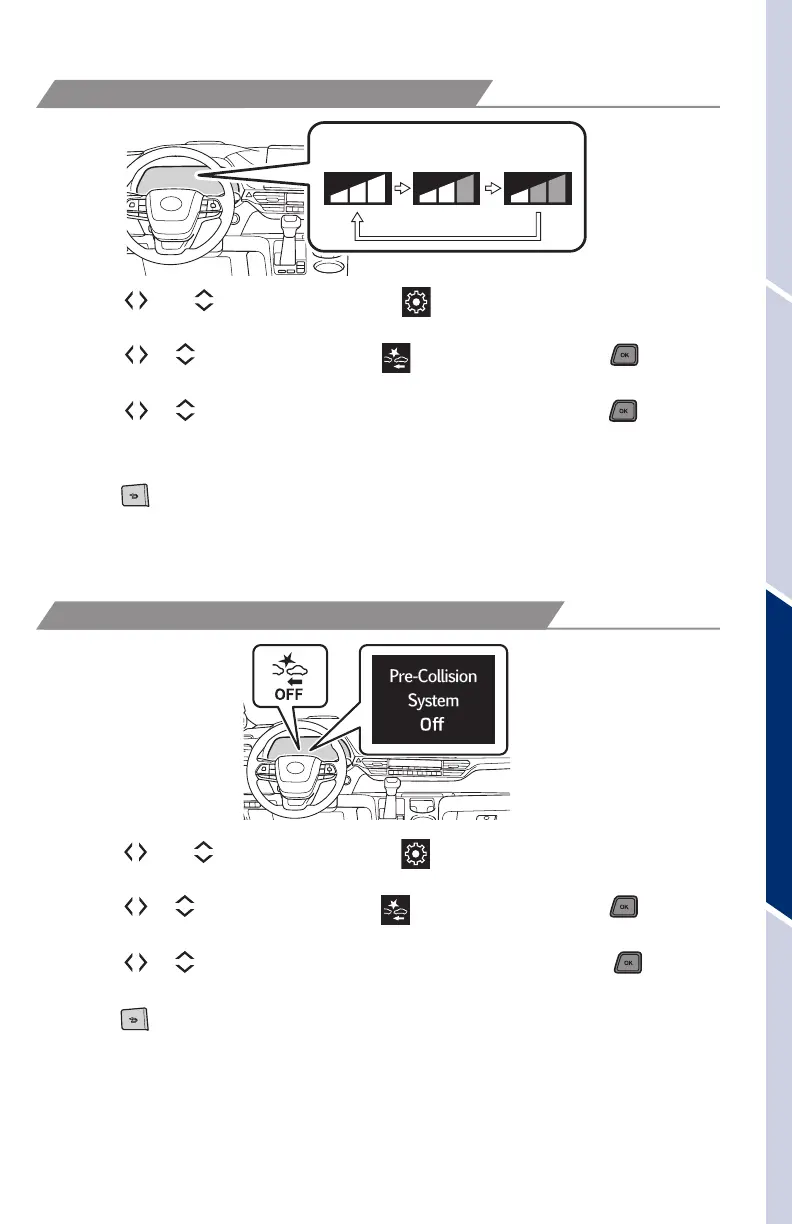
CHANGING PCS ALERT TIMING
Far
Middle
(default)
Near
(1) Press “ ” or “ ” switches and select “ ” from the Multi-Information Display
(MID).
(2) Press “
or ” switches and select “ (PCS)” and then press “ .” The
setting screen is displayed.
(3) Press “
or ” switches and select “Sensitivity” and then press “ ” to select
the desired setting. Each time it is pressed, the response to the PCS warning
timing changes as shown above.
(4) Press “
” to go back to the menu.
Note: PCS is enabled each time the vehicle is turned on. The system can be
disabled/enabled and the alert timing of the system can be changed.
(Alert timing only, brake operation remains the same.)
(1) Press “ ” or “ ” switches and select “ ” from the Multi-Information Display
(MID).
(2) Press “
or ” switches and select “ (PCS)” and then press “ .” The
setting screen is displayed.
(3) Press “
or ” switches and select “PCS on/off” and then press “ ” to
select the desired setting.
(4) Press “
” to go back to the menu.
Note: The system is enabled each time the vehicle is turned on.
Refer to the Toyota Owner’s Manual for additional information on PCS w/PD
operation, settings adjustments, limitations, and precautions before attempting to
use it.
DISABLING PRE-COLLISION SYSTEM (PCS)
MY21_Sienna_QRG_V4_ML_0929.indd 47 10/5/20 12:15 PM















 To Next Page