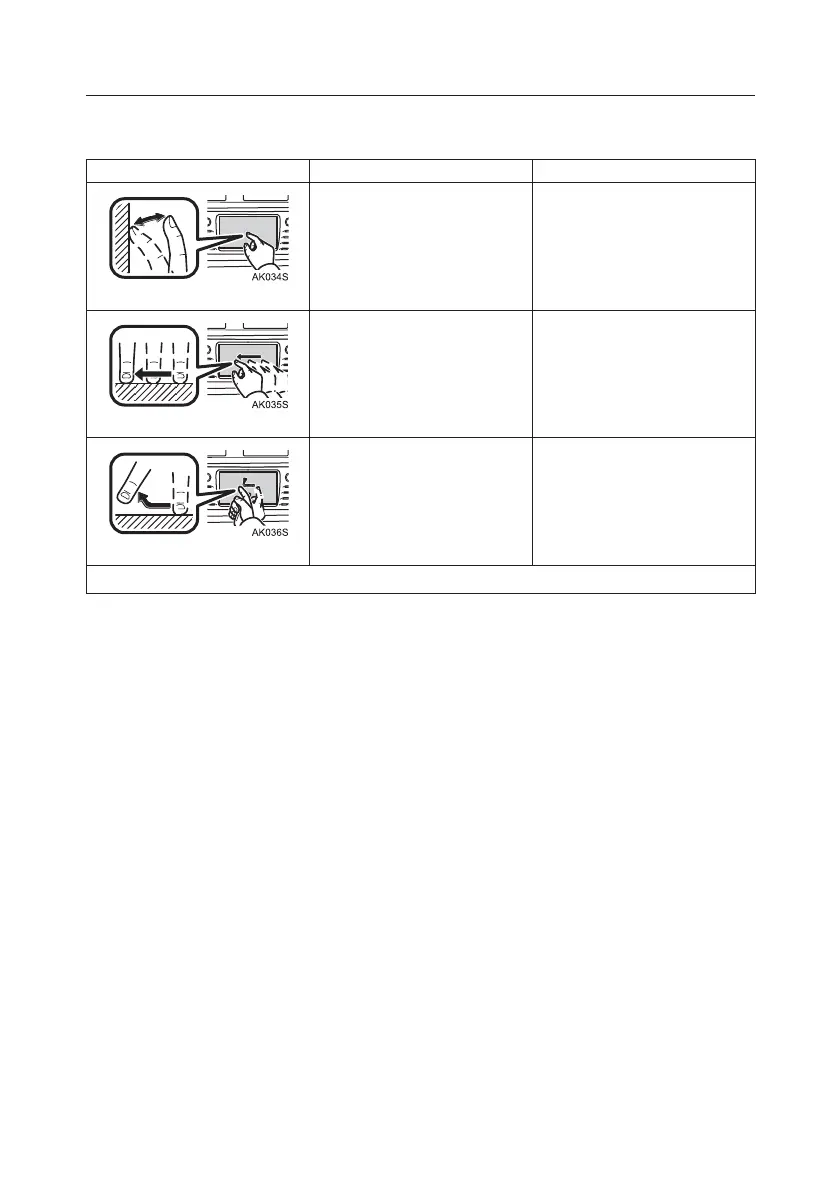
Touch-Screen Gestures
Operations are performed by touching the touch-screen directly with your finger.
Operation Method Outline Main Use
Tap
Quickly touch and release
once.
Selecting an item on the
screen
Drag*
Touch the screen with your
finger, and move the screen
to the desired position.
■ Scrolling the lists
■ Moving the map screen
Flick
*
Quickly move the screen by
flicking with your finger.
Moving to the next/previous
screen
*
: The above operations may not be performed on all screens.
TOUCH-SCREEN MULTIMEDIA
2







 To Next Page