EasyManua.ls Logo

Toyota PX-4226A-C - User Manual

Toyota PX-4226A-C
38 pages
Print Icon
To Next Page IconTo Next Page
Loading...
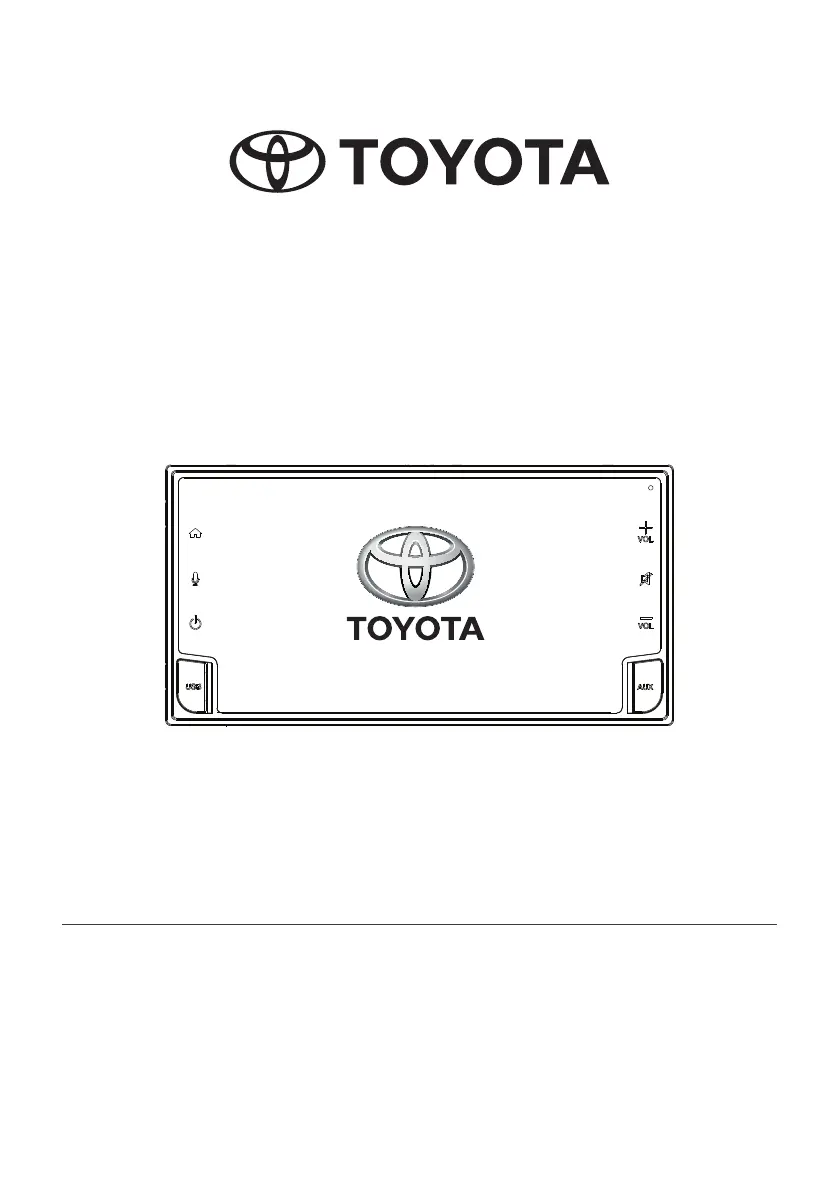
DVX-AVX
OWNER’S MANUAL
Please read the manual for proper operation and keep it for future reference.

Table of Contents

Questions and Answers

  • S
    Samantha StevensSep 23, 2025
    Why applications shows a fixed blank display, with a QR Code on Toyota PX-4226A-C?
    • J
      joeshepardSep 23, 2025
      If applications shows a fixed blank display with a QR Code on your Toyota Car Video System, it is because no compatible applications are found on the smartphone. Install a compatible application to the Android Devices or iPhone and re-connect the smartphone to the unit.
  • J
    Johnny MillsAug 25, 2025
    Why is my USB device not being recognized by my Toyota Car Video System?
    • A
      amber15Aug 25, 2025
      If your USB device or cable is not being recognized by your Toyota Car Video System, it might be damaged. Try disconnecting and reconnecting the USB device. If the device is still not recognized after reconnecting, try replacing it with a different USB device. Also, the USB device or cable might be loose.
  • R
    Robin IngramAug 25, 2025
    Why can't I make calls even though Bluetooth is connected on my Toyota PX-4226A-C Car Video System?
    • M
      monicavasquezAug 26, 2025
      If your Bluetooth is connected but you are unable to make calls on your Toyota Car Video System, the Handsfree Profile (HFP) may not be connected. Ensure that HFP is connected by checking the display indication. If allowed, connect HFP from the device; otherwise, try disconnecting and reconnecting the device again.
  • N
    Nathaniel PayneAug 27, 2025
    Why are video images not displayed on my Toyota Car Video System?
    • E
      edwardsdanielAug 27, 2025
      If video images are not displayed on your Toyota Car Video System, the parking brake might not be engaged. Ensure that the parking brake is engaged.
  • B
    Bradley JonesAug 27, 2025
    Why is the image not displayed on my Toyota Car Video System?
    • F
      Francisco SchneiderAug 27, 2025
      If the image is not displayed on your Toyota Car Video System, it may be because the parking brake is not engaged. Check that the parking brake is engaged.
  • J
    Jennifer MooreSep 15, 2025
    Why does the caller’s voice sound distorted on my Toyota PX-4226A-C Car Video System?
    • R
      rojasjessicaSep 15, 2025
      If the caller’s voice sounds distorted or is intermittent on your Toyota Car Video System, the volume may be too loud, which can depend on the car environment, speakers, and microphone. This can automatically trigger half-duplex mode, where only one person can talk at a time. Try reducing the telephone volume level.
  • K
    Kenneth BrownSep 12, 2025
    What does it mean when my Toyota PX-4226A-C Car Video System displays 'NO FILE AVAILABLE' and there is no sound?
    • W
      williamsjoseSep 13, 2025
      If your Toyota Car Video System displays “NO FILE AVAILABLE” and there is no sound, it means that no supported file is stored on the USB device. Store supported audio files on the USB device.
  • P
    Paul SmithSep 14, 2025
    What to do if Toyota PX-4226A-C does not operate correctly?
    • S
      sanchezthomasSep 14, 2025
      If your Toyota Car Video System is not operating correctly, and there is no response from the device, turn off the power of the device and then turn it on again.
  • L
    Linda BurkeSep 5, 2025
    What to do if the device cannot be connected to my Toyota PX-4226A-C?
    • A
      Amber TurnerSep 5, 2025
      If a device cannot be connected to your Toyota Car Video System, the device pairing information may have been deleted from the unit. Also, the relevant profile may not be selected on the device. When selecting available profiles, select a profile with the handsfree feature. Otherwise, pair the device again after deleting it from Bluetooth handsfree mode.
  • M
    melissameyerSep 3, 2025
    Why does the sound skip or become noisy on my Toyota PX-4226A-C?
    • J
      Jennifer TaylorSep 3, 2025
      If the sound skips or is noisy on your Toyota Car Video System, it is likely that the audio files are not encoded properly. Try using correctly encoded audio files.

Toyota PX-4226A-C Specifications

General IconGeneral
BrandToyota
ModelPX-4226A-C
CategoryCar Video System
LanguageEnglish

Related product manuals