19
Chapter 4
Set Up Internet Connection
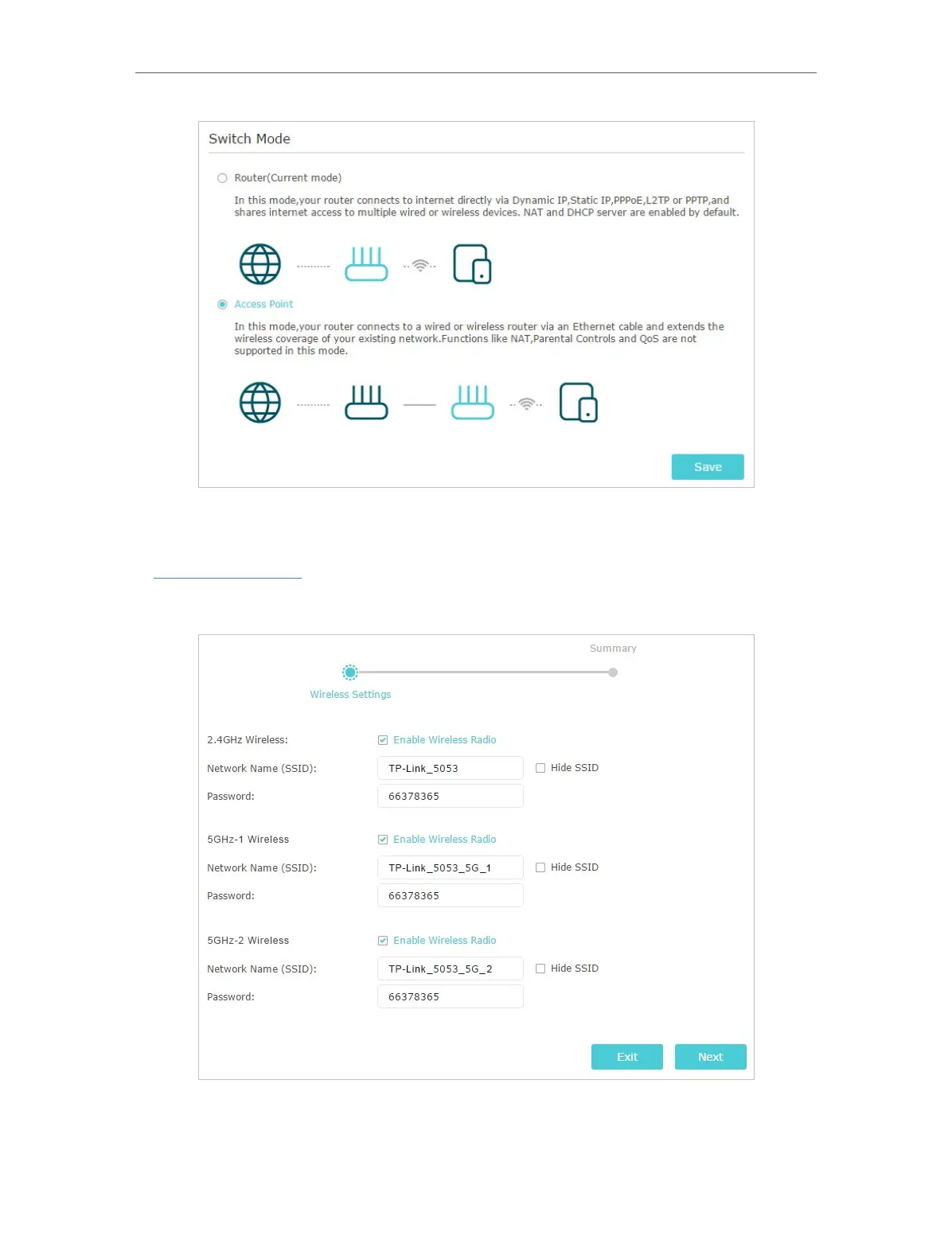
3. After rebooting, connect the router to your existing wired router via an Ethernet cable.
4. Connect to the Wi-Fi of the router and log in again to the web management page
http://tplinkwifi.net, and click Quick Setup.
5. Configure your wireless settings and click Next.
6. Confirm the information and click Save. Now, you can enjoy Wi-Fi.














 To Next Page