46
Chapter 8
HomeCare – Parental Controls, QoS, Antivirus
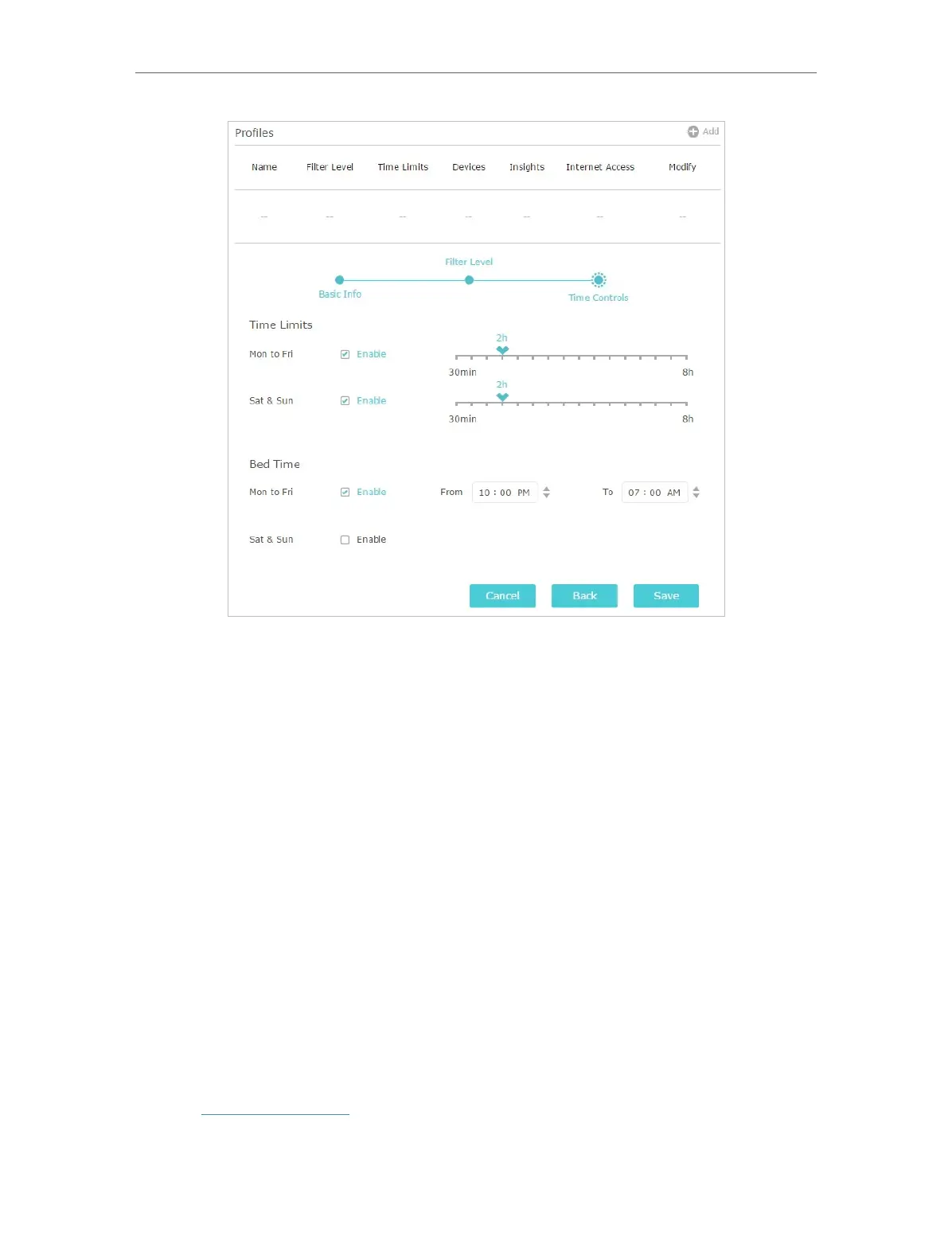
1 ) Enable Time Limits on Monday to Friday and Saturday & Sunday then set the allowed
online time to 2 hours each day.
2 ) Enable Bed Time on Monday to Friday and use the up/down arrows or enter times in
the fields. Devices under this profile will be unable to access the internet during this
time period.
3 ) Click Save.
Done!
The amount of time your child spends online is controlled and inappropriate content is
blocked on their devices.
8. 1. 2. Scenario 2: Monitoring Internet Usage
I want to:
Check which websites my child has visited and how much time they have spent online
recently.
How can I do that?
1. Visit http://tplinkwifi.net, and log in with your TP-Link ID or the password you set for
the router.














 To Next Page