58
Chapter 11
HomeShield
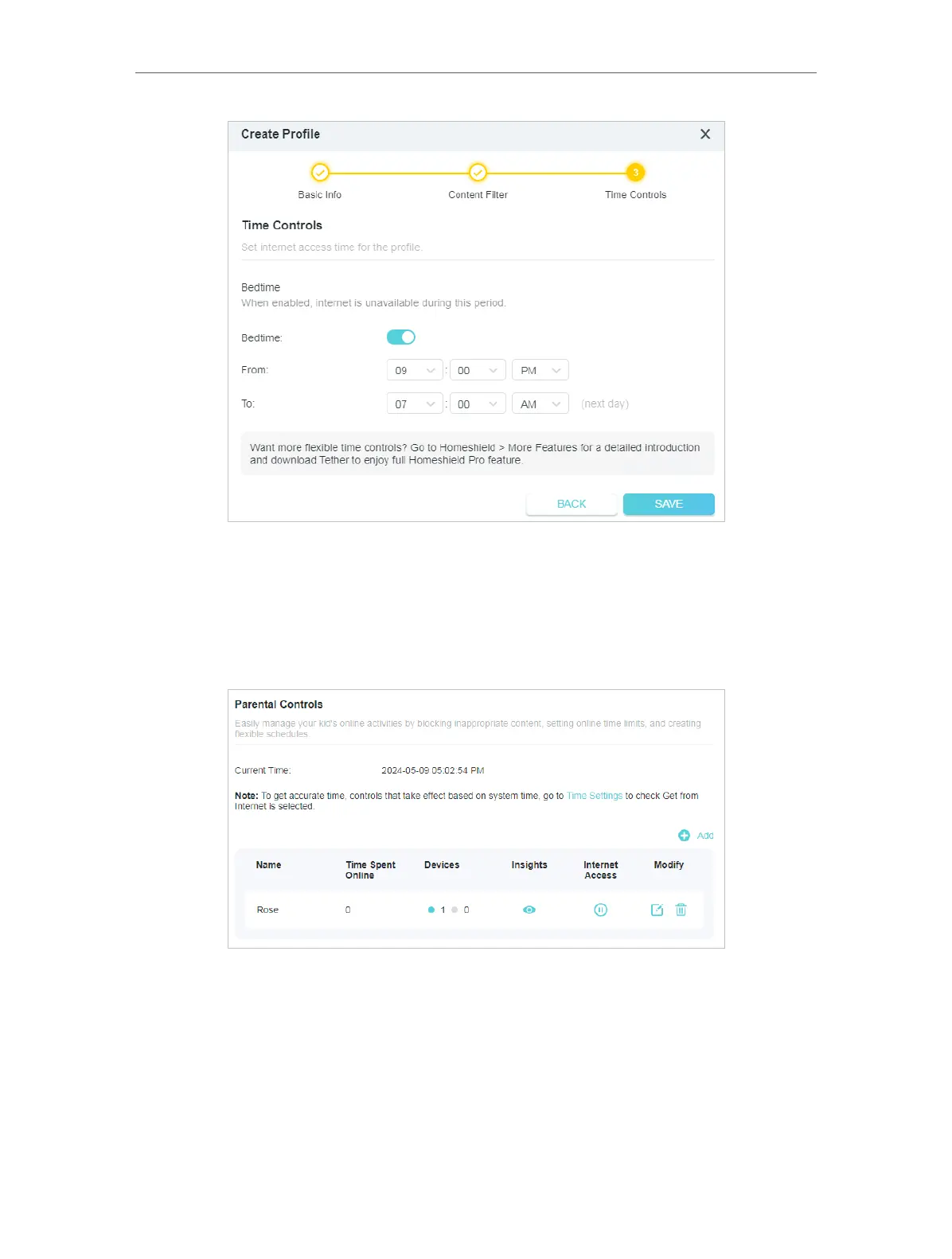
4 ) Enable Bedtime and use the up/down arrows or enter times in the fields. Devices
under this profile will be unable to access the internet during this time period.
5 ) Click SAVE.
6 ) After adding a profile, you can click the Insight icon to check the detailed visited
history, and pause the network for this profile anytime.
Note: You can go to Advanced > HomeShield > More Features for a detailed introduction
and download Tether to enjoy full Homeshield Pro feature.
11. 3. QoS
QoS (Quality of Service) allows you to prioritize connection of specific devices for a set
duration. Devices set as high priority will be allocated more bandwidth and so continue
to run smoothly even when there is heavy traffic on the network.








 To Next Page