59
Chapter 11
HomeShield
1. Visit http://tplinkwifi.net, and log in with your TP-Link ID or the password you set for
the router.
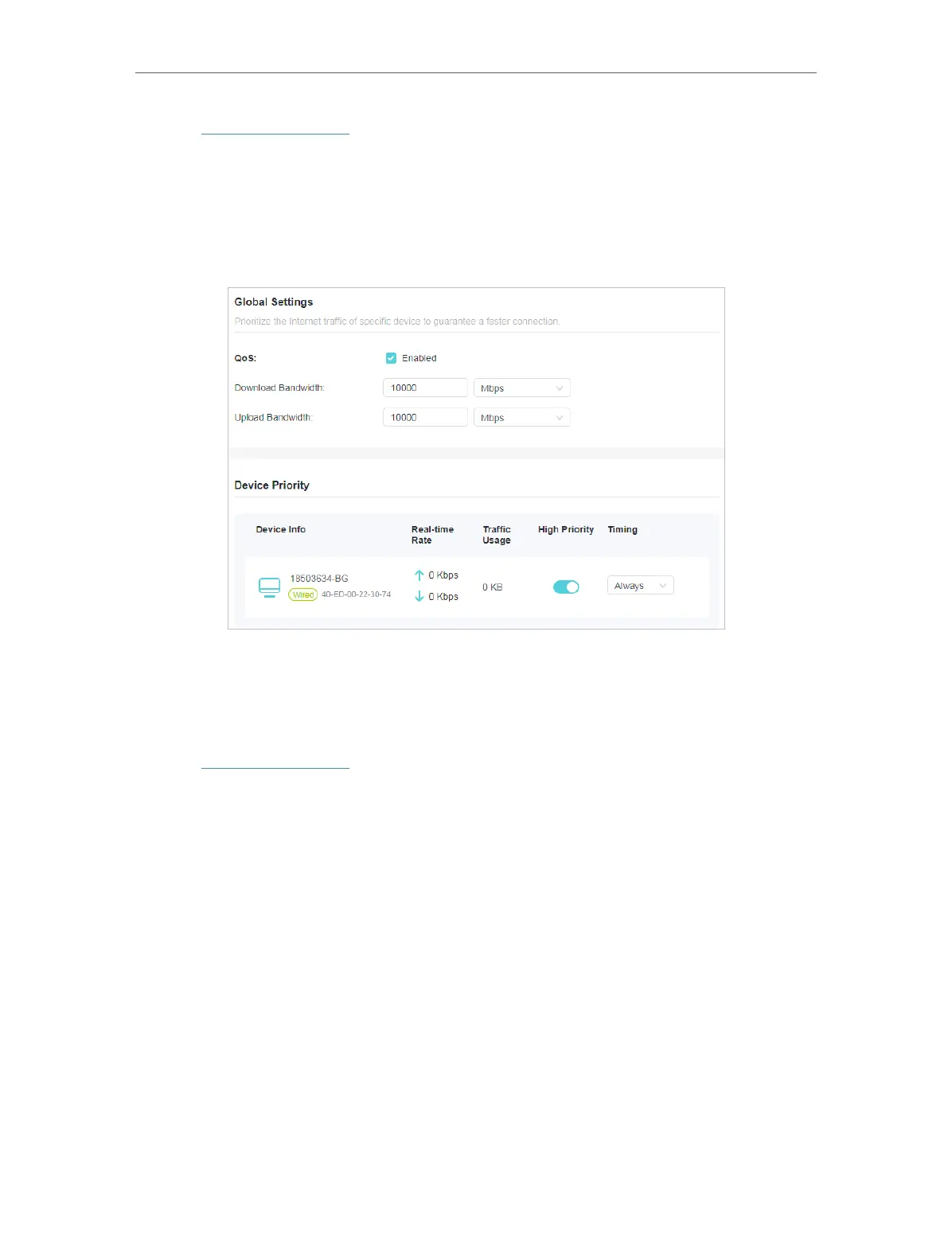
2. Go to Advanced > HomeShield > QoS.
3. Enable QoS to set the total bandwidth. Then click SAVE.
4. Enable High Priority for the desired device and set its effective time.
11. 4. More Features
Download the Tether app and subscribe to enjoy the full features of HomeShield.
1. Visit http://tplinkwifi.net, and log in with your TP-Link ID or the password you set for
the router.
2. Go to Advanced > HomeShield > More Features.
3. Follow the web instructions to get full features of HomeShield.








 To Next Page