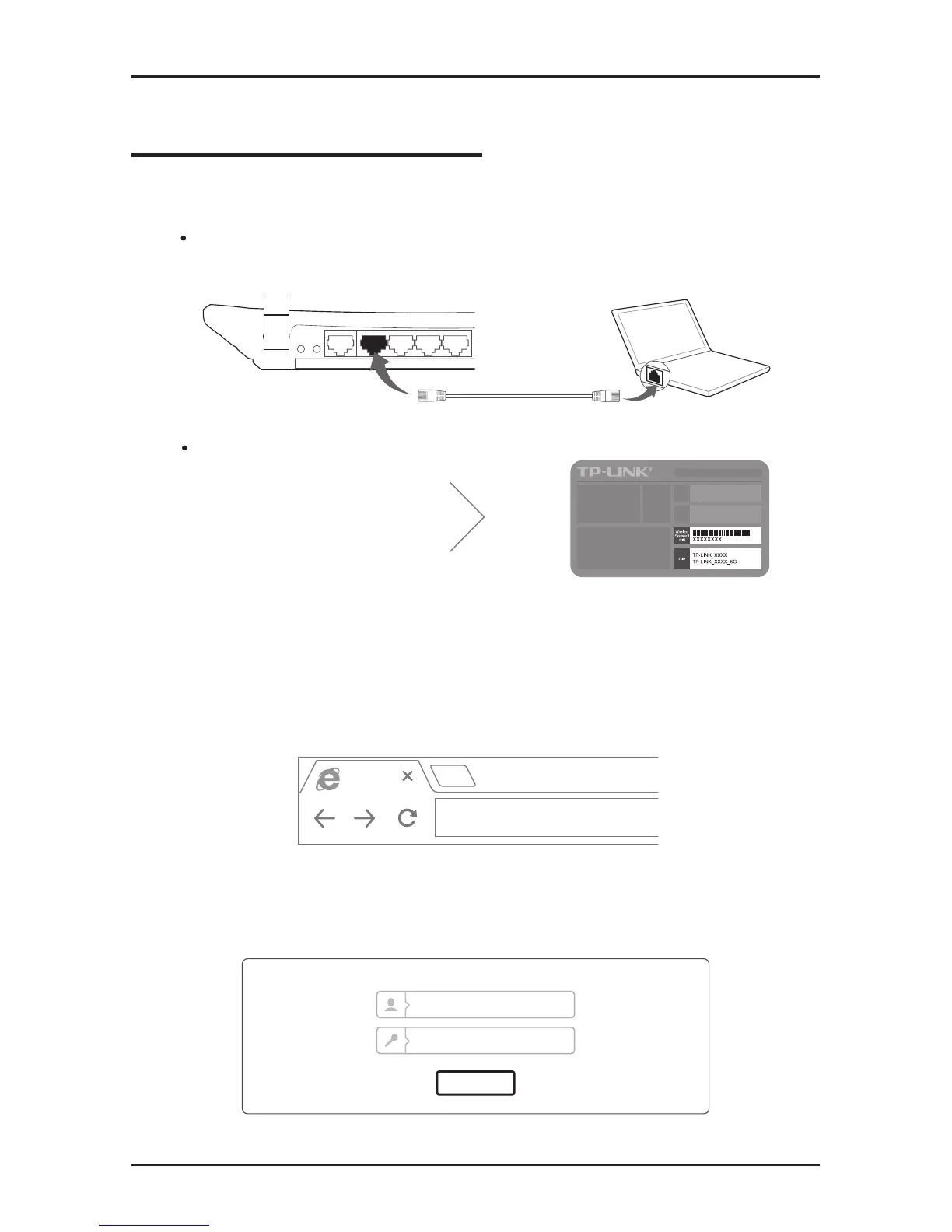
Wireless
On/Off
Turn off the Wi-Fi on your computer and connect devices as shown below:
Connect wirelessly by using the
default network name (SSID)
and password printed on the
product label at the bottom of
the router.
2. Open a web browser on the computer and congure the router
according to the following main clues.
a. Enter http://tplinkwi.net in the address bar. Alternatively,
enter http://192.168.0.1 or http://192.168.1.1.
http://tplinkwifi.net
b. Type in admin for both the username and password and
click Login.
Note: If the login window does not appear, please refer to FAQ
>
Q1.
Login
admin
admin










 To Next Page