Quick Setup Guide: TP-Link deco 4G+ Modem4
STEP 6:
Optional: Connecting your
home phone
You can run a landline over your wireless
connection, there is an upfront cost of
$69.00 for a home phone adapter and a
$23.00 monthly fee.
Get in touch with our team to add a
phone service.
If you would like the service, please call,
or email Wireless Nation. We can port your
existing number. Do not disconnect your
existing number until we have ported it.
If you need further assistance,
please email us at:
support@wirelessnation.net
or call 09 280 3672
Need further
assistance?
DH9241
STEP 5:
Cabled connections for
devices
You can connect a computer, laptop,
Smart TV, etc. via an ethernet cable to
your modem.
Use the provided ethernet cable.
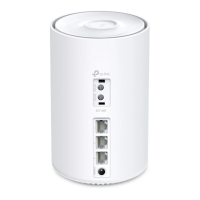
Plug one end of the cable into any
of the two LAN ports (
3
) at the back
of your TP-Link Deco 4G modem. Plug the
other end of the cable directly into an
Ethernet port of your computer, laptop,
or other device as shown below:
Note:
A cabelled connection is
always recommended over
a wireless connection,
but it is not compulsory
3
PHONE1 2P OWER





 To Previous Page