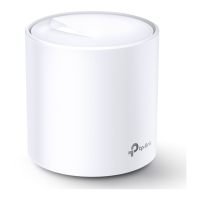
The TP-Link Deco Whole Home Mesh Wi-Fi 6 System is a comprehensive solution designed to provide superior mesh Wi-Fi coverage throughout your home. This system utilizes Wi-Fi 6 technology to deliver enhanced network performance, ensuring a stable and fast internet connection for all your devices, everywhere in your home. The Deco system is managed through an intuitive mobile application, which guides users through setup and offers a wide range of features for network management, security, and parental controls.
Function Description
The primary function of the Deco system is to create a seamless, whole-home mesh Wi-Fi network. Unlike traditional routers that broadcast Wi-Fi from a single point, Deco units work together to form a unified network, eliminating Wi-Fi dead zones and providing consistent coverage. Each Deco unit acts as a node in the mesh, intelligently routing your devices to the Deco with the strongest signal, ensuring smooth transitions as you move around your home. The system supports Tri-Band Mesh Wi-Fi 6, which means it uses three distinct Wi-Fi bands (one 2.4 GHz and two 5 GHz bands) to optimize performance, dedicating one band for backhaul communication between Deco units to ensure maximum speed for your connected devices.
The Deco system serves as the central hub for your home network. It connects to your modem and distributes internet access to all wired and wireless devices. It supports various internet connection types, including Dynamic IP, PPPoE, Static IP, L2TP, PPTP, and DS-Lite, making it compatible with a wide range of internet service providers. The system also includes two RJ-45 Gigabit Ethernet ports on each unit, allowing for high-speed wired connections to devices such as smart TVs, gaming consoles, or desktop computers.
Usage Features
The Deco system is designed for ease of use, with setup and management primarily handled through the Deco app on your smartphone or tablet.
- Easy Setup: The app provides a step-by-step guide for setting up your Deco units. This involves downloading the app, logging in with a TP-Link ID, identifying your Deco model, connecting the main Deco to your modem, selecting a location for the unit, configuring your internet connection type, and creating your Wi-Fi network name and password. The app simplifies the process, making it accessible even for users with limited networking knowledge.
- Network Overview: The dashboard of the Deco app offers a quick overview of your network status. You can see which Deco units are online, the number of connected devices, and real-time upload and download speeds for individual devices.
- Device Management: You can view a list of all connected devices, including their IP and MAC addresses, and their connection type (e.g., Main Network, 5GHz). For each device, you can check its connection status and even assign a unique profile. The app also allows you to add devices to a blacklist, preventing them from accessing your network.
- Wi-Fi Settings: The app provides comprehensive control over your Wi-Fi network. You can change the network name (SSID) and password for your main network. Additionally, you can create a separate guest network with its own SSID and password, providing secure internet access for visitors without exposing your main network. The "Shake to Share" feature allows you to easily share your network details with family and friends by simply shaking your device.
- HomeShield Security: The Deco system integrates TP-Link HomeShield, a suite of features designed to enhance network security and management. HomeShield offers real-time protection against malicious attacks, keeping your home network and personal information secure. It scans your network for vulnerabilities and provides recommendations for optimization.
- Parental Controls: HomeShield includes robust parental control features. You can create profiles for family members, allowing you to manage their online activities. This includes setting time controls (Time Limits, Bedtime, Offtime) to restrict internet access during specific hours or for a set duration, and content filters to block access to inappropriate websites (e.g., adult content, gambling). You can also view reports on online time, traffic usage, and most visited/blocked websites for each profile.
- Quality of Service (QoS): The QoS feature allows you to prioritize devices that are most important to you, ensuring they receive a good network experience. You can set the total download and upload bandwidth for your network and then select specific devices to be given high priority.
- Advanced Features: The Advanced menu in the app offers a variety of granular controls:
- WAN Settings (IPv4 & IPv6): Modify internet connection details, including IP address, subnet mask, default gateway, and DNS servers.
- IPv6 Firewall Rules: Configure rules for IPv6 traffic.
- LAN IP: Change the local IP address of your Deco network.
- DHCP Server: Configure the DHCP server settings, including the IP address range for connected devices.
- IPTV/VLAN Mode: Enable and configure IPTV/VLAN settings for specific internet service provider requirements.
- MAC Clone: Clone the MAC address of a specific device, which may be necessary for certain ISP setups.
- IP Reservation: Reserve specific IP addresses for particular devices on your network.
- Port Forwarding: Set up rules to make local computers accessible from the internet, useful for gaming or hosting services.
- TP-Link DDNS: Register a TP-Link DDNS domain name for remote access to your network.
- SIP ALG: Enable SIP ALG for improved compatibility with Voice over IP (VoIP) services.
- Fast Roaming (802.11r): Enhance seamless roaming for wireless devices as they move between Deco units.
- Beamforming: Concentrate Wi-Fi signals towards connected devices for stronger and more reliable connections.
- LED Control: Turn off the LED indicators on your Deco units, or set a schedule for them to be off (Night Mode).
- Working Mode: Switch between Router mode (default, where Deco manages the network) and Access Point mode (where Deco extends an existing network).
- Notification Settings: Configure alerts for new device detection, firmware updates, antivirus alerts, and monthly reports.
- WPS (Wi-Fi Protected Setup): Easily connect WPS-compatible clients to your network with a tap, without needing to enter the Wi-Fi password.
- Managers: Add other TP-Link ID accounts as managers to help administer your network, with customizable privileges for network and client management.
Maintenance Features
The Deco system includes features to ensure its optimal performance and longevity.
- Online Update: TP-Link is committed to improving its products, and the Deco system supports online firmware updates. The app will prompt you when new firmware versions are available, and you can easily update your Deco units to benefit from better performance, new features, and enhanced stability. If an update fails, the app provides troubleshooting tips, such as rebooting the main Deco or moving satellite Decos closer.
- Reports: HomeShield generates weekly and monthly reports that provide insights into your network's activity. These reports include details on security threats detected, total connected network devices each day, and usage statistics. These reports help you monitor your network's health and security over time.
- LED Indicators: Each Deco unit has an LED that changes color to indicate its status (e.g., yellow pulse for resetting, blue pulse for ready for setup, green solid for registered and all well, red solid for an issue). These visual cues help users quickly diagnose the status of their Deco units.
- Reset Button: A physical reset button on each Deco unit allows you to restore it to factory default settings by pressing it for 1 second. This can be useful for troubleshooting or reconfiguring the device.

 Need help?
 General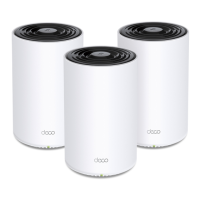


 To Next Page