6
Chapter 1
Get to Know About Your Mobile Wi-Fi
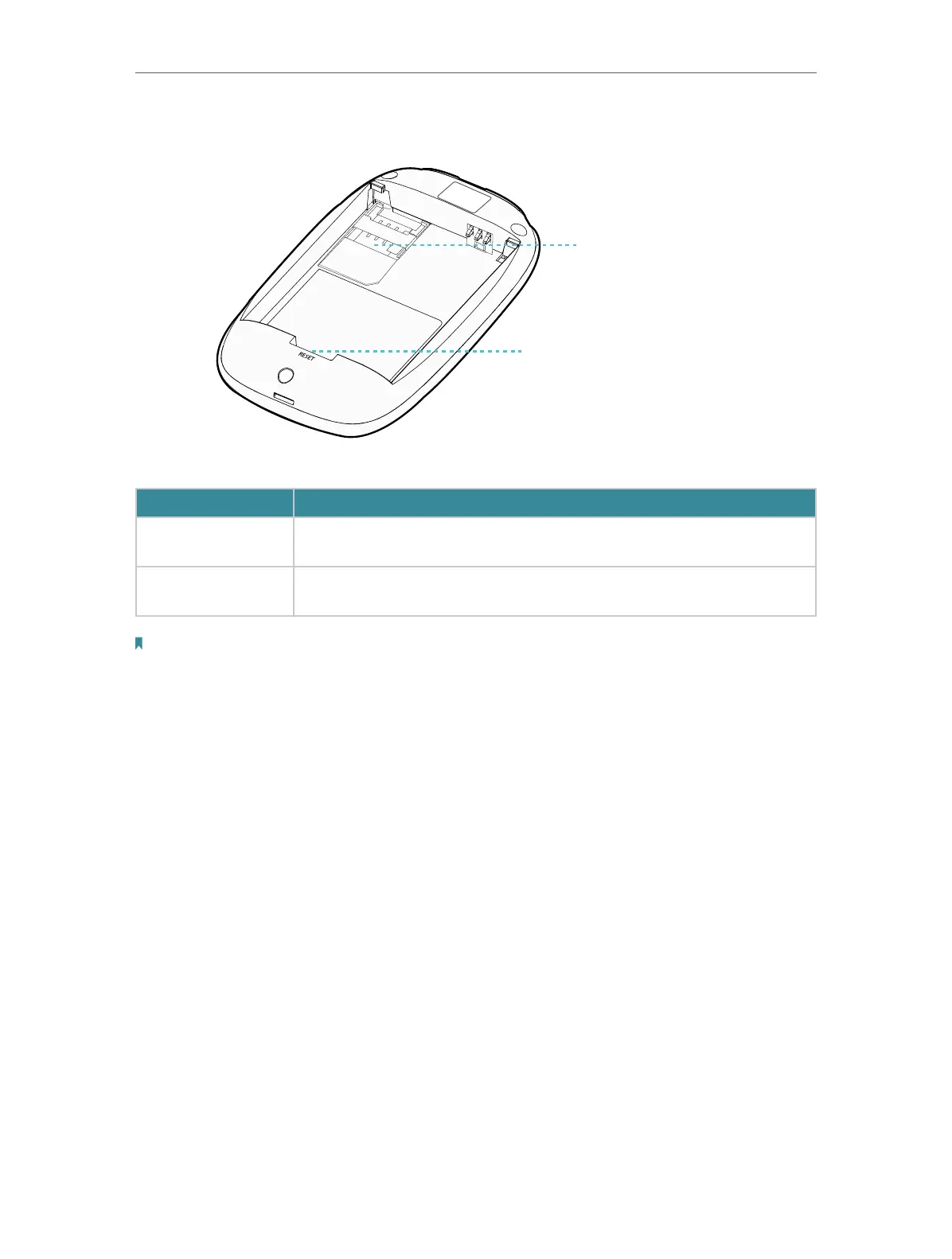
1. 2. 2. The Interior
SSID:
TP-Link_XXXX
Wireless Password:
XXXXXXX X
Reset Button
SIM Card Slo
Item Explanation
Item Description
SIM Card Slot
Insert a SIM card into the slot. A micro or nano SIM card must be converted
using a SIM card adapter.
Reset Button
With the Mobile Wi-Fi powered on, use a pin to press and hold this button until
all LEDs turn on momentarily to reset the Mobile Wi-Fi.
Note:
1. The label is under the battery pack.
2. Resetting the device to its factory defaults will clear all previous configuration.


 To Next Page