9
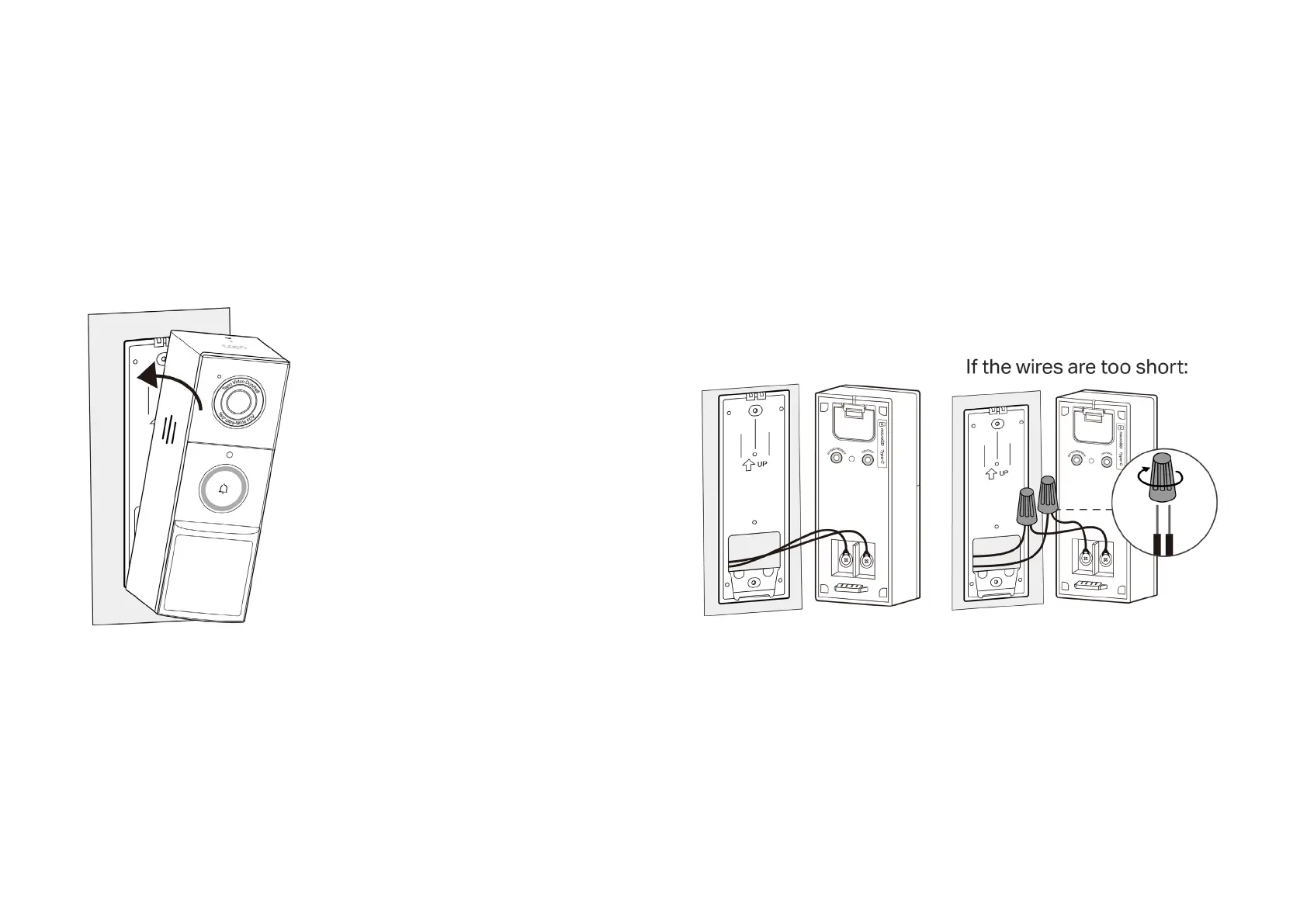
3. Mount the doorbell to the bracket.
Note: If you have trouble attaching the doorbell to the bracket or it causes false anti-theft alarms, check if you tightened the screws too much that the
bracket bent. Adjust the depth of the screw and then reinstall the doorbell.
Option A: Battery Powered Option B: Hardwire Powered
Connect the wires to the doorbell and tighten the screws. Mount the
doorbell to the bracket and turn on the circuit breaker.
Note: If the wires are too short, use the included extension wires and
wire nuts to make them longer.
Starting from the bottom, attach the doorbell to
the bracket.


 To Next Page