Quick Installation Guide
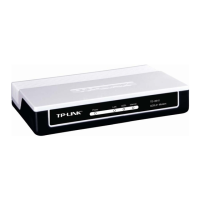
DOCSIS 3.0 High Speed Cable Modem
7106506322 REV1.0.1
Connect the Hardware
Activate the Modem
Enjoy the Internet
TC-7650
For additional conguration, log into the web interface at
http://192.168.100.1.
Now you can use your computer to surf the Internet.
If you want to share the Internet access, connect a router
to the modem instead. You need to reboot the modem
to get the router connected to the Internet.
1
IP: 192.168.100.1IP: 192.168.100.1
Serial Number
MAC Address
Information Card
Get your Internet service account information and the
modem’s Information Card ready.
2
Make sure your computer is set to dynamically obtain
an IP address.
Launch a web browser, and visit any website.
You will be automatically redirected to your ISP’s
self-activation page.
If the self-activation page does not show up, call
your ISP’s customer service.
3
4
2
4
Wait until the Internet LED turns solid on. The
modem has synchronized with your ISP’s server.
1
Coaxial cablePower adapter
Internet
If the Internet LED is blinking or o after about 1 minute,
call your ISP’s customer service.
Note:
If the Internet is not accessible, contact your ISP and make sure
that the modem is activated.
Note:
Follow the on-screen instructions to activate the
modem, and
wait for about 10 minutes till the
LEDs become solid on
.
For Comcast and Time Warner Cable (TWC):
Comcast Xnity 1-800-934-6489 www.comcast.com
Time Warner Cable 1-855-704-4503 www.timewarnercable.com
The contact information listed might change. You can also nd the contact
number in your monthly Internet service billing statement.
Ethernet cable
3
Cable
Power
LAN
Reset

 Need help?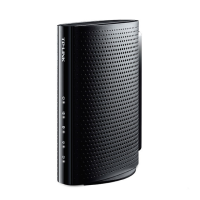



 To Next Page
 General