28
z Viewer Authentication: If the viewer authentication is On, the users will be requested to
type in username and password when viewing through RTSP.
¾ RTP (if RTSP mode is On, please check “SETTING → BASIC→ Camera → General“)
z Unicast Streaming Video / Audio Port Range: Specify the transmission port range of
RTP streaming video. RTP will select a port randomly from this range.
z Multicast Streaming (If it is ON)
9 Multicast Address: Specify the multicast server address.
9 Video / Audio Port: Specify the transmission port number of the video data, which is
an even number from 1024 to 65534.
9 Time- to- Live: Set the maximum TTL(Transistor-Transistor Logic) that multicast can
pass through.
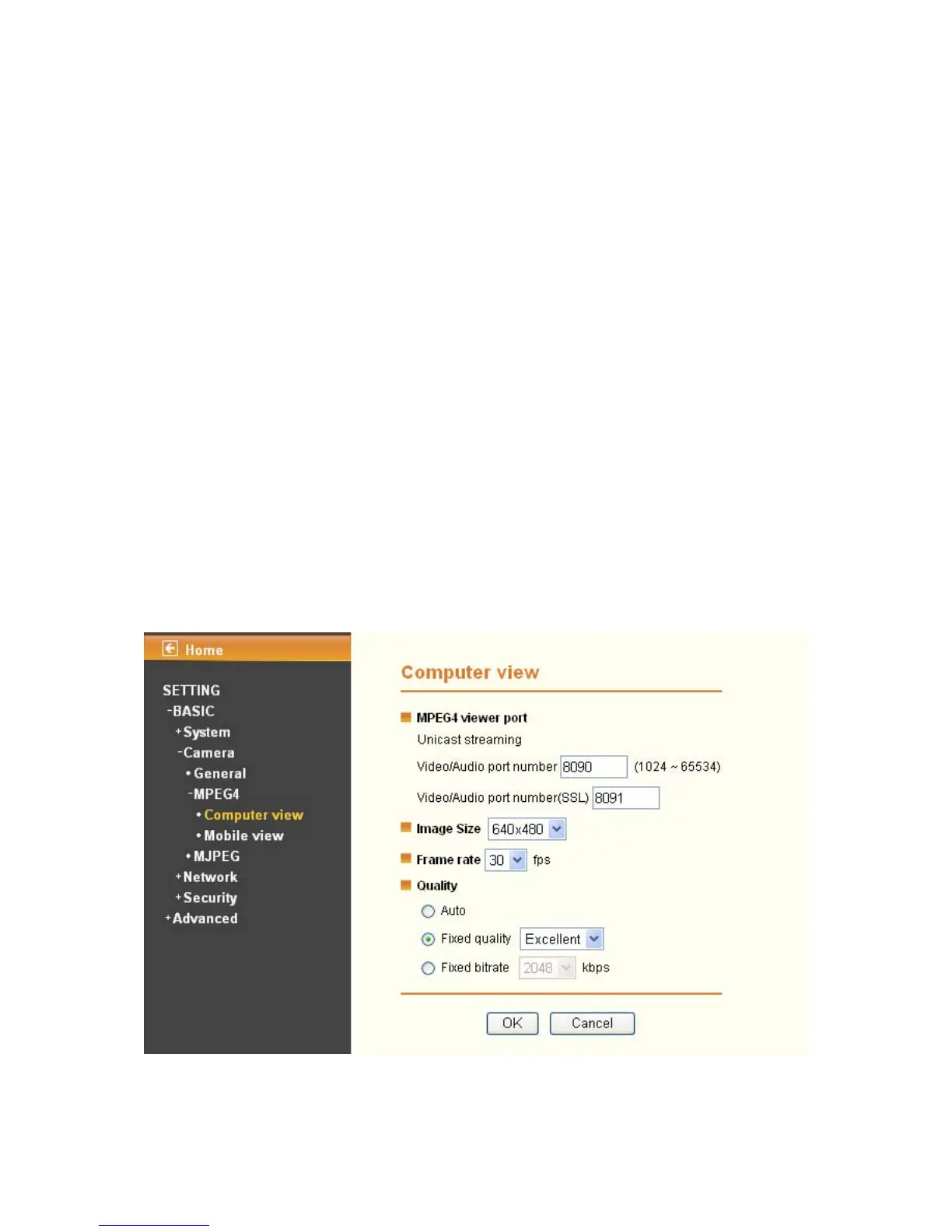
¾ Image Size: Specify the image size when the network camera transmits. You can choose
among 640 x 480, 320 x 240, and 160 x 120.
¾ Frame Rate: Set the frame rate of the MPEG4 image. You can choose values from 5, 10, 15,
20, 25, and 30 fps. The unit “fps” stands for “frames per second”.
¾ Quality:
z Auto: The quality and bitrate will be adjusted automatically according to the frame rate.
z Fixed Quality: You can select the value of quality among Medium, Good, Delicate and
Excellent.
z Fixed Bitrate: Set the bitrate of MPEG4 image transmission for a line. You can select the
values from 64, 128, 256, 384, 512, 768, 1024, 1280, 1536, and 2048 kbps.
¾ MPEG4 view port (if RTSP mode is Off, please check “Setting →Basic → Camera →
General”)


 To Next Page