TL-WR1042ND 300Mbps Wireless N Gigabit Router
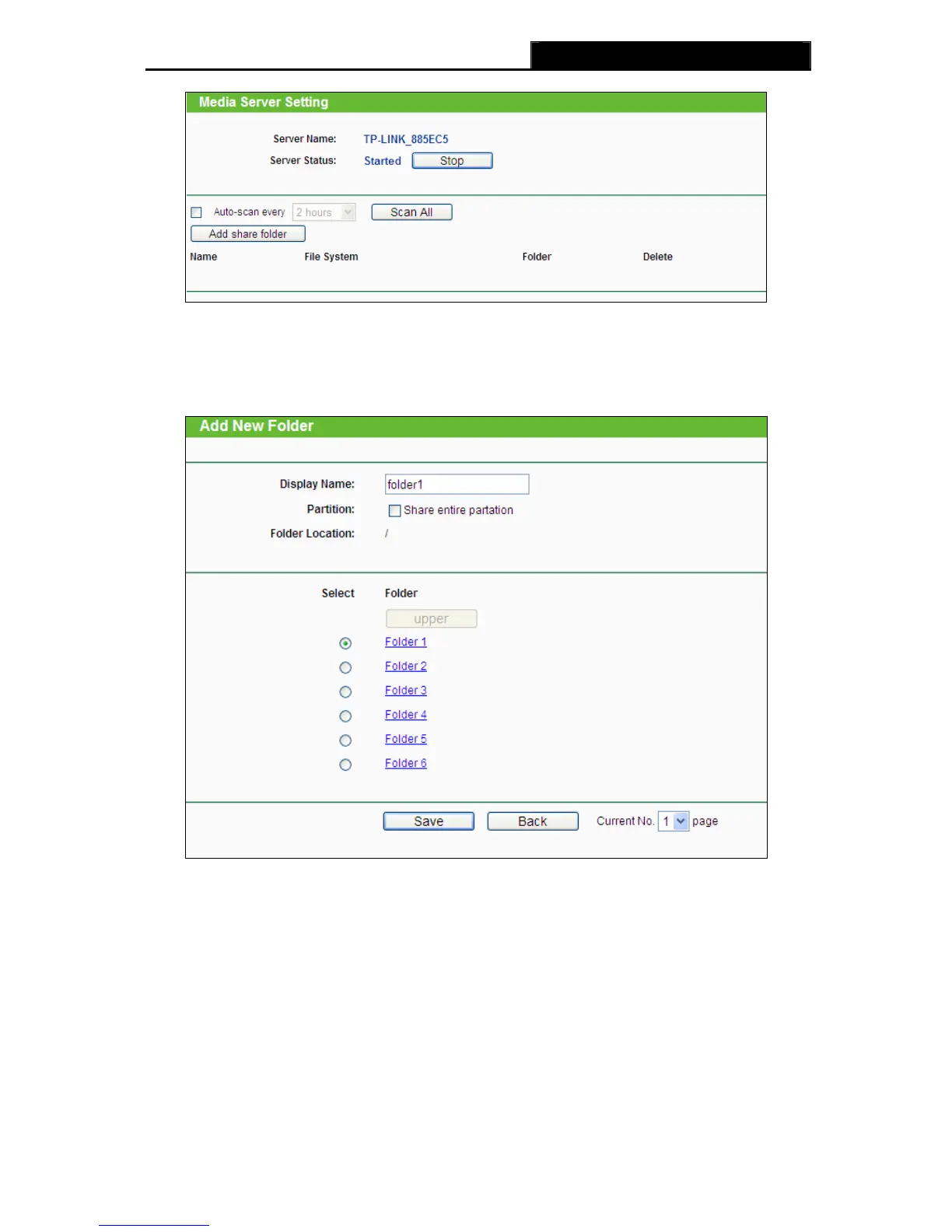
Figure 4-40 Media Server Setting
3. Click the Add share folder button to specify a folder as the search path of media server. The
screen will then appear as shown in Figure 4-41.
Figure 4-41 Add New Folder
¾ Display Name - You can enter a display name for the share folder.
¾ Share entire partition - You can select this option and then the folders contained in
this partition will all be shared.
¾ Folder Location- Displays the location of this folder.
¾ Select - You can select this option to share the specified folder.
¾ Folder - Name of folders that is in current path.
¾ upper - You can click the upper button to get into the upper folder.
-50-













 To Next Page