TL-WR843ND 300Mbps Wireless AP/Client Router User Guide
- 19 -
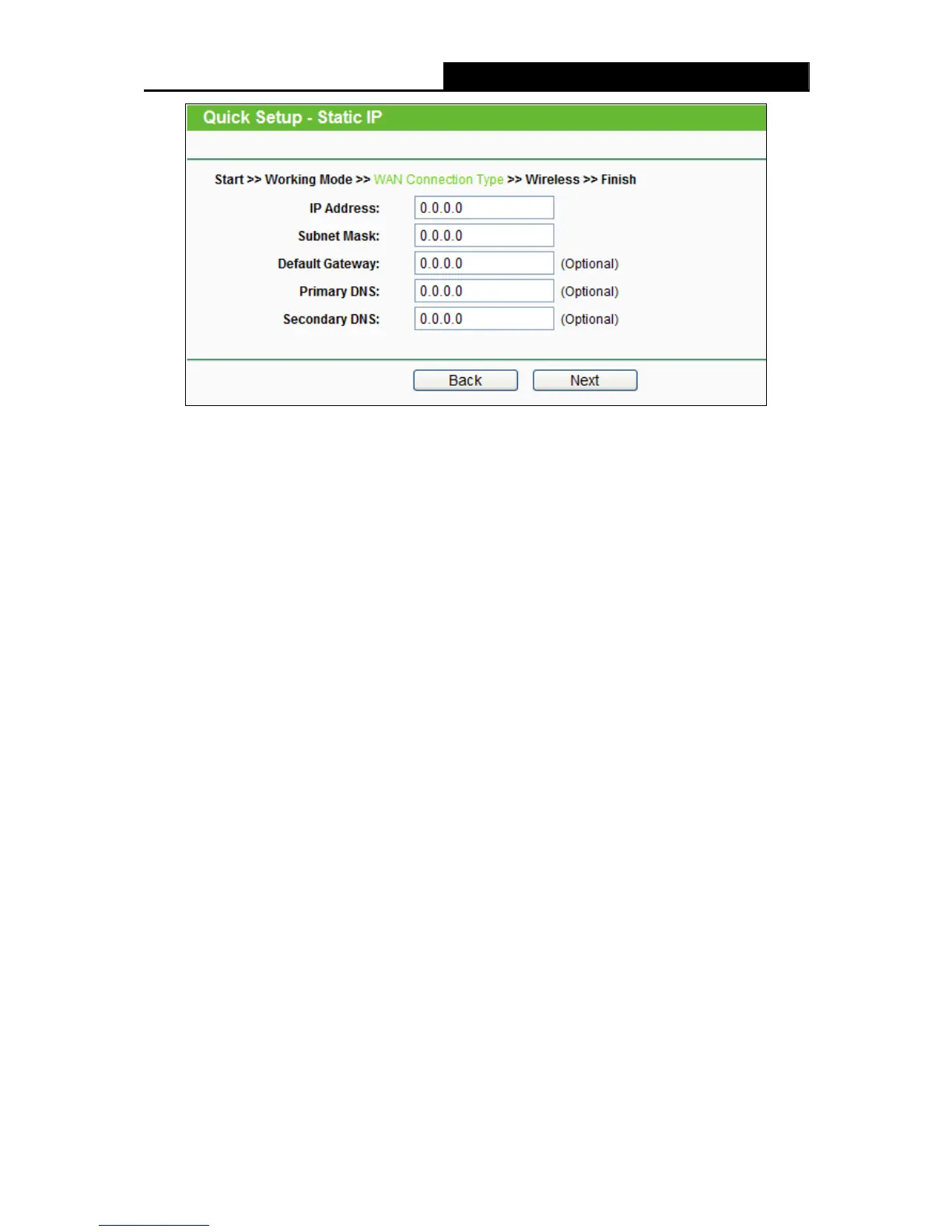
Figure 3-15 Static IP
Note:
The IP parameters should have been provided by your ISP.
IP Address - This is the WAN IP address as seen by external users on the Internet (including
your ISP). Enter the IP address into the field.
Subnet Mask - The Subnet Mask is used for the WAN IP address, it is usually
255.255.255.0.
Default Gateway - Enter the gateway IP address into the box if required.
Primary DNS - Enter the DNS Server IP address into the boxes if required.
Secondary DNS - If your ISP provides another DNS server, enter it into this field.
2. Click Next, and the Wireless settings page will appear as shown in Figure 3-16.












 To Next Page