EN – 13
7 Select assist mode
You can choose between 3 assist
modes or switch off the assist from
the drive unit. The selected assist
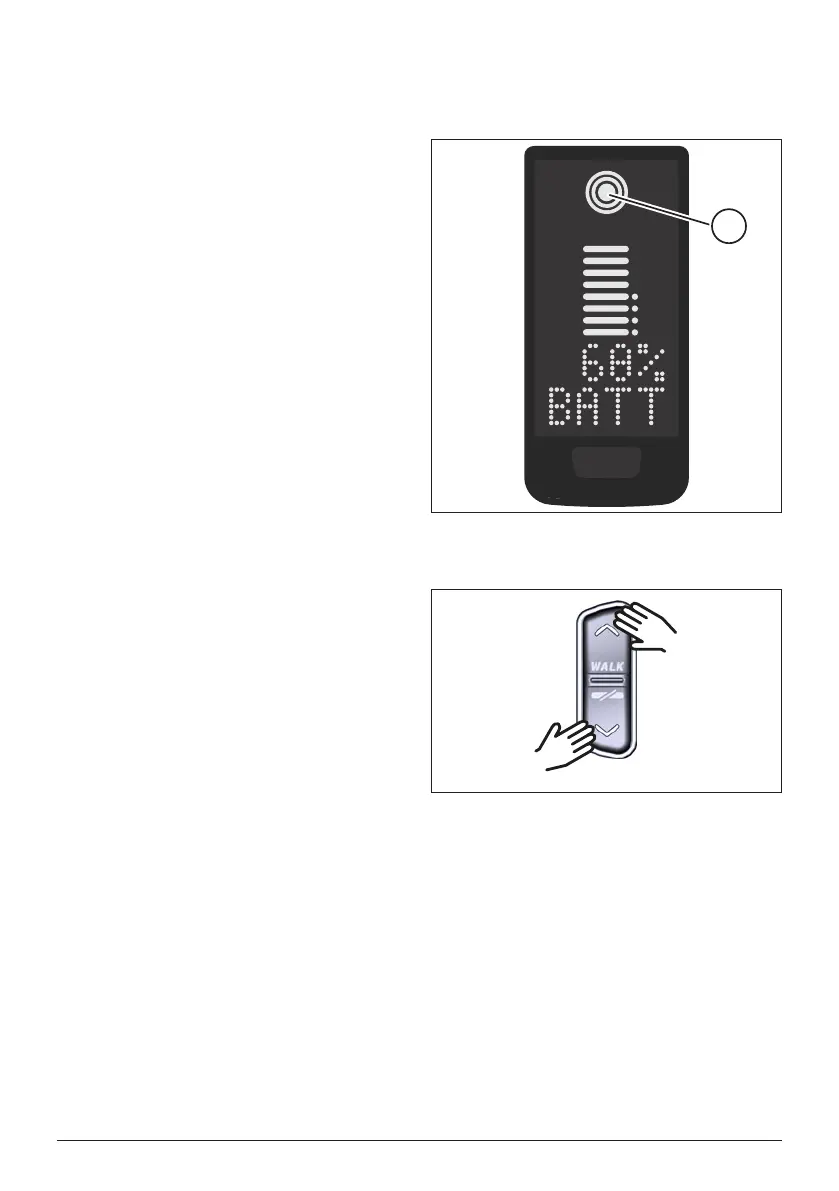
mode I, II or III is shown on the Display
with the corresponding number of
bars (see pos. 1 in Fig. 5).
— With a short press on the button
UP of the Remote (see Fig. 6) you
increase the assist mode.
— With a short press on the button
DOWN of the Remote (see Fig. 6)
you decrease the assist mode.
— With a long press (>3 s) on the
DOWN button of the Remote (see
Fig. 6), you switch off the assist
from the drive system.
Fig. 5: Visualization of the selected
assist mode
1
Fig. 6: Select assist mode on the
Remote


 To Next Page