
 Need help?
Do you have a question about the TQ Display V01 and is the answer not in the manual?
Explains hazard signal words and their risk levels to prevent injury.
Defines the intended purpose of the Display and Remote V01 for operating the e-bike.
Safety precautions before performing maintenance or cleaning on the e-bike.
Safety guidelines for using the Display and Remote while riding.
Advice to avoid injuries during riding, especially when starting with high torque.
Safety precautions when using wireless technologies like Bluetooth and ANT+.
Details compliance with FCC Rules for radio frequency interference and exposure.
Outlines compliance with Innovation, Science and Economic Development Canada regulations.
Lists screen diagonal, connectivity, protection class, dimensions, weight, and temperature limits for the display.
Details protection class, weight, and operating/storage temperatures for the remote control.
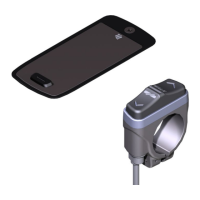
Identifies and describes the elements shown on the display unit.
Identifies and describes the buttons and functions of the remote control.
Steps to enter the setup mode by pressing specific buttons on the display and remote.
Details available settings such as measurement units, acoustic signals, and walk assist.
Steps to download the app, pair the smartphone, and confirm the connection.
Guide to connecting the e-bike to bicycle computers using Bluetooth or ANT+.
Explains how the drive system assists the rider based on speed and pedaling force.
Notes on proper gear shifting techniques for e-bikes.
Lists factors influencing the e-bike's range on a single battery charge.
 General
| Brand | TQ |
|---|---|
| Model | Display V01 |
| Category | Bicycle Accessories |
| Language | English |

 To Next Page