EN – 17
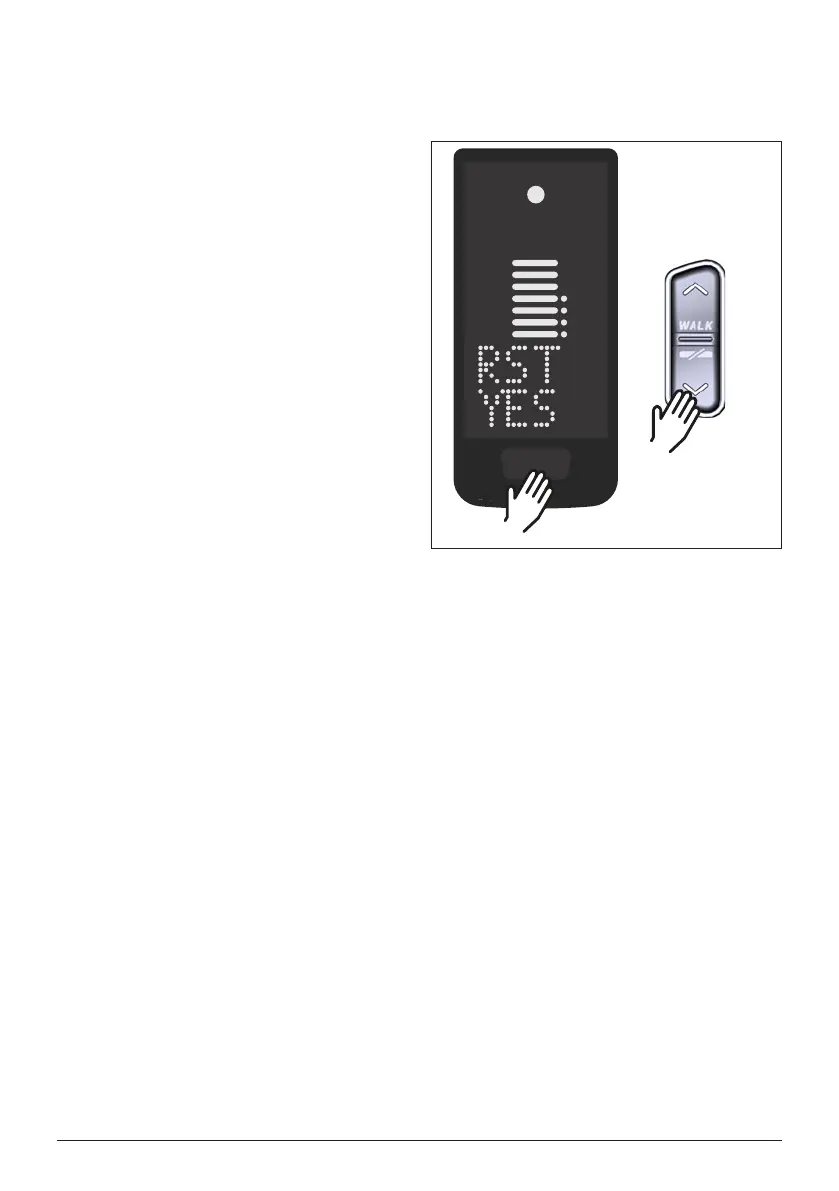
10 Reset to factory settings
► Switch on the drive system.
► Press and hold the button on the
Display and the DOWN button on
the Remote for at least 10 s, the
Setup-Mode is indicated first and
RESET is followed (see Fig. 10).
► Make your choice with the buttons
on the Remote and confirm it by
pressing the button on the Display.
► Dealer Service Tool necessary if no
Rmote installed.
When resetting to factory settings,
the following parameters are reset to
the factory settings:
— Drive Unit tuning
— Walk assist
— Bluetooth
— Acoustic acknowledge sounds
Fig. 10: Reset to factory settings
>10 s
+
>10 s


 To Next Page