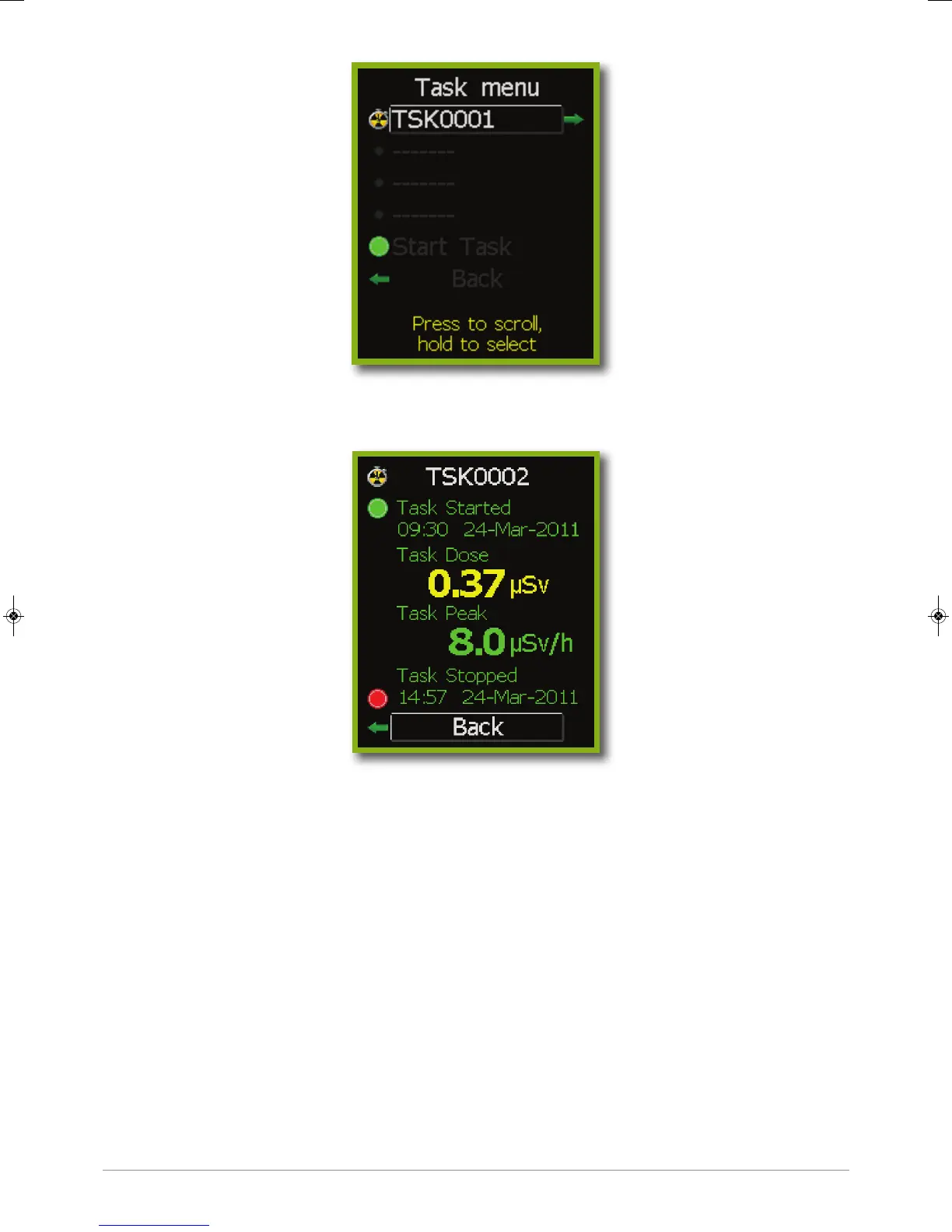
Current tasks are highlighted by a green light. A trefoil/stop watch icon shows completed tasks.
Current and completed task details may be viewed by selecting that task.
It is possible to record up to 9999 tasks on the TRACERCO PED. The four most recent tasks may
be reviewed through the task details screen. Note;all task data logging periods may be displayed
when data is viewed in DoseVision.
Task details may be cleared from the TRACERCO PED after data has been transferred to the
PC using the DoseVision software.
2.6.3 Flip screen function
To aid the user in viewing readings during operations the TRACERCO PED has the special
capability to flip the orientation of the screen. See section 2.5 for navigation to this function.
2.6.4 Screensaver
The TRACERCO PED screensaver is a blank screen. The screensaver can be switched off
by pressing the TRACERCO PED button. The user may select the time period before
screensaver activation. See section 2.5 for navigation to this screen.
9
38472_CD Manual 23/08/2013 14:25 Page 9


 To Next Page