INSTALLATION INSTRUCTIONS | PAGE 16IN-0050
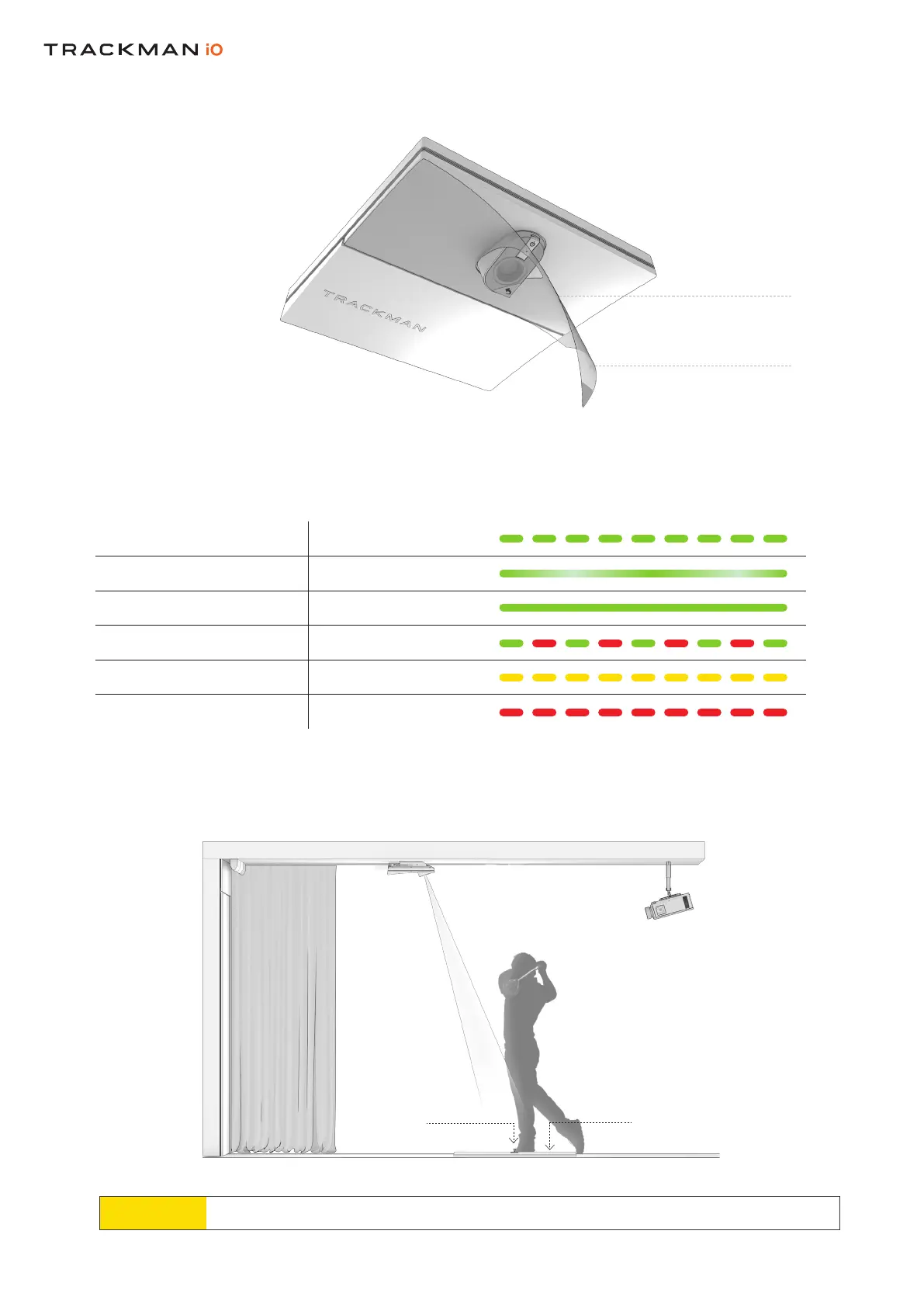
Connectthepowerplugfromtheintoanappropriateoutletandyourwillturnon.
ThestatusindicatorlightswilldisplaythecurrentstatusasshowninTable3.
Table 3. The Trackman iO status indicator
STATUS
INDICATOR
PROTECTIVE
FOIL
PROTECTIVE
FOIL
Booting Blinkinggreen
Ready(noPCconnected) Pulsatinggreen
Active(PC/TPSconnected) Solidgreen
Recoverymode Blinkinggreen/red
NoNetworkconnection Blinkingyellow
Error Blinkingred
Yourmustbeorientedasshownabove.
NowpeelofftheprotectivefoilsfromthefrontandthelensofyourYoucannowalsoremove
thefromthe
CEILING SURFACETMiO PROJECTOR
HITTING SCREEN
PREFERRED TEE
MARKER POSITION
HITTING SURFACE



 To Next Page