EasyManua.ls Logo

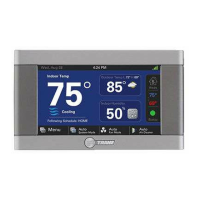
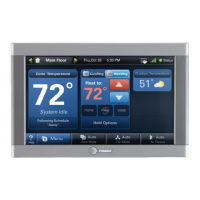
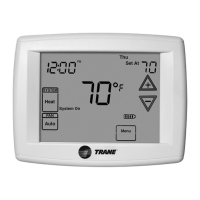
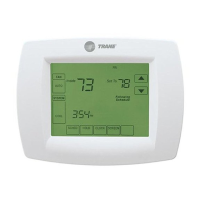
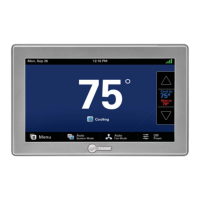
Trane ComfortLink II XL1050 - User Manual

Trane ComfortLink II XL1050
32 pages
Print Icon
To Next Page IconTo Next Page
Loading...
One System.
Limitless Potential.
Complete Control.
32-5093-04A-EN
ComfortLink™ II XL1050
Model TZON1050AC52ZA
WITH

Other manuals for Trane ComfortLink II XL1050

Questions and Answers

  • S
    Sabrina DavisSep 15, 2025
    Why is my Trane Control Unit heat pump not turning on?
    • D
      David GonzalezSep 15, 2025
      If the heat pump is not turning on and only the furnace or electric heat strips are running on your Trane Control Unit, it could be due to: * The outdoor temperature being below the compressor lockout temperature setting. Adjust the compressor lockout temperature setting if desired. * Compressor heating lockout being enabled and the outdoor temp sensor being out of calibration or failed. Check/repair the outdoor sensor or wiring. * The outdoor unit not reporting (Err.126.00). Check the communication status of the outdoor unit.
  • R
    Rachel Tanner MDAug 25, 2025
    What to do if heating will not come on with Trane Control Panel?
    • N
      Nancy DixonAug 25, 2025
      If your heating isn't turning on with the Trane 1050 Control Panel, here are a few things to check: * Make sure the system mode is set to Heat/Auto and the setpoint is higher than the room temperature. * Wait for 5 minutes to ensure the minimum off time delay isn't being enforced. * If the issue persists, the heating system may require service; check and repair the system.
  • T
    Tracy HigginsAug 25, 2025
    What to do if cooling will not come on with Trane Control Panel?
    • Z
      zachary65Aug 26, 2025
      If your cooling isn't turning on with the Trane 1050 Control Panel, here are a few things to check: * Ensure the system mode is set to Cool/Auto and the setpoint is lower than the room temperature. * Wait for 5 minutes to ensure the minimum off time delay isn't being enforced. * If the issue continues, the cooling system may need service; check and repair the system.
  • K
    Kimberly BaileyAug 26, 2025
    Why won't the display on my Trane Control Unit come on?
    • A
      Arthur BoyleAug 27, 2025
      If the display of your Trane Control Unit 1050 does not turn on, it might be due to a loss of 24VAC between R & B. To resolve this: * Check the wiring between R & B. * Check the transformer for 24VAC output. * Check for broken or shorted thermostat wire.
  • M
    Michele SampsonSep 16, 2025
    What to do if Trane Control Unit fan is on but not running?
    • K
      Kathleen RichardsonSep 16, 2025
      If the fan is set to ON but not running in your Trane Control Unit, it could be because: * The Smart Continuous Fan feature has been engaged. If indoor humidity is higher than the desired setpoint, the blower will cycle off with the equipment. A humidity icon will be displayed on the Fan Mode button when the blower operation is being inhibited due to high humidity. * The blower motor is not functioning. Check and repair the system.
  • M
    Michael FrancisSep 23, 2025
    Why does the time on my Trane Control Unit change every day?
    • S
      sandracraigSep 23, 2025
      If the time set on your Trane Control 1050 changes every 24 hours, it indicates that the 1050 Control is connected to Nexia and the time zone set on the Nexia account is incorrect. Correct the time zone set on the Nexia account.
  • C
    Christine ClarkSep 8, 2025
    Why does the time set on my Trane Control Panel change every 24 hours?
    • C
      Crystal DunnSep 8, 2025
      If the time set on your Trane 1050 Control changes every 24 hours, the 1050 Control is connected to Trane Home, and the time zone set on your Trane Home account is incorrect. Correct the time zone set on your Trane Home account.
  • J
    jhamiltonSep 8, 2025
    Why is the heating not working on my Trane Control Unit?
    • R
      Russell PittmanSep 8, 2025
      If the heating system of your Trane Control Unit does not turn on, it could be due to several reasons: * The system mode might not be set to Heat/Auto, or the setpoint is set too low. In this case, set the mode to heat and raise the setpoint above the room temperature. * The minimum off time delay might be in effect. Wait for 5 minutes and recheck the heating equipment. * The heating system may require service. Check and repair the system.
  • A
    Ashley MartinSep 2, 2025
    What to do if the fan is set to ON but not running on my Trane Control Panel?
    • L
      lisaacevedoSep 2, 2025
      If the fan is set to ON but not running on your Trane 1050 Control Panel, the Smart Continuous Fan feature might be engaged. If indoor humidity is higher than the desired setpoint, the blower will cycle off with the equipment. A humidity icon will be displayed on the Fan Mode button when the blower operation is being inhibited due too high humidity. Also, the blower motor might not be functioning, so check and repair the system.
  • M
    mayocodyAug 31, 2025
    What to do if the room temperature overshoots when the Heat/Cool setting is changed more than 2° on Trane Control Panel?
    • B
      Brandon ReynoldsAug 31, 2025
      Room temperature overshooting on your Trane 1050 Control Panel when changing the Heat/Cool setting by more than 2° can occur if the heating/cooling equipment is oversized for the current conditions, preventing the 1050 Control from responding quickly enough. Also, it can be caused by an improper location of the 1050 Control. Compare heat load calculation to equipment chosen and relocate the 1050 Control or use a remote sensor.

Summary

Nexia Benefits

Navigation Overview

Home Screen

Displays current temperature, system status, and quick access buttons.

Settings Screen

Allows configuration of thermostat features, network, and system settings.

Home Screen Customization

User Setup Wizard

Guided Scheduling

Guides user through setting up a weekly temperature schedule.

1-Touch Presets

Configure predetermined set points for Home, Away, and Sleep periods.

Network Setup

Connect the XL1050 to a local network via Wi-Fi or Ethernet.

Nexia Registration

Enroll the XL1050 to enable remote access via Nexia smart home systems.

Manual Scheduling

Changing Schedule Periods

Modify temperature settings, start/stop times, and period names.

Screen Lock and Guest Access

Nexia Smart Home System

XL1050 as Z-Wave Hub

Serves as a central hub for automation devices, displaying weather data.

Creating a Nexia Account

Instructions to go to www.mynexia.com to set up an account.

Adding;Removing Z-Wave Devices

Adding Devices via XL1050

Steps to add Z-Wave devices using the thermostat interface.

Trane ComfortLink II XL1050 Specifications

General IconGeneral
Display7-inch color touchscreen
ConnectivityWi-Fi
Scheduling7-day programmable
Humidification ControlYes
Dehumidification ControlYes
GeofencingYes
Alerts and NotificationsYes
CompatibilityCompatible with Trane and American Standard HVAC systems
Voice ControlAmazon Alexa
Energy ManagementEnergy usage reports
Power MethodHardwired
Zoning CapabilityYes, with compatible zoning system
Remote AccessYes, via Nexia app

Related product manuals