
 Need help?
Do you have a question about the Trane TCONT302 and is the answer not in the manual?
Provides a general description of the thermostat's features and capabilities.
Lists items included in the package and optional accessories.
Details recommended placement criteria and physical mounting steps.
Explains battery replacement and power stealing switch usage.
Explains various indicators and programming items on the thermostat display.
Configures system type, programming modes, and initial setup options.
Sets temperature limits, keypad lockout, and humidity management features.
Configures dual fuel operation and other system-specific adjustments.
Manages energy recovery, cycle rates, and display settings.
Adjusts audio prompts and daylight saving time calculation.
Enables comfort alerts and controls fast staging for heat/cool.
Configures auxiliary heat control and compressor protection features.
Sets blower balance point and maintenance reminders for humidifier/filter.
How to operate fan, heating, and emergency heat modes.
How to operate cooling and adjust dehumidification settings.
Explains the different fan settings available on the thermostat.
Selects system modes and performs manual thermostat operation.
Guides on setting time, day, and copying program schedules.
Details automatic daylight saving time calculation and adjustment.
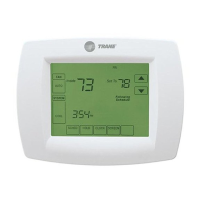
The Trane Touchscreen Thermostat (TCONT302 and TCONT303) is a programmable thermostat designed for climate-controlled living spaces, offering intuitive control over heating, cooling, and humidity. The TCONT303 model specifically includes a built-in humidity sensor for whole-house humidification (HM) and cooling dehumidification (DHM).
The thermostat allows users to manage their HVAC system through a 5-inch diagonal, blue-backlit touchscreen display. It supports various configurations, including Heat Pump, Heat/Cool, Dual Fuel, Heat Only, and Cooling Only systems, with up to 4 stages of heating and 2 stages of cooling. Users can select different system modes such as Auto, Heating, Cooling, Off, and Emergency Heat. Fan operation can be set to Auto, On, or Program.
The device offers programmable scheduling, with options for 7-day, 5+1+1 day, or non-programmable modes. This allows users to set specific temperature and humidity (for TCONT303) programs for different periods of the day (Morning, Day, Evening, Night). An "Auto Schedule" feature simplifies programming by allowing users to set a "Comfort Temperature" for all program periods.
For heat pump systems, an "Emergency Heat Mode" bypasses the heat pump to use auxiliary heat sources, useful when compressor operation is not desired or for backup heating. The thermostat also includes a "Dual Fuel Feature" for heat pump systems with gas backup, allowing it to determine when to switch from the compressor to gas heat based on outdoor temperature.
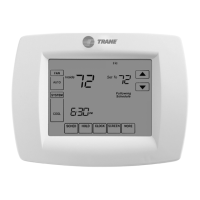
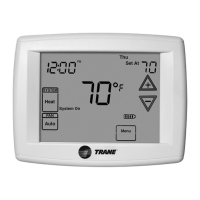
The touchscreen interface provides easy access to various settings. Users can adjust the setpoint temperature and humidity (TCONT303 only) using the up/down arrows. The display shows the current time, day of the week, room temperature, and system status (e.g., "System On" when heating or cooling is active, "+2" for second stage operation).
Manual operation allows users to temporarily override the programmed schedule. A "Hold Until" feature enables setting a temporary hold period, while a "Hold At" mode maintains a set temperature indefinitely. The "Program Override" function allows for temporary temperature adjustments for a default four-hour period, which can be shortened or lengthened.
The thermostat includes an "Energy Management Recovery (EMR)" feature that starts heating or cooling early to reach the program setpoint at the specified time, optimizing energy use. "Cool Savings™" provides an energy-saving temperature offset during peak cooling loads, gradually adjusting the indoor temperature downward when the air conditioner runs for extended periods.
For fan control, the "FAN Prog" option activates a "Comfort Circulating Fan Feature," cycling the fan on for 10 minutes and off for 20 minutes if no heating or cooling call has occurred in the past 60 minutes, ensuring moderate air circulation.
The TCONT303 model offers advanced humidity control features. It can automatically lower humidity settings when outside temperatures drop to prevent condensation on windows and walls ("Auto Humidity Reduction"). "Automatic Humidification" allows for humidification independent of a call for heating, energizing the humidifier and circulator blower if the actual humidity is below the set point. The "Cycle Humidifier" feature reduces water usage for flow-through humidifiers by cycling them off for 10 minutes after running for 10 minutes.
The thermostat supports wired remote indoor and outdoor temperature sensors, allowing for more accurate temperature readings or for disabling the local sensor. It also features "Compressor Optimization" which provides a delay in circulator fan operation after the compressor turns on or off, capturing additional cooling or allowing the air to be heated.
The thermostat provides reminders for routine maintenance. It can display "Change Filter," "Change Pad," or "Change UV Lamp" when the system has run for a programmed period, prompting users to change or clean their filter, humidifier pad, or UV lamp. These reminders can be cleared by pressing "Clean Display." The duration for these maintenance alerts can be configured in the installer menu.
Battery life is indicated on the display, with a "half power remaining" icon and a "replace batteries" icon when the batteries are low. Two "AA" alkaline batteries are included, and a power stealing switch can be set to ON to extend battery life, though compatibility with the furnace should be verified.
The "Clean Display" key allows for a 30-second window to wipe off the display without affecting thermostat operation. The "Continuous Display Lighting" feature improves display contrast in low lighting conditions.
For security, the thermostat offers "Keypad Lockout" options (Total Lockout, Partial Lockout, Temperature Limit/Keypad Lockout) to prevent unauthorized changes to settings. A combination number can be set to unlock the keypad.
The "Comfort Alert with Active Protection" feature (for systems with Comfort Alert modules) enables the thermostat to identify fault codes related to compressor damage and react by turning off the compressor, flashing the fault codes on the display.
 General
| Product Type | Thermostat |
|---|---|
| Programmability | Non-programmable |
| Stages | 1 Heat/1 Cool |
| Power Source | 24V AC |
| Power Method | Hardwired |
| Temperature Control Accuracy | ±1°F |
| Hold Function | Yes |
| Filter Change Indicator | Yes |
| System Switch | Heat/Cool/Off |
| Fan Control | Auto/On |
| Display | Digital |
| Temperature Range | 45°F to 90°F |



 To Next Page