EasyManua.ls Logo

Trane TCONT202 - User Manual

Trane TCONT202
12 pages
Print Icon
To Next Page IconTo Next Page
Loading...
Pub No. 18-HD51D1-1C-EN
Part No. 37-7769005
September 2020
TCONT202AS11MA
Installation and User Guide
Trane XR202
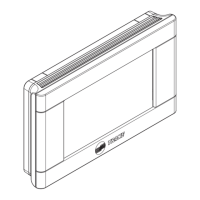
Programmable Thermostat
ALL phases of this installation must comply with NATIONAL, STATE AND LOCAL CODES
IMPORTANT — This Document is customer property and is to remain with this unit.
These instructions do not cover all variations in systems or provide for every possible contingency to be met in connection with
the installation. Should further information be desired or should particular problems arise which are not covered sufficiently
for the purchaser’s purposes, the matter should be referred to your installing dealer or local distributor.

Questions and Answers

  • L
    Laura HillAug 8, 2025
    How to fix a Trane TCONT202 Thermostat with no heat, cool, or fan?
    • B
      Belinda SextonAug 8, 2025
      If your Trane Thermostat isn't providing heat, cool air, or running the fan, here are a few things to check: * First, examine the fuse or circuit breaker. A blown fuse should be replaced, and a tripped breaker needs to be reset. * Make sure that the furnace power switch is in the ON position. * Ensure the furnace blower compartment door panel is correctly placed and secured to engage the safety interlock or door switch. * Finally, check all connections to the thermostat and system to ensure they are tight.
  • A
    Alexander SteeleAug 13, 2025
    Why is my Trane TCONT202 Thermostat not producing heat?
    • S
      Sara PowersAug 13, 2025
      If your Trane thermostat isn't producing heat, check the following: * Make sure the system switch is set to 'Heat'. Verify the thermostat and system wires are securely attached. As a diagnostic, set the System Switch to Heat and raise the setpoint above room temperature. Within five minutes, the thermostat should make a soft click sound and 'Heat On' should appear on the display, indicating it is operating properly. * Ensure the thermostat and system wires are securely attached. * If the thermostat doesn't click after being reset, you may need to contact a heating and cooling service person or the place of purchase for a replacement.
  • B
    buckleyjamesAug 17, 2025
    What to do if my Trane Thermostat is not cooling?
    • R
      rhooverAug 18, 2025
      If your Trane thermostat isn't cooling, here are a few things to check: * First, make sure the system switch is set to 'Cool'. Verify the thermostat and system wires are securely attached. As a diagnostic, set the System Switch to Cool and lower the setpoint below room temperature. * Also, verify the thermostat and system wires are securely attached. * If these steps don't resolve the issue, it may indicate that the cooling system requires service or the thermostat needs to be replaced. Follow the same diagnostic procedures as for a 'No Heat' condition, but set the thermostat to Cool and lower the setpoint below the room temperature.
  • C
    Chelsey BlankenshipAug 23, 2025
    What to do if the 'Call for Service' icon appears on my Trane Thermostat?
    • S
      Spencer WellsAug 23, 2025
      If the 'Call for Service' icon appears on your Trane thermostat, it could mean a few things: * The heating system may not be able to heat the space to within 10 degrees of the setpoint within 2 hours. Refer to the troubleshooting steps for 'No Heat'. * The cooling system may not be able to cool the space to within 10 degrees of the setpoint within 2 hours. Refer to the troubleshooting steps for 'No Cool'. * If '--' is displayed for the room temperature, you will need to replace the thermostat. * Ensure that the keypad lockout is not turned on if none of the buttons are working.
  • W
    William AguilarAug 28, 2025
    How to stop my Trane TCONT202 from constantly running heat, cool, or fan?
    • R
      robertmccartyAug 28, 2025
      If your Trane thermostat's heat, cool, or fan runs constantly, there might be a short in the wiring, thermostat, or the system itself. Check each wire connection to ensure they are not shorted or touching other wires. Try resetting the thermostat. If the problem continues, contact your HVAC service person.
  • J
    Jerry AcostaSep 2, 2025
    Why is my Trane TCONT202 cycling too fast or slow?
    • A
      alexander00Sep 2, 2025
      The location of the thermostat or the size of the heating system might be affecting the cycle rate. Digital thermostats offer more precise control and cycle faster than older mechanical models. To increase cycle time, select 'SLO' for slow cycle in the Installer menu.

Summary

Safety

WARNING

Failure to read and follow instructions carefully before installing or operating could cause personal injury and/or property damage.

LIVE ELECTRICAL COMPONENTS!

Working with live electrical components requires safety precautions to avoid death or serious injury.

CAUTION

Disconnect electric power to prevent electrical shock and equipment damage until installation is complete.

Product Specifications

SPECIFICATION DESCRIPTION

Table detailing product specifications including model, size, stages, temperature ranges, and power requirements.

Installation

4.1 Location

Guidance on selecting the optimal location for thermostat installation for accurate temperature sensing.

4.2 Mounting; Installation

Step-by-step instructions for mounting the thermostat base and control to the wall.

Wiring Diagrams

Installer Menu

INSTALLER MENU (HOLD MENU 8 SECONDS)

Accessing the installer menu to configure advanced system settings.

Thermostat Overview

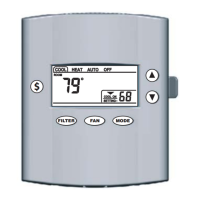
THERMOSTAT BUTTONS AND SWITCHES

Identifies and explains the function of each button and switch on the thermostat.

THE DISPLAY

Explains the various icons, indicators, and information shown on the thermostat display.

User Menu

Modify Schedule

Troubleshooting

SYMPTOM

Table listing common symptoms, their possible causes, and corrective actions.

Trane TCONT202 Specifications

General IconGeneral
TypeNon-programmable
DisplayLCD
Temperature Range45°F to 90°F
Power Source24 VAC
Stages1 Heat/1 Cool
Voltage24 VAC
BacklightNo
Hold FunctionYes
Filter Change AlertNo

Related product manuals