8
ACC-SVN316A-EN
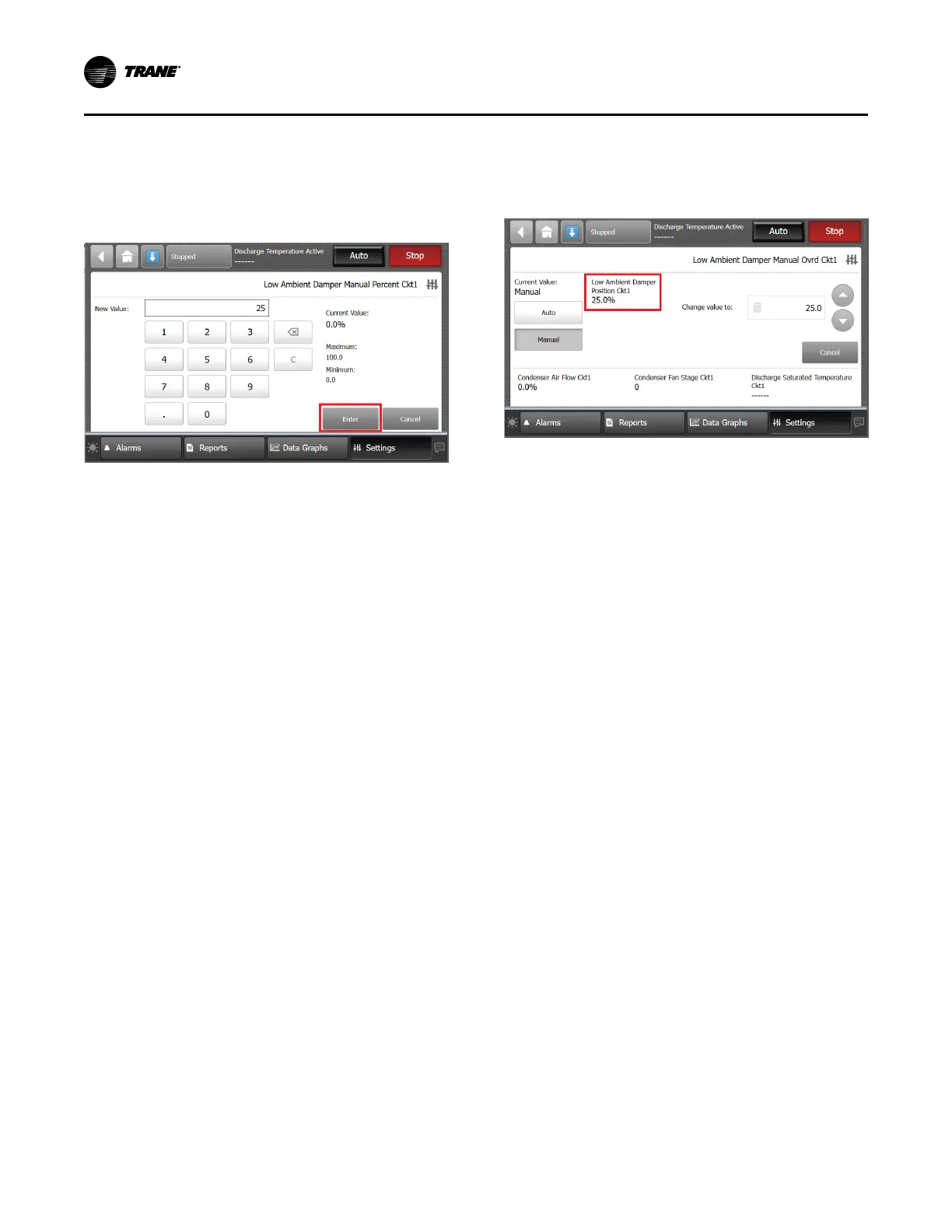
a. Tap the cursor in the Change Value To: box.
b. Using the number pad, type in 25.
c. Tap Enter.
Figure 6. Low Ambient Damper Manual Override
Position
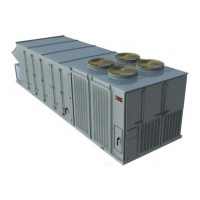
9. The screen will revert to Figure 4, p. 7. Tap Apply. The
Low Ambient Damper Position will drive to the design
% open.
Figure 7. Low Ambient Damper Position CktX
Unit Configuration


 To Next Page