ENGLISH
TRANSCEND AUTO QUICK GUIDE • ENGLISH • PAGE 8
Using the Ramp Function
Ramp settings will be programmed by your healthcare provider as appropriate.
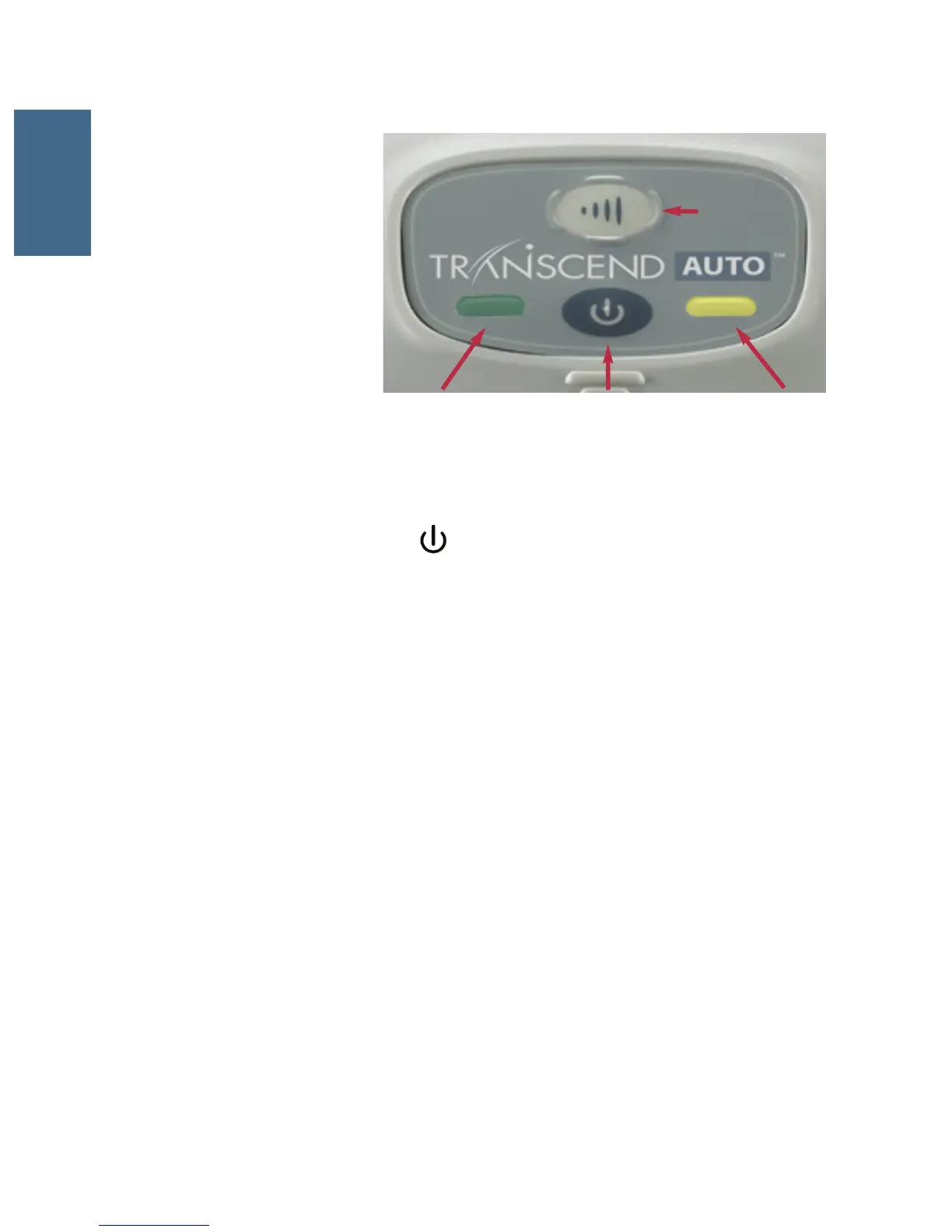
1. Initiate ramp by pressing the Ramp (top) button after the Power button has been pressed.
Note: The Ramp button on the Transcend will not work unless your healthcare provider has preset
the ramp function.
2. Pressure from the device will be lowered to a preset starting pressure and will gradually increase
over a preset time interval until the device reaches your prescribed starting therapy pressure.
3. To accelerate the ramp time, hold down the Ramp button. The device will quickly increase
pressure until reaching your prescribed therapy pressure.
Ending Therapy
To end therapy, press the Power button to return the device to Standby mode.
STARTING AND ENDING THERAPY
Power Button
Ramp
Button
Yellow LEDGreen LED
Starting Therapy
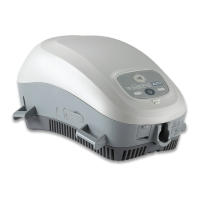
1. The Transcend control panel
consists of a Power button
(bottom), Ramp button (top),
and two LED lights. (Refer to
image)
2. Ensure that the device is
connected to a power source
and is in Standby mode. (See
Powering Your Transcend)
3. Put on your mask and make sure that proper fit is achieved.
4. Press the lower, gray Power button ( ) to turn on Transcend and enter Therapy mode. Air
flow will begin as the blower delivers your prescribed therapy pressure.


 To Next Page