EasyManua.ls Logo

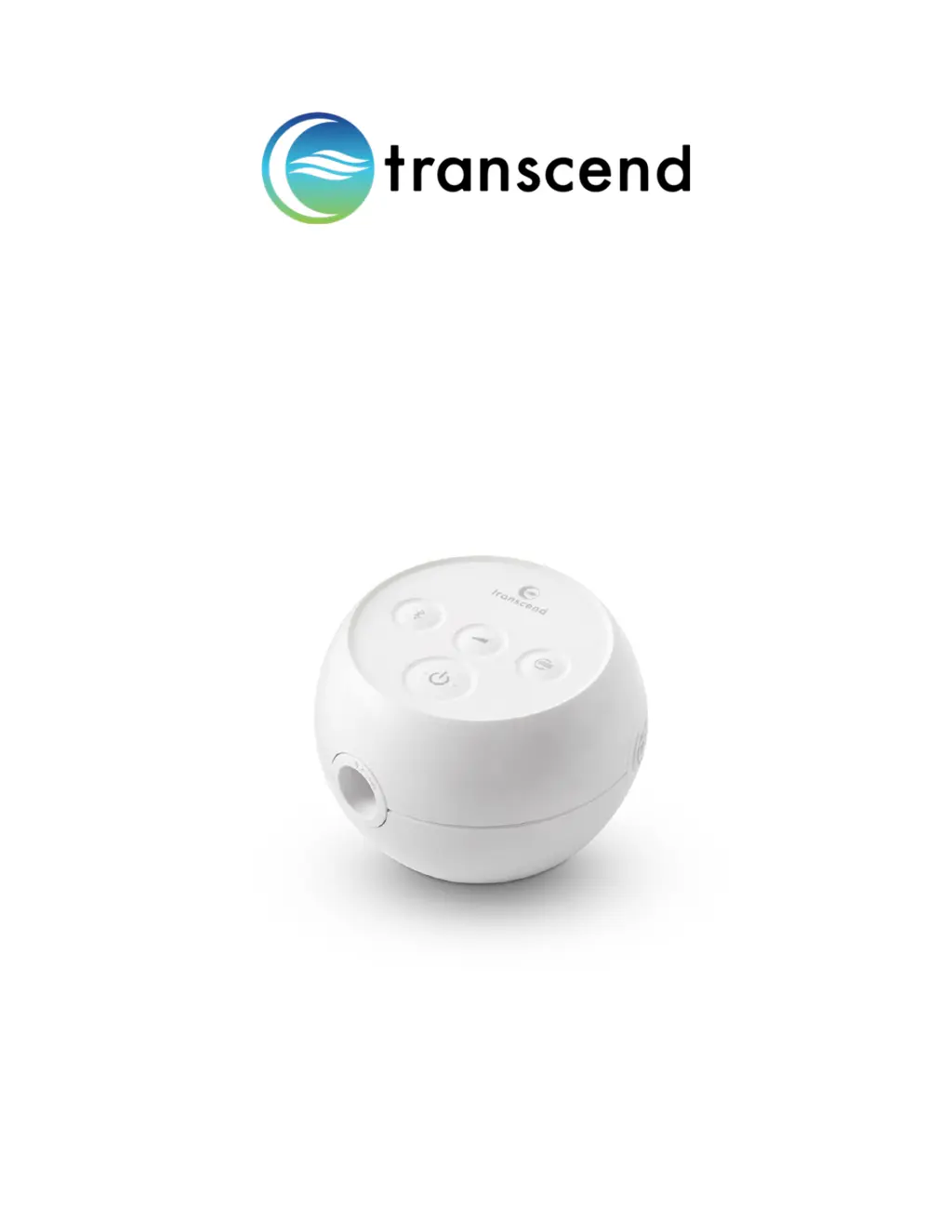
Transcend Micro - User Manual

Transcend Micro
36 pages
Print Icon
To Next Page IconTo Next Page
Loading...
Micro
User Manual
®

Table of Contents

Other manuals for Transcend Micro

Questions and Answers

  • C
    Claire LucasAug 17, 2025
    How to reduce high pressure discomfort with Transcend Micro Medical Equipment?
    • L
      Lydia BuchananAug 17, 2025
      If you experience discomfort due to a feeling of high pressure with your Transcend Medical Equipment, try breathing slowly through your nose with your mouth closed. If available, use the ramp pressure feature. This issue may arise if the device pressure is set too high. If the problem continues, it's best to contact your homecare provider for assistance.
  • X
    xochoaAug 20, 2025
    What to do if the Transcend Micro Medical Equipment control panel LEDs don't flash?
    • L
      Lauren HamiltonAug 20, 2025
      If the control panel LEDs on your Transcend Medical Equipment don't flash or illuminate when connected to a power supply, first check all power connections to ensure they are properly connected. Also, verify if the LED light on the power supply itself is illuminated. If the connections are good, try using another power outlet, making sure it is not controlled by a wall switch.
  • C
    Christopher RodriguezAug 22, 2025
    How to fix dry nose or throat irritation with Transcend Micro Medical Equipment?
    • C
      Carlos NormanAug 22, 2025
      If you are experiencing dry nose or throat irritation while using your Transcend Medical Equipment, it could be due to dry air or a dirty air path accessory or filter. You can try the following: * Add humidity to the room. * Replace the HME if you're using one and ensure the Transcend AirMist HME is secure. * Follow the cleaning instructions for your accessories. * Change the air filter. If the problem persists, contact your homecare provider.
  • T
    Taylor Ramsey MDAug 26, 2025
    What to do if Transcend Micro shuts down during therapy?
    • A
      Alfred HickmanAug 26, 2025
      If your Transcend Medical Equipment shuts down during therapy, it might be due to an improper seal of the external hardware, such as the mask or tubing, or the use of external hardware past its recommended service life. To address this, verify that all external equipment in the breathing circuit is correctly seated to ensure a proper seal. Also, check the hose for leaks and follow the mask manufacturer's recommendations for fit and seal.
  • A
    Angela RojasAug 28, 2025
    Why is there low mask pressure with Transcend Medical Equipment?
    • B
      brad11Aug 28, 2025
      If you experience discomfort due to a feeling of low pressure in your mask while using Transcend Medical Equipment, it could be due to the device being set too low or excessive leaks around the hose or mask. Contact your home care provider for a setting change. Also, check the hose, mask, and any accessories in the breathing circuit for air leaks and ensure they fit properly.
  • B
    Bethany ThomasAug 31, 2025
    How to prevent water droplets in mask with Transcend Micro Medical Equipment?
    • C
      chloenewmanAug 31, 2025
      If you notice droplets of water in your mask after using your Transcend Medical Equipment, it's likely due to excess condensation from breathing. To resolve this, run the drying mode after therapy. Additionally, try using the equipment in a less humid environment, perhaps with a dehumidifier.
  • E
    Emily BrownSep 2, 2025
    What does it mean when all LEDs flash two times on Transcend Micro Medical Equipment?
    • E
      Erik WilliamsSep 2, 2025
      If all the LEDs on your Transcend Medical Equipment flash two times, pause, and then flash again, it indicates that the device has detected an operating error. To resolve this, hold down the power button until all LEDs stop flashing. Then, release the power button, and the device will reset and power up in Standby Mode. Ensure you also check the hose, mask, and any accessories in the breathing circuit for air leaks and proper fit. If the problem persists, contact your homecare provider.
  • B
    bnguyenSep 5, 2025
    What does it mean when all LEDs flash four times on Transcend Micro Medical Equipment?
    • K
      Kelly AndersonSep 5, 2025
      If all the LEDs on your Transcend Medical Equipment flash four times, pause, and then flash again, it means the device has detected an operating error. To fix this, hold down the power button until all LEDs stop flashing. Release the power button, and the device will reset and power up in Standby Mode. If the LEDs begin to flash again, contact your homecare provider.
  • E
    Elizabeth KentSep 8, 2025
    Why is SleepStart not working on my Transcend Micro?
    • B
      bradleysuttonSep 8, 2025
      If SleepStart is not functioning with your Transcend Medical Equipment, it could be due to excessive leaks in the breathing circuit or the user not breathing deeply enough to trigger SleepStart. Check the hose, mask, and any accessories in the breathing circuit for air leaks and ensure they fit properly. Also, make sure to take a deep breath with the mask securely fitted, or press the Power button to start therapy. If the problem persists, call your homecare provider’s technical service department.
  • E
    Eric DanielsSep 12, 2025
    What to do if there is no airflow from Transcend Medical Equipment?
    • E
      erik96Sep 12, 2025
      If your Transcend Medical Equipment has no airflow, it indicates a device motor failure or electronics failure. Contact the homecare provider’s technical service department.

Summary

Setting Up Therapy

AirFlex Hose Connection

Instructions for connecting the AirFlex air hose to the device.

Powering the Transcend Micro

AC Power Adapter Usage

Details on connecting and using the device with the AC adapter.

PowerAway Battery Usage

Guidance on charging and using the portable PowerAway battery.

Navigating the Transcend Micro

Power Button and LEDs

Explains the function and LED states of the power button.

Bluetooth Button and LEDs

Details the Bluetooth button's operation and indicator light meanings.

Device Button Functions

Ramp Button and LEDs

Describes the Ramp button functionality and LED states.

Using the MySleepDash App

Starting and Stopping Therapy

Using the Ramp Function

Advanced Therapy Features

EZEX Function Explained

Explanation of the EZEX feature for exhalation pressure relief.

Cleaning Procedures

Accessory Cleaning and Maintenance

Air Filter Replacement

How and when to replace the device's air filter.

Multi-User Setup and Environmental Info

Traveling and Troubleshooting

Troubleshooting Common Issues

Troubleshooting Common Issues (Continued)

Precautions and Definitions

Critical Safety Warnings

General Device Safety

Lists critical safety warnings for operating the Transcend Micro device.

Usage Restrictions and Compliance

Details limitations regarding oxygen, flammable mixtures, and accessories.

Mask and Tubing Requirements

Emphasizes using compliant masks and tubing for safety.

Safety Warnings and Cautions

Hazards from Cords and Small Parts

Warns about hazards from power cords, tubes, and small internal parts.

Equipment Placement and Interference

Advises on proper placement and potential interference with other equipment.

General Cautions

Placement Cautions for Safety and Performance

Technical Specifications Overview

Electromagnetic Compatibility (EMC)

Electromagnetic Immunity Standards

RF Wireless Immunity Testing

Device Classification and Pressure Performance

Pressure Accuracy and Uncertainty

Details pressure accuracy and measurement uncertainty testing.

Sound Performance Metrics

Limited Product Warranty

Warranty Terms and Coverage

Outlines the terms, duration, and coverage of the product warranty.

Warranty Exclusions and Limitations

Details what is not covered by the warranty and liability limits.

Making a Warranty Claim

Claim Process and Contact Info

Procedures for making warranty claims and contact details.

Transcend Micro Specifications

General IconGeneral
BrandTranscend
ProductMicro
Pressure Range4-20 cmH2O
Altitude AdjustmentAutomatic
Operating ModesCPAP

Related product manuals