4-2 LED Indicators
Recording
LED Status Definition
●
Solid Stop recording*
Flashing Recording
Flashing quickly Emergency recording**
Connected to computer
LED Status Definition
●
Solid Connected to computer
Flashing Transferring data
*The DrivePro™ will stop recording when a card error occurs or when you tap data / settings using
the DrivePro™ New app.
**You will hear a beep when emergency recording is activated.
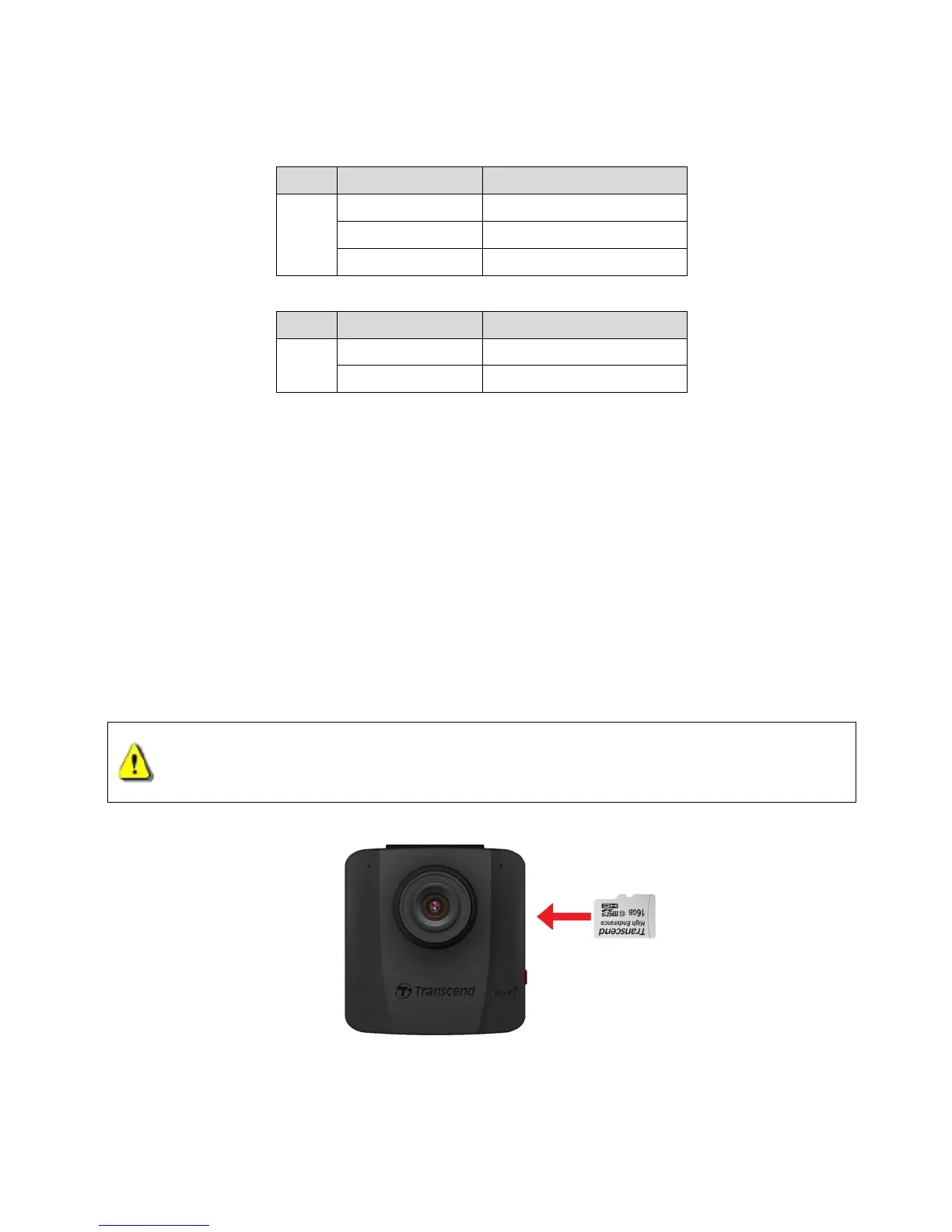
4-3 Inserting a microSD Memory Card
You must insert a microSD memory card into the DrivePro™ before you can start recording. Please
use a MLC-based microSD memory card with 8GB, 16GB, 32GB or 64GB capacity (Class 10 or
1. Insert a microSD memory card into the card slot on the left side of the DrivePro™.
Note: Always format new memory cards in the DrivePro™ before using them for the first time.
1. DrivePro™ 50 can only support FAT32 file format, but not NTFS.
2. Be sure to set the Allocation Unit Size to 32 KB when formatting the microSD card.
2. To remove, push to eject the memory card out of the slot.















 To Next Page