WARNING: Do not remove the memory card during shutdown to avoid damages to the
memory card and loss of recorded videos.
4-4 Mounting the DrivePro™
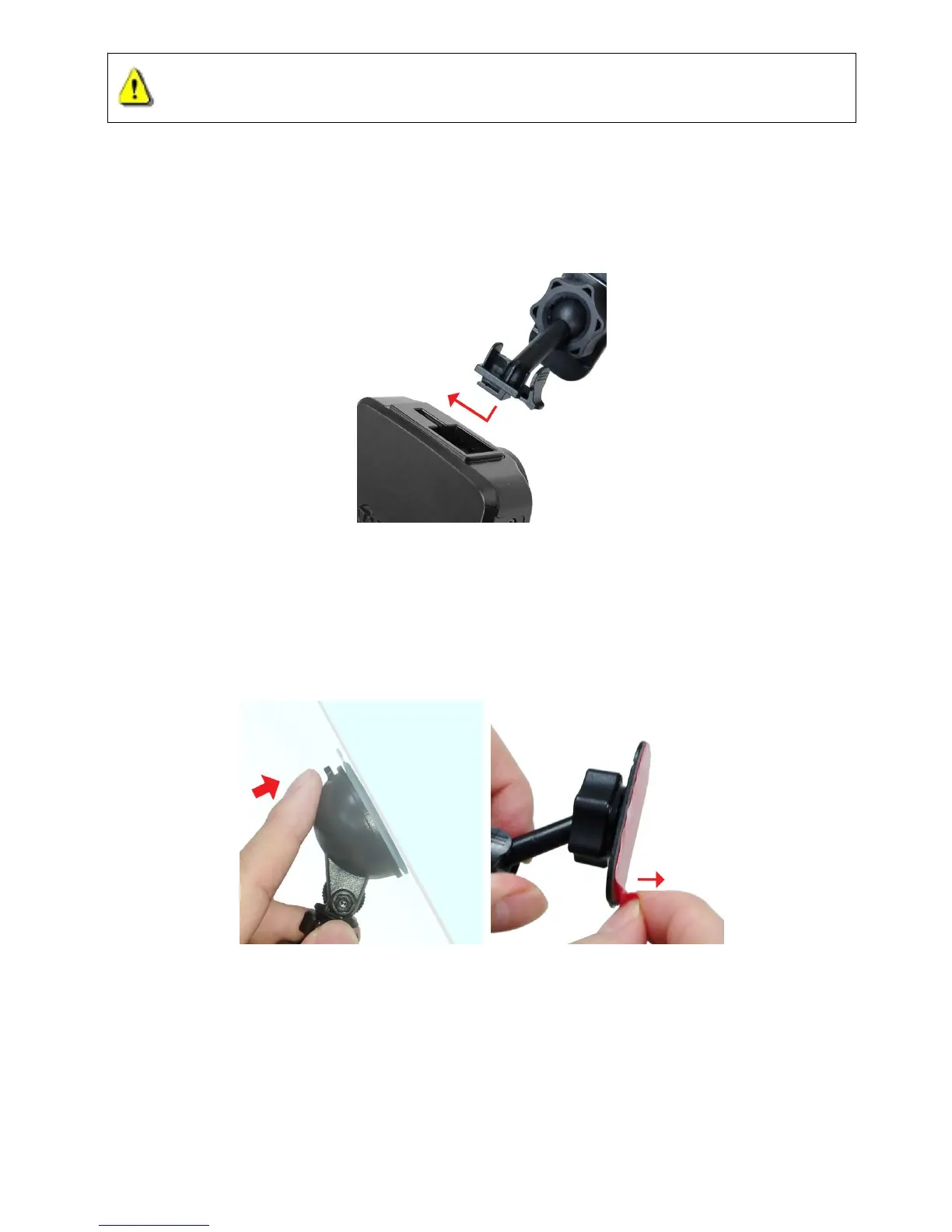
1. Insert the mount bracket into the top of the DrivePro™, and slide sideways until you hear a click.
2. Thoroughly clean and dry the area of the windshield you wish to mount the DrivePro™. If
possible, mount the DrivePro™ in the middle of the windshield near the rear-view mirror for the
3. Press down the lever bar of the suction mount or peel off the protective film from the adhesive
mount, and firmly attach the DrivePro™ to the windshield.
4. Turn the adjustment knob anticlockwise to loosen, and then adjust the DrivePro™’s position.















 To Next Page