Speed Unit: Set the measurement unit of speed (per hour).
Available options: Kilometer / Mile
Language: Set the on-screen display menu language (13 languages available).
Available options: English / 繁體中文 / 简体中文 / 日本語 / Deutsch / Español / Français / Italiano /
Русский / Português / Ελληνικά / Türkçe / 한국어
Information: Display the DrivePro’s current firmware version, card capacity and free space.
Format Card: Format the microSD memory card.
Available options: No / Yes
WARNING: Formatting will erase all the data stored in the card.
Restore Defaults: Reset all the settings to factory default settings.
Available options: Cancel / Confirm
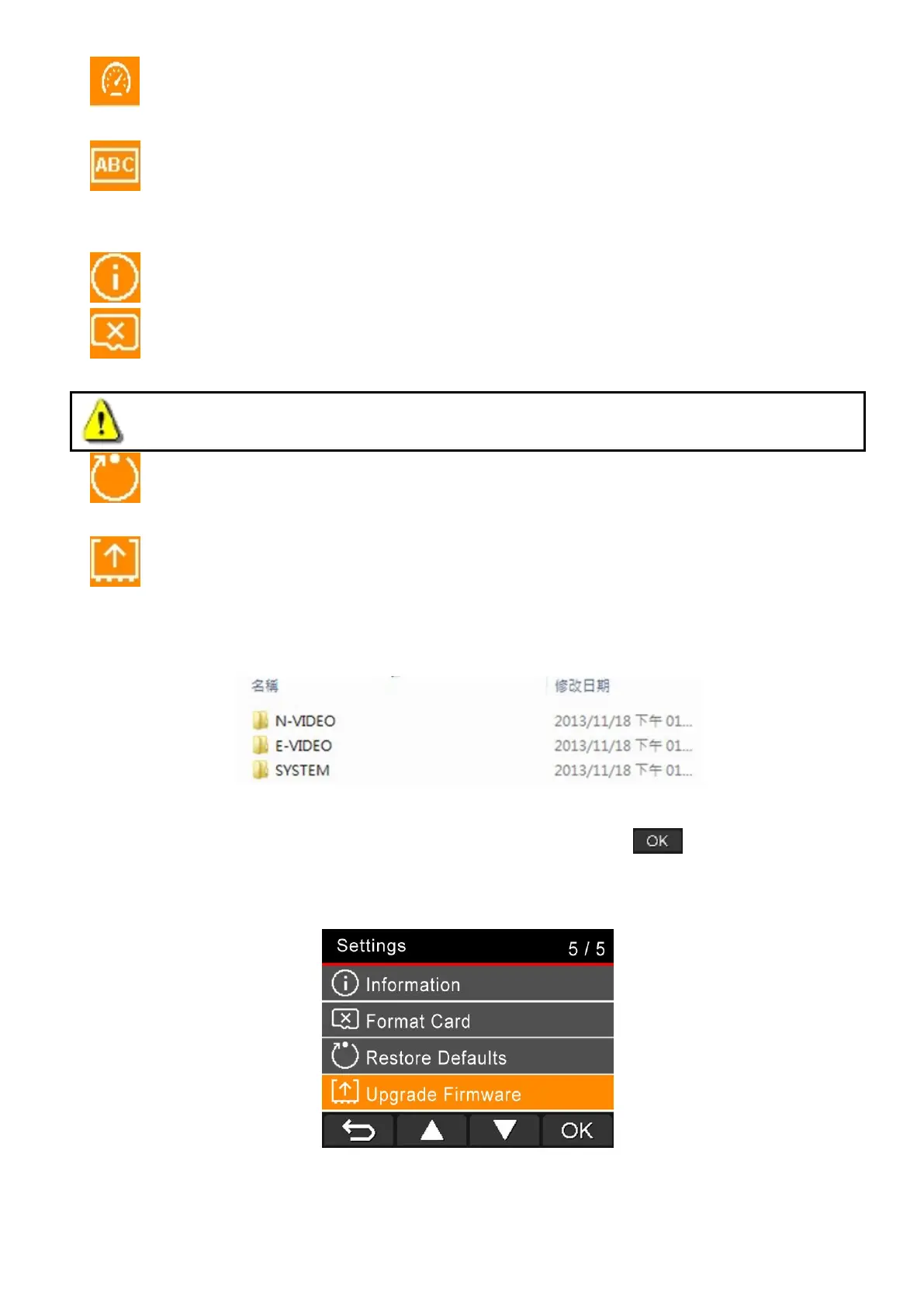
Upgrade Firmware: Keep your DrivePro up-to-date with the latest version downloaded from
Transcend website http://www.transcend-info.com/Support/service.
1. After downloading the firmware from Transcend website, decompress it and put it in the
“SYSTEM” folder in the microSD memory card.
2. Insert the microSD memory card that contains the latest firmware version.
3. Select Upgrade Firmware from the Settings menu, and press to start the firmware
detection process. The DrivePro will automatically find the latest firmware file. Select Confirm to
complete firmware upgrade process.















 To Next Page