2. To remove, push to eject the memory card out of the slot.
WARNING: Do not remove the memory card during shutdown to avoid damages to the
memory card and loss of recorded videos.
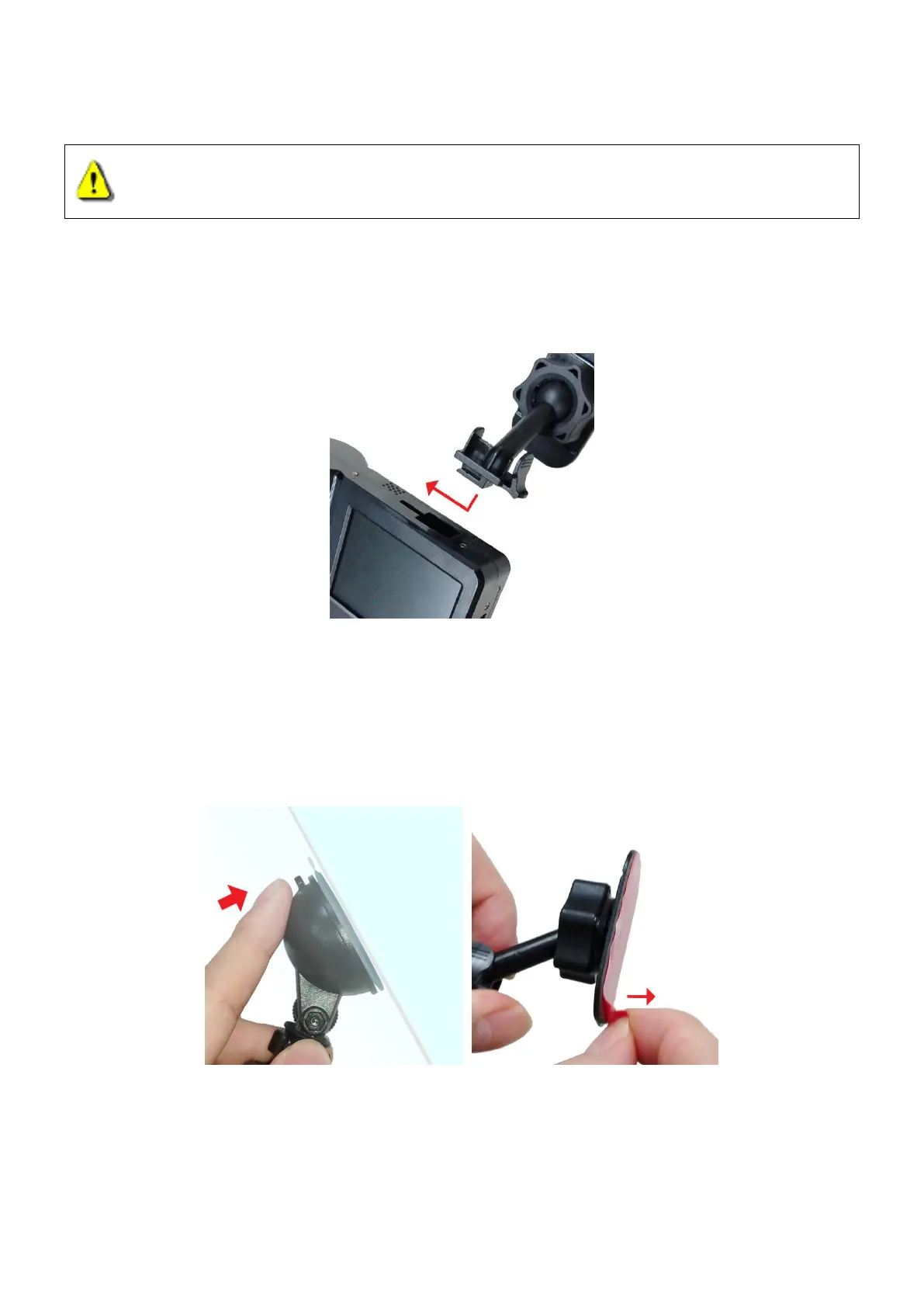
4-3 Mounting the DrivePro
1. Insert the mounting bracket into the top of the DrivePro, and slide sideways until you hear a
click.
2. Thoroughly clean and dry the area of the windshield you wish to mount the DrivePro. If
possible, mount the DrivePro in the middle of the windshield near the rear-view mirror for the
best field of view.
3. Press down the lever bar of the suction mount or peel off the protective film from the
adhesive mount, and firmly attach the DrivePro to the windshield.















 To Next Page