11
3-1 Status
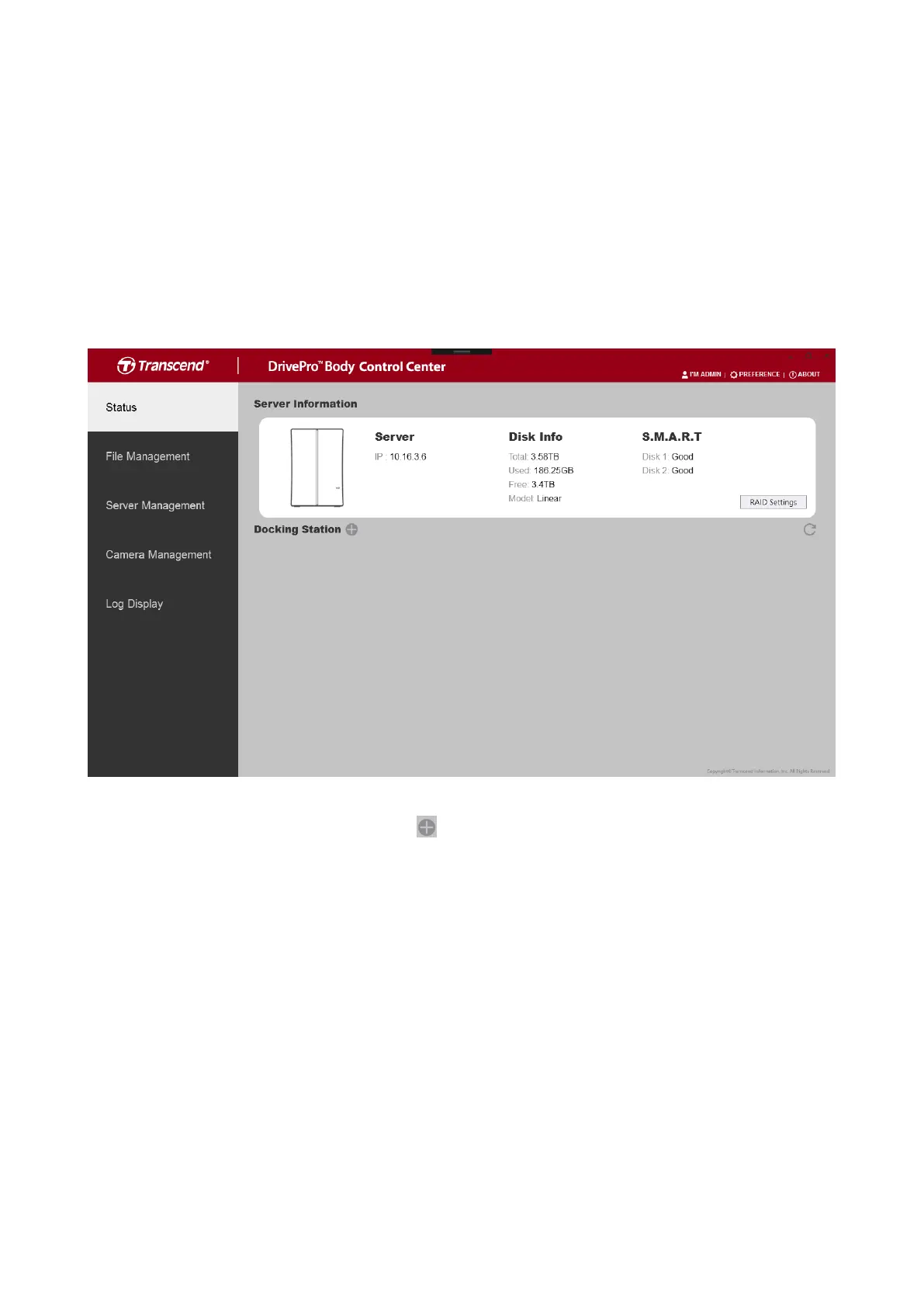
On the Status page, you can view the basic information of connected DrivePro Body
cameras and DPD6N Network Docking Stations, including device serial number, agent ID,
battery status, backup status. In addition, you can view the current status of your DBN1
Control Center unit, such as the current IP address and disk status. Depending on your
account permissions, you can also edit RAID settings on this page.
To add a new docking station, click the button next to “Docking Station” (permissions
required).













 To Next Page