21
Enable to allow users to export log history to a local storage.
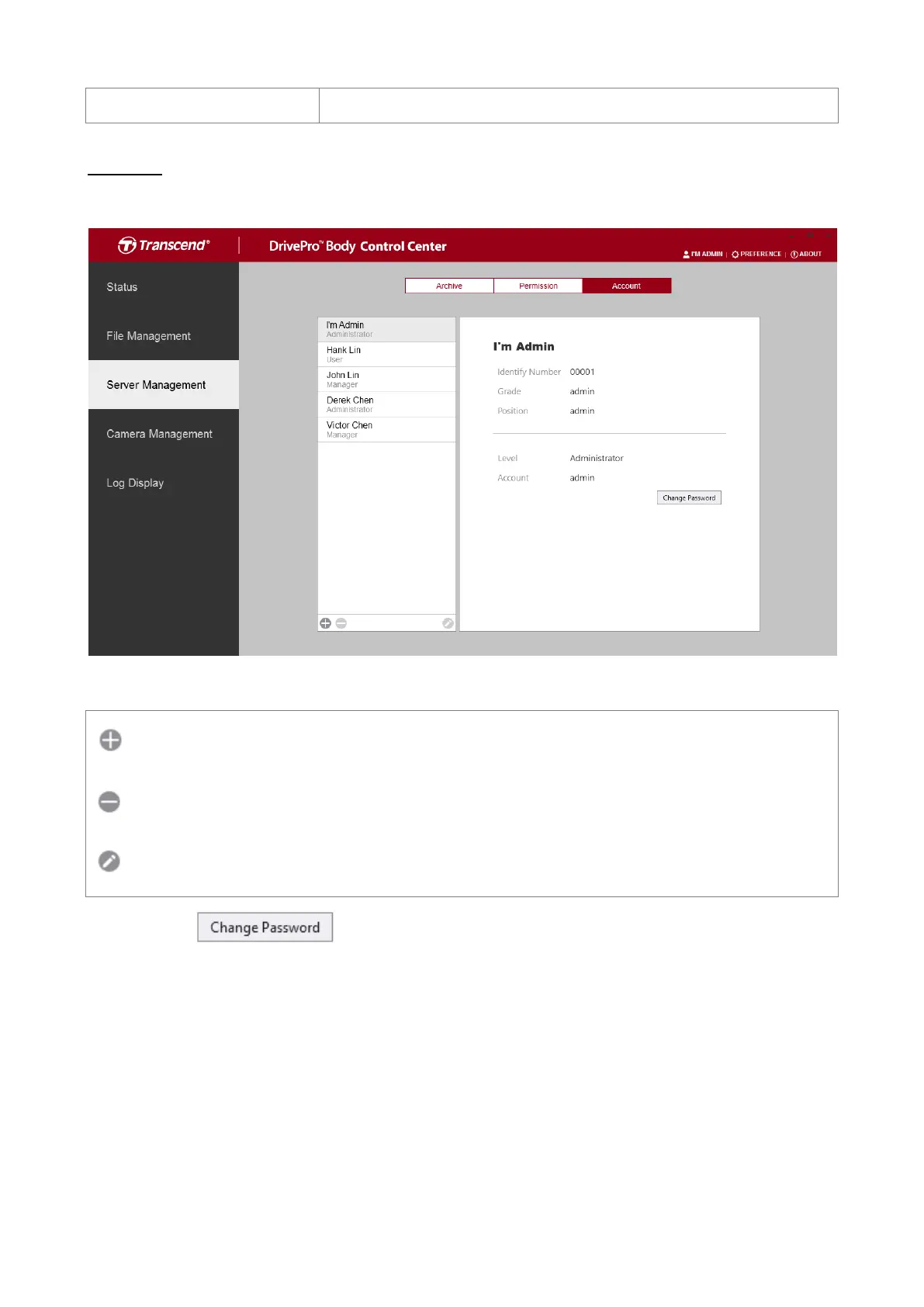
Account
Manage user account information.
Add, delete or edit user accounts.
Add a new user account.
Delete a selected user account.
Edit a selected user account.
Click on the icon to change the password of the admin account
3-4 Camera Management
In the Camera Management page, you can adjust the settings of all connected cameras,
set device behaviors, and perform batch firmware updates.
.













 To Next Page