3
2. Getting Started
2-1 Hard Drive Installation (for Diskless DBN1 only)
*Please only use NAS-grade HDDs
Notes:
To avoid damaging the DBN1 Control Center with static electricity, ground yourself by
touching something made of metal before handling any sensitive electronic parts.
When replacing hard drives, do not change the order of the hard drives in the Control
Center unit. For example, removing Drive 1 and replacing it with Drive 2 may cause
data to be corrupted or lost.
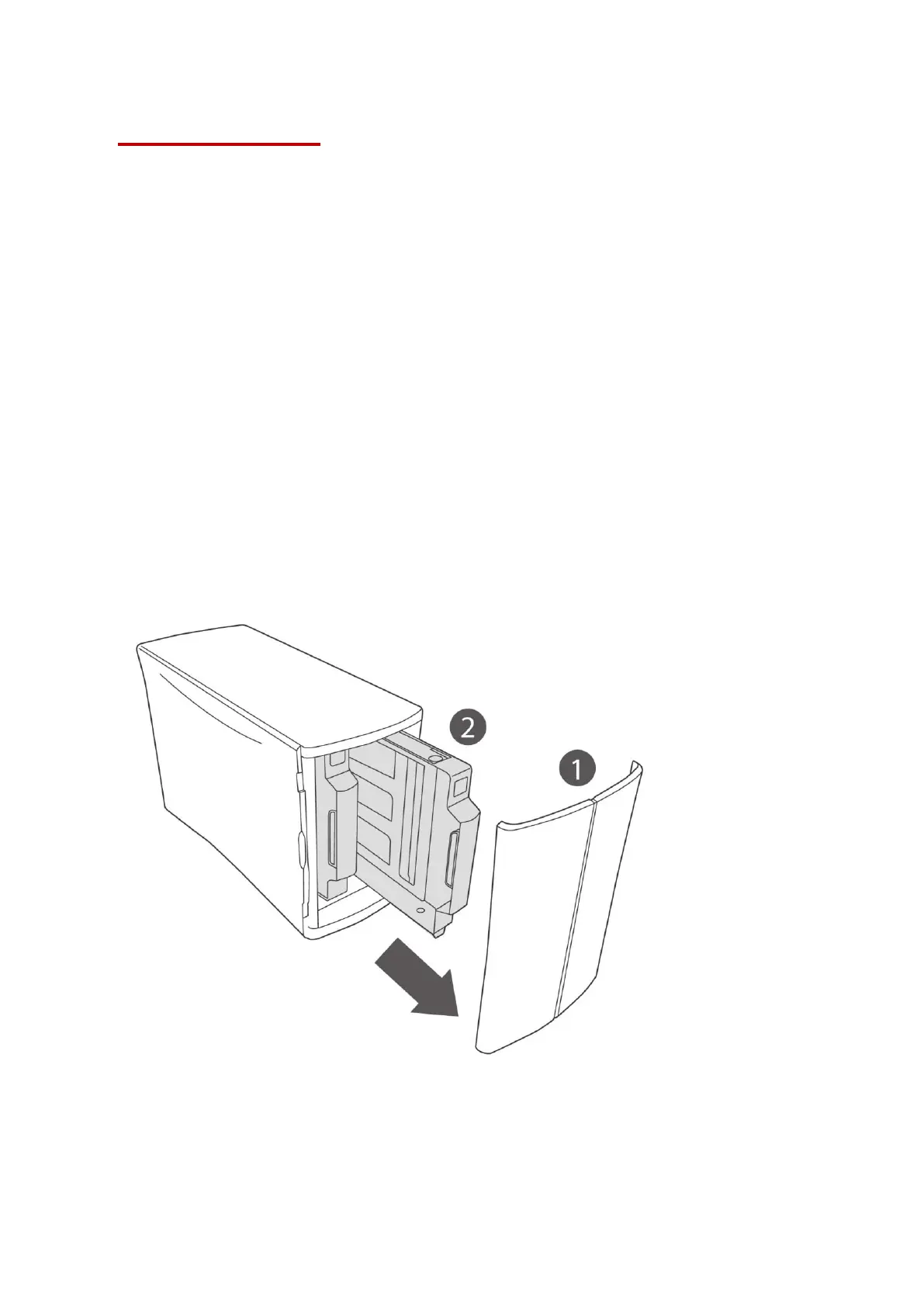
1-1 Remove the front panel by pulling it forward from both sides.
1-2 Pull out the two drive trays.
Note: Do not apply excessive pressure to the top of the unit.












 To Next Page