19
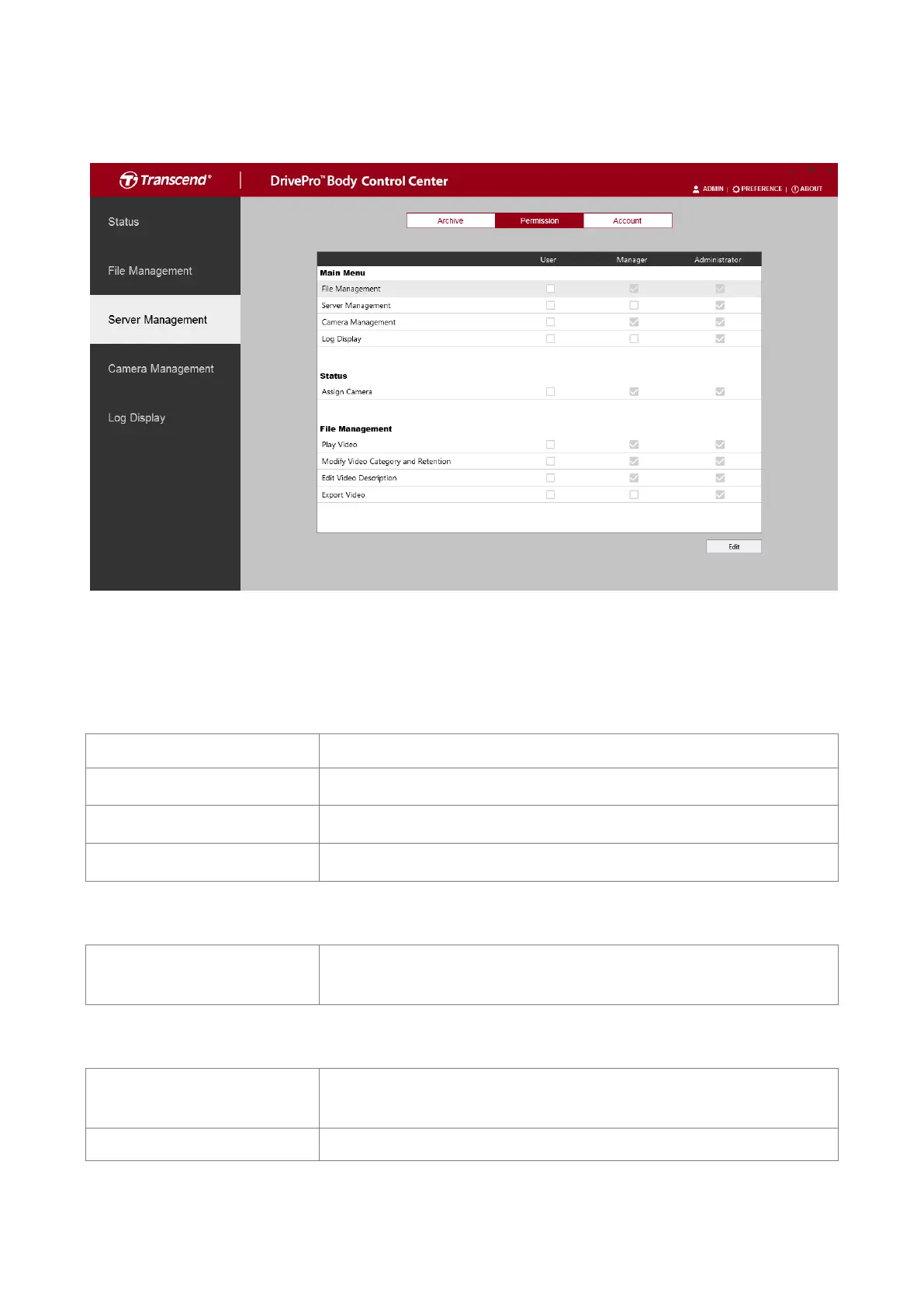
Manage the access levels for users of the DrivePro Body Control Center. When checked,
the following functions will be made available to users at that level.
Main Menu
Show or hide this page to users of a certain level.
Show or hide this page to users of a certain level.
Show or hide this page to users of a certain level.
Show or hide this page to users of a certain level.
Status
Allow assigning a camera with a specific number for
identification.
File Management
Enable to allow users to play videos or disable to show them
previews only.
Enable to allow users to change the category or retention of a












 To Next Page