22
Safely Remove Your T.sonic™ 520
Before removing your T.sonic 520, please make sure the OLED Display is
not in the READ/WRITE status or unpredictable damage to the files or your
T.sonic 520 may occur.
Removing the T.sonic™ 520 in Windows
®
98SE
Unplug your T.sonic 520 from your system directly when data is not transferring.
Removing the T.sonic™ 520 in Windows
®
Me, 2000, and XP
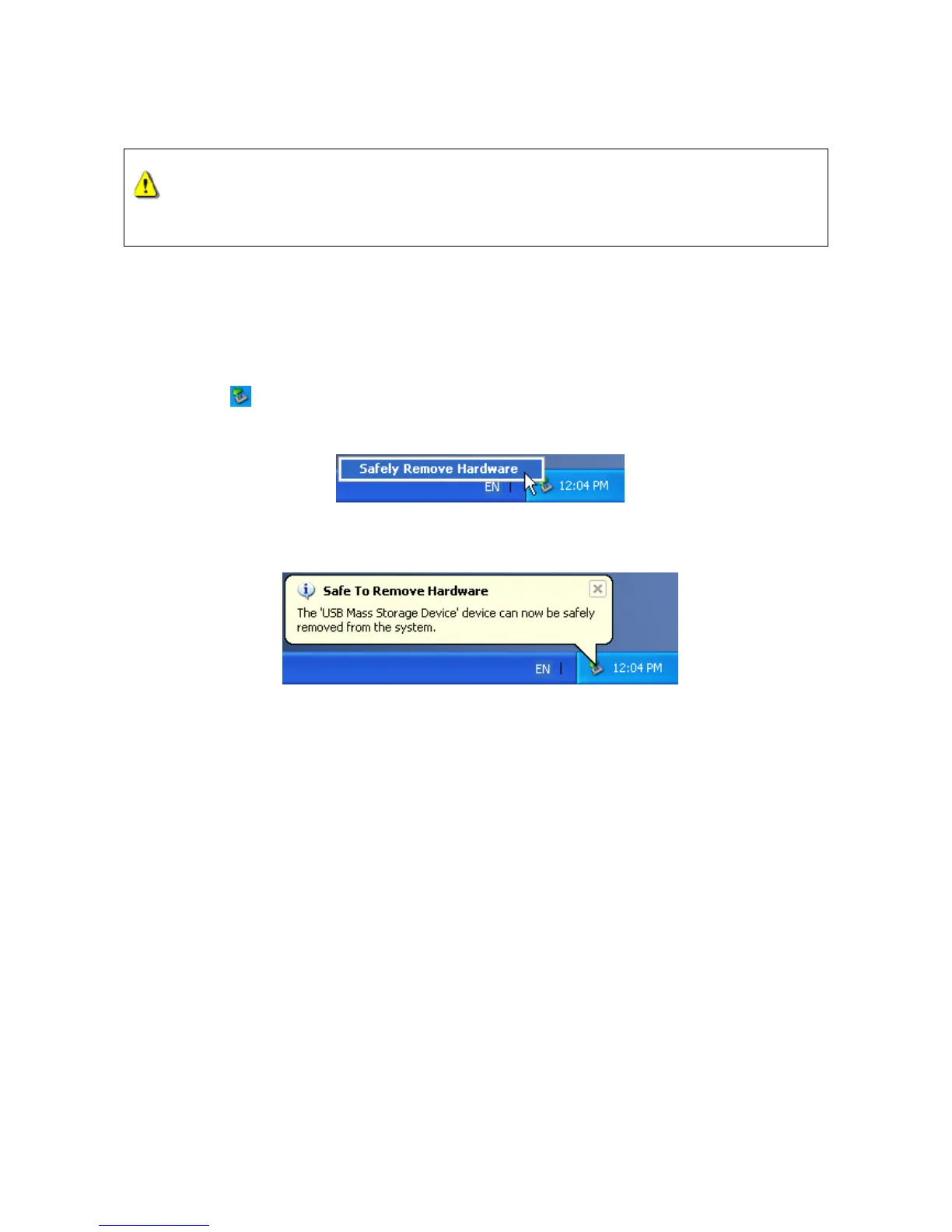
1. Select the icon on the system tray.
2. The Safely Remove Hardware pop-up menu will appear. Select it to continue.
3. A message box will appear: The ‘USB Mass Storage Device’ device can now be safely
removed from the system.
Removing the T.sonic™ 520 in Mac™ OS 10.0 or Later
Drag and drop the Disk icon corresponding to your T.sonic 520 into the trashcan. Then unplug
your T.sonic 520 from the USB port.
Remove the T.sonic™ 520 in Linux™ Kernel 2.4 or Later
Execute umount /mnt/ T.sonic to un-mount the device.















 To Next Page