Page 7
E1150 Mobile Reader
Bluetooth Operation
With a user supplied USB Bluetooth
®
Adapter, a wireless Virtual COM port connection can be established
with
the E1150. Follow the manufacturer’s instructions for installation of a Virtual COM port connection to
the host
computer. Once a Bluetooth Virtual COM port connection is established with the Bluetooth dongle,
the field configuration software can be launched and used as before. The Bluetooth pairing number
required for the
E1150 is 1234.
Note: The connection to the E1150 is established using a virtual COM port. It is necessary to ensure
that only one E1150 is enabled and within range of the host computer at any one time. Multiple
Bluetooth connections are not supported through the virtual COM port.
Host Data Logging
To enable Host Data Logging, click Options, then Host Data Logging, and finally Activate Data Logging
(Figure 9). The E1150 will prompt for a save location for the logged data, then return to the Read Tag
Window. The E1150 FCSW is now logging all tag reads to the log file selected.
Note: Host Data Logging requires that the E1150 be connected to the PC (via USB or Bluetooth). If
the E1150 loses connection to the PC, the data log may become corrupted.
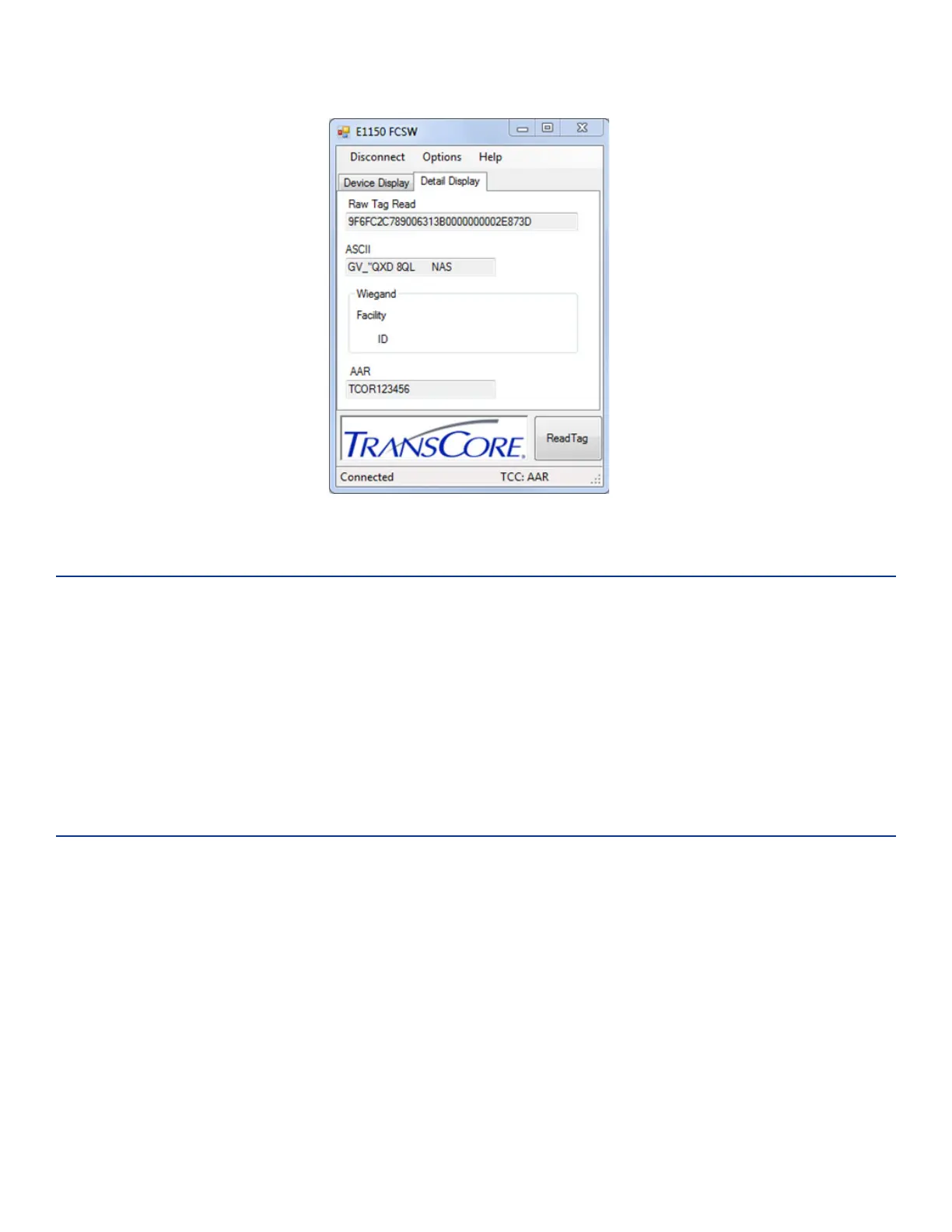
Figure 8 FCSW Read Tag Results - Detail Display



 To Next Page