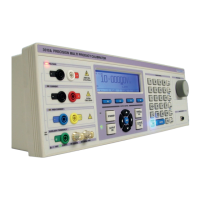
3200B SERIES OPERATION MANUAL
TRANSMILLE LTD. Page 5
Calibrating Portable Appliance Testers (PATs) ..............................................................36
1. PAT: Earth Bond Resistance ..................................................................................36
2. PAT: Earth Bond Current ........................................................................................38
3. PAT: Insulation Testing...........................................................................................40
4. PAT : Load Testing..................................................................................................41
5. PAT : Flash Testing [OPTION]................................................................................43
6. PAT: Leakage..........................................................................................................45
Introduction to LOOP Testers...........................................................................................46
Calibrating LOOP Testers using the 3200B.....................................................................52
PSCC (Prospective Short Circuit Current) Testing.........................................................55
Introduction to Breakdown / Hipot Testers.....................................................................56
Calibrating BREAKDOWN / HIPOT Testers
using the 3200B & 2102 adapter [OPTION]...........57
Remote Programming............................................................................................................60
USB Interface......................................................................................................................60
Programming Commands .................................................................................................60
Technical Description ............................................................................................................69
General................................................................................................................................69
Construction.......................................................................................................................69
Internal Fuses.....................................................................................................................70
Opening The Case..............................................................................................................70
Access to Internal Fuses...................................................................................................70
PCB Removal (Not required to gain access to internal fuses)......................................71
Processor Board ................................................................................................................71
Calibration and Maintenance.................................................................................................72
General................................................................................................................................72
Electrical Safety Tests.......................................................................................................72
Cleaning the external case................................................................................................72
Calibration Overview .........................................................................................................72
Guarantee and service...........................................................................................................74
Appendix A..............................................................................................................................76
Installing the USB Interface Driver (Windows XP)..........................................................76
Installing the USB Interface Driver (Windows Vista / 7)................................................77
Checking the COM Port setting for the USB Interface..................................................78


 To Next Page