4
Master Section
13. Master Control
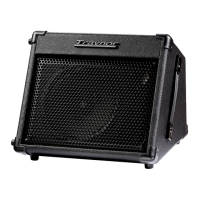
The Master Volume controls the overall output level of the Block amplifier.
14. Headphones
TheHeadphonesjackisastandard¼-inchTRS(stereo)phonejack.Whenused,itdiscon-
nects the audio to the speakers so you can listen privately.
15. Balance (Link Pan)
UsetheLinkPancontroltoadjustthebalanceoftheleft/rightsignalswhenusingtheHead-
phonesorforleft/rightbalanceoftheLinkedBlockamps.
16. Line Out (balanced)
Locatedatthefront,thisXLRjackisusedprimarilytoconnectdirectlytomixingconsoles.
Use this when performing live or in a recording studio. The Master Volume control has no ef-
fect on the line out audio level.
Note: Please note that the signal from Channel 4 does not mix in with the main bus (Link)
signal and is not sent to the line out. It is meant for stage monitoring only
Post-EQ / Pre-EQ Selector
ThePost-EQ/Pre-EQselectorenablestheaudiosignalbeingsentthroughtheLine
Outtoeitherdirectlyfromthepostgainstage(pre-tonecontrols)orafterthetone
control stage.
Ground Lift
TheGroundLiftswitchwasaddedtohelppreventunwantedaudiblehumandbuzz
that may occur if the unit’s electrical ground is affected by ‘ground loops’ when
connectedusingtheLineOut.
Link System
TheLinkfeatureoftheBlockseriesampliersallowtwoBlockampsconnectedtooperateas
asinglestereosystem.TheLinkedsystemunitswillbefullyintegratedwitheachotherallow-
ing use of inputs on both amplifiers.
Note: the Line Outs of “each” unit will output only the source from that particular unit.
17. Link
UseastereocabletoLinktwoblockunitstocreatealeftandrightstereosystem.TheLink
connection is designed to work only with the same model Block amplifier.
Link Pan Control
UsetheLinkPanControl,locatedonthefrontpaneltoadjustthebalanceoftheleft/
rightsignalsfortheBlockampsthatareLinked.
Amplifier
18. Cooling system
Keep the rear of the Block Series amplifiers free and clear, this will allow the units to remain
as cool as possible, always keep that area clear so that the heat is dissipated properly other-
wise the unit will overheat and shut down.


 To Next Page