68
EN
minipool Quarz
High range vs.
Low range
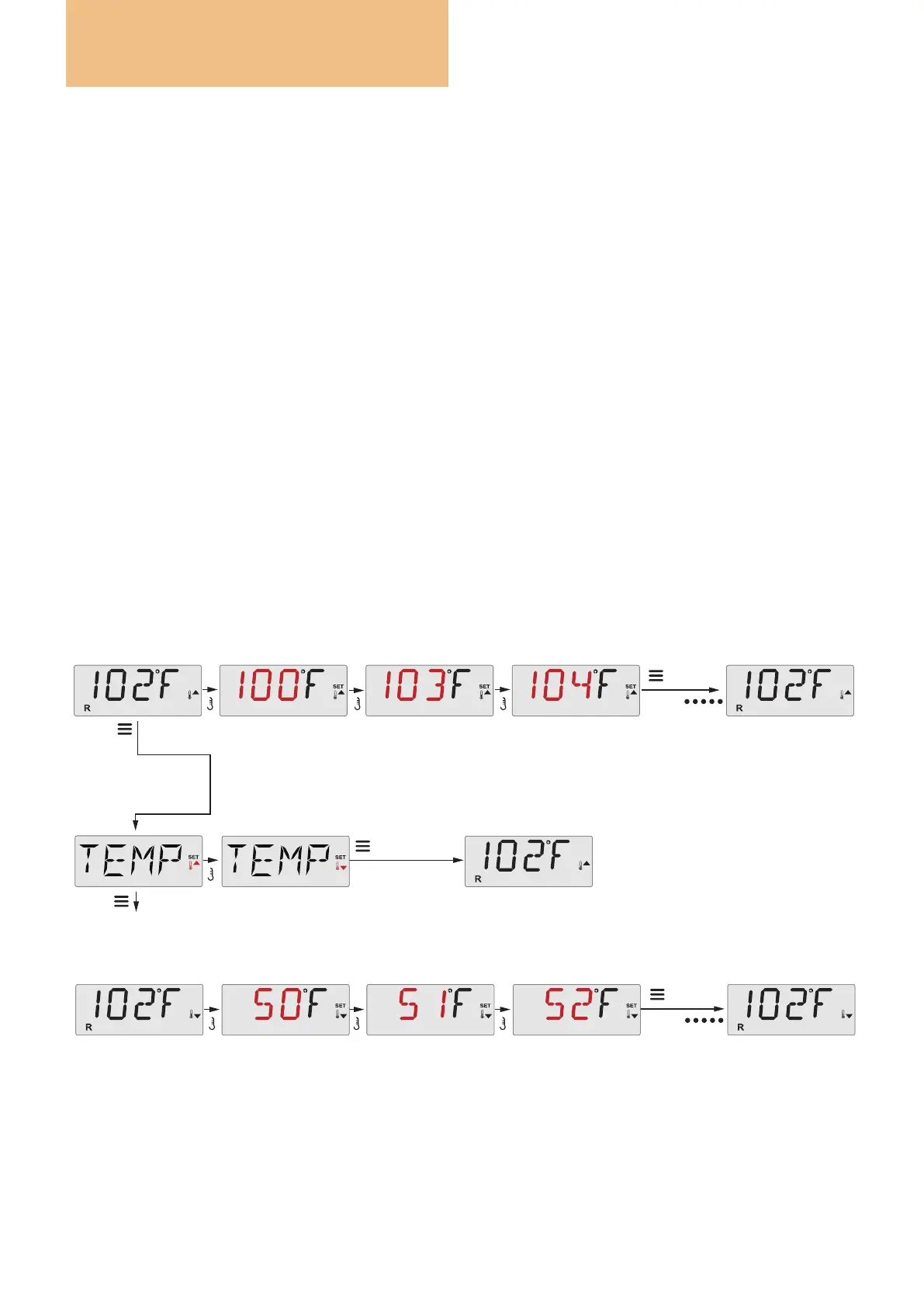
Press a temperature button repeatedly to change it.
Pressing and holding a Temp Button will also change the temperature.
Pressing and holding a Temp Button will also change the temperature
Toggles the Range arrows on the screen
The set temperature will flash
The set temperature will flash
*****
Wait a few
seconds to return to
the original setting
To next item in Main Menu
Main Screen
Main Screen
Main ScreenMain Screen
Main Screen
Set
a few seconds
OR
Press a temperature button repeatedly to change it.
a few seconds
OR
TEMPERATURE RANGE (INTERVALS)
This system incorporates two temperature range settings
with independent set temperatures. The High Range is
identied in the display by a thermometer and an “up”
arrow, and the Low Range is identied in the display by
a thermometer and “down” arrow.
These ranges can be used for various reasons, with
a common use being a “ready to use” setting vs. a
“holiday” setting. The Ranges are chosen using the
menu structure below. Each range maintains its own set
temperature as programmed by the user. This way, when
a range is chosen, the spa will heat to the set temperature
associated with that range.
For instance:
High range might be set between 26°C and 40°C.
Low range might be set between 10°C and 37°C.
More specic Temp Ranges may be determined by the
Manufacturer.
Freeze Protection is active in either range.
See Ready and Rest on page 19 for additional heating
control information.
Use


 To Next Page