EasyManua.ls Logo

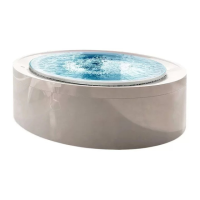
treesse minipool Quarz - User Manual

treesse minipool Quarz
100 pages
Go to English
Print Icon
To Next Page IconTo Next Page
Loading...
Quarz
minipool
Operating and maintenance manual
Manuale d’uso e manutenzione

Table of Contents

Questions and Answers

Summary

Introduction

Explanation of Pictograms

Explains the meaning of various symbols used in the manual for clarity.

Safety Instructions

General Safety Instructions

Covers essential precautions for safe operation and warranty adherence.

Safety Instructions for Use

Provides guidelines for safe usage of the minipool, including temperature and user restrictions.

Safety Instructions for Maintenance

Outlines crucial safety measures to be followed during minipool maintenance procedures.

Use

Before Using the Minipool

Offers tips for safe and beneficial initial use of the minipool.

Use Advice

Provides practical tips and warnings for using the minipool safely and effectively.

Time in the Water

Recommends ideal durations and temperatures for different user experiences.

Minipool Functions

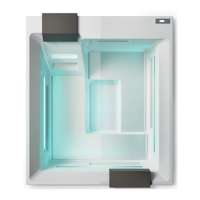
Details the various components and functions of the minipool system.

Whirlpool

Explains how to operate the hydromassage jets and diverters for a custom experience.

Control Panel: How to Use It

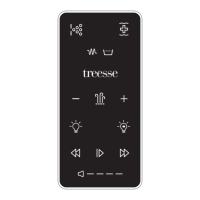
Guides users on operating the minipool's control panel and understanding display icons.

Display Icons

Lists and explains the various icons displayed on the control panel interface.

Adjusting the Temperature

Explains how to view and set the desired water temperature on the control panel.

Temperature Range (Intervals)

Describes how to set and manage different temperature ranges for varied usage scenarios.

Ready and Rest Modes

Explains the spa's energy-saving modes that manage heating cycles.

Recirculation Mode

Details the operation of the circulation pump for water filtering and temperature maintenance.

Viewing and Setting the Time

Details how to set the clock and its importance for secondary features like filtration.

Display Inversion

Explains how to invert the display characters for better readability if available.

Restricting Operation

Covers panel locking features to prevent unauthorized adjustments or use.

Unlocking

Provides the sequence to unlock the control panel after it has been restricted.

Hold (Standby)

Explains the standby mode for service functions like filter cleaning or replacement.

Drain Mode

Details a special feature allowing pump use for draining water during maintenance.

Settings Filtration

Guides on configuring and managing filtration cycles for optimal water quality.

Light Timer Programming

Details how to program the minipool's lighting timer for desired effects.

Preferences

Allows customization of display settings like temperature units and reminder messages.

Utilities and Information

Provides access to system details, software IDs, model numbers, and setup configurations.

Additional Utilities

Lists extra utilities like GFCI test, sensor temperature display, and fault logs.

Alarms

General Messages

Lists common system messages during startup and their possible solutions.

Messages Connected to Water Heating

Explains error codes related to water heating and flow issues.

Messages Connected to the Sensors

Details messages indicating sensor malfunctions or communication errors.

System Messages

Covers critical system faults, memory errors, and configuration issues.

Water Treatment

Introduction

Emphasizes the importance of clean, pure water for safety and comfort.

Table of Activities

Summarizes essential maintenance tasks and their recommended frequencies.

Checking the Water Parameters

Guides on measuring and balancing pH, hardness, and alkalinity for optimal water quality.

Disinfection and Cleaning of the Water

Explains methods for eliminating bacteria, fungi, and algae from the minipool water.

Cleaning the Water

Details treatments for algae elimination, flocculation, anti-foam, and scale prevention.

Maintenance

Cleaning the Paper Filter

Provides instructions for cleaning and replacing the minipool's paper filter cartridge.

Emptying the Minipool

Details the process for draining the minipool for maintenance or seasonal closure.

Filling the Minipool

Guides on the correct procedure and water quality requirements for filling the minipool.

Non-Use of the Minipool for Prolonged Periods

Outlines simple operations to preserve the minipool during inactivity or seasonal closure.

Cleaning the Minipool

Offers guidance on cleaning the minipool surfaces and components for longevity.

Documentation

Warranty Conditions

Explains the terms and conditions of the manufacturer's warranty for the product.

Disposal at End of Life

Provides information on the proper disposal of the minipool according to WEEE regulations.

Troubleshooting

treesse minipool Quarz Specifications

General IconGeneral
TypeHot Tub
ManufacturerTreesse
ModelMinipool Quarz
ShapeSquare
InstallationFreestanding
MaterialAcrylic
Number of seats2
HeaterYes
Max Temperature40°C
Power Supply230V / 50Hz
LightingLED
Control SystemDigital
Optional FeaturesOzonator, Cover
Control PanelDigital

Related product manuals