14
EN
Muse - Maya - Wave minipool
Use
BASIC FUNCTIONS
POWER ON
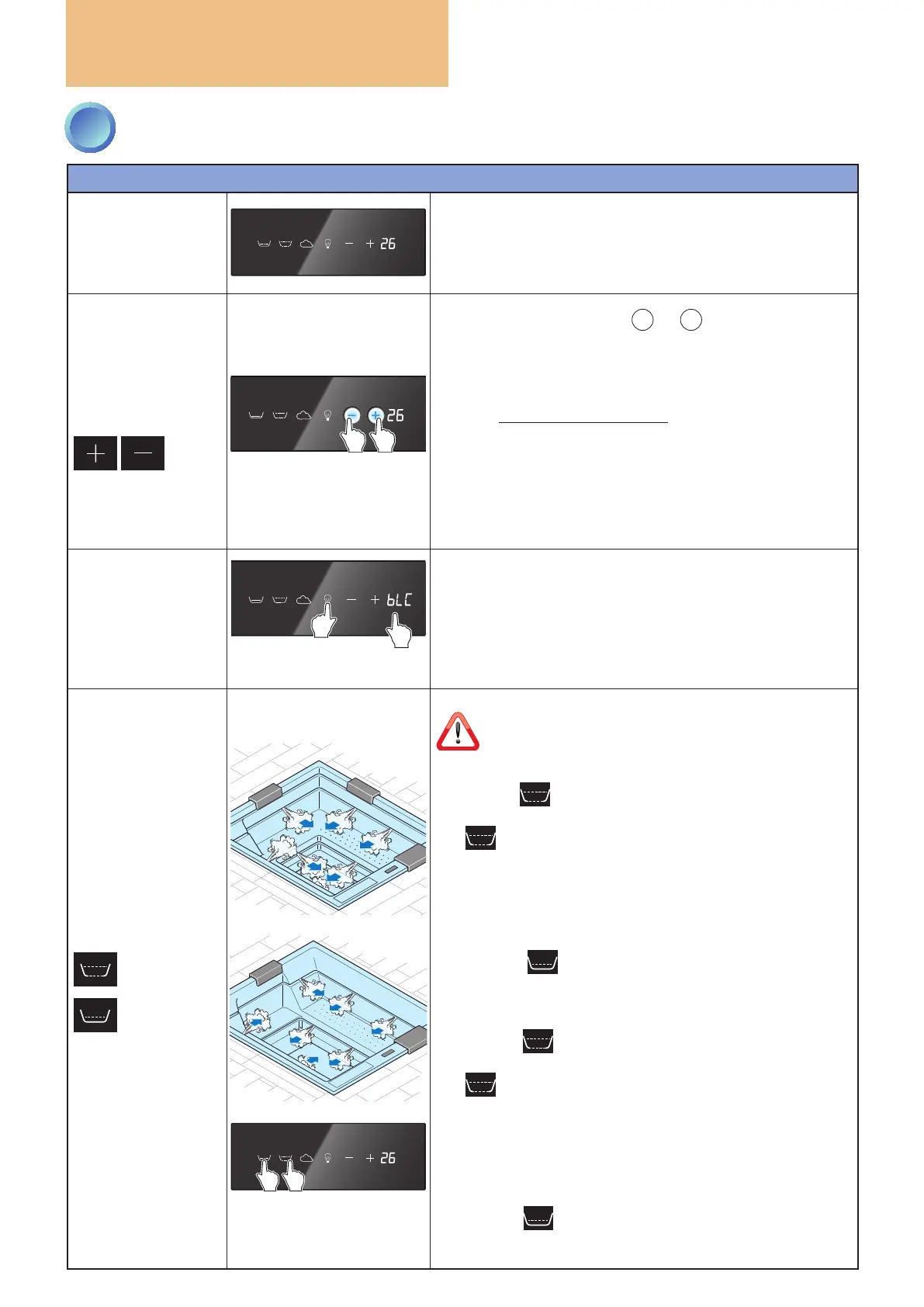
The minipool is powered on by connecting it to the mains.
When switched on, the water temperature will be displayed
if present (in the example at the side 26°C) and the various
symbols on the keypad will be white.
WATER
TEMPERATURE
ADJUSTMENT
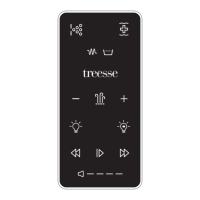
When one of the two keys
+
or
-
is pressed once, the
display shows the current setting (default 35°C) and the two
keys are illuminated with a strong blue light.
From the second press on, the displayed value is increased
or decreased by one degree at a time depending on the key
pressed (range from 15°C to 40°C).
After six seconds of inactivity with the keys or if another key
is pressed, the adjustment function will end and the two keys
will return to white, memorising the new setting.
The function will activate the heater (ashing decimal point)
with the objective of heating and maintaining the water
temperature at the set value (+/- 1°C).
TEMPERATURE
LOCK
(bLC)
tasto
nascosto
entro 3
secondi
1
2
It is possible to BLOCK the possibility of changing the
temperature setting (for example by children).
The lock is enabled/disabled by pressing in sequence - within
three seconds - the “hidden” key (located below the display,
even if not visible it is still active), then the “Light” key.
When the lock is enabled, the message "bLC" will be shown on
the display when the "+" or "-" keys are pressed.
WHIRLPOOL
The function can only be activated when the water
level is sufcient.
MUSE
Pressing the key activates the upper and lower whirlpool
function on the legs and the corresponding key turns blue.
The icon appears on the display for six seconds and then
is replaced by the temperature.
When the key is pressed again, the whirlpool function stops,
the key returns to white and the temperature is shown again
on the display.
If not switched off manually, the function stops automatically
after 20 minutes.
Pressing the key activates the lymphodraining chaise
longue whirlpool (OPTIONAL) function as just described.
MAYA
Pressing the key activates the upper whirlpool function
on the legs and the corresponding key turns blue.
The icon appears on the display for six seconds and then
is replaced by the temperature.
When the key is pressed again, the whirlpool function stops,
the key returns to white and the temperature is shown again
on the display.
If not switched off manually, the function stops automatically
after 20 minutes.
Pressing the key activates the lower whirlpool function
as just described.
3
CONTROL PANEL: HOW TO USE IT


 To Next Page