E.10
Attach the Computer to the Handlebar Bracket
6. From in front of the handlebars, slide the
computer back onto the bracket until it snaps
rmly into position.
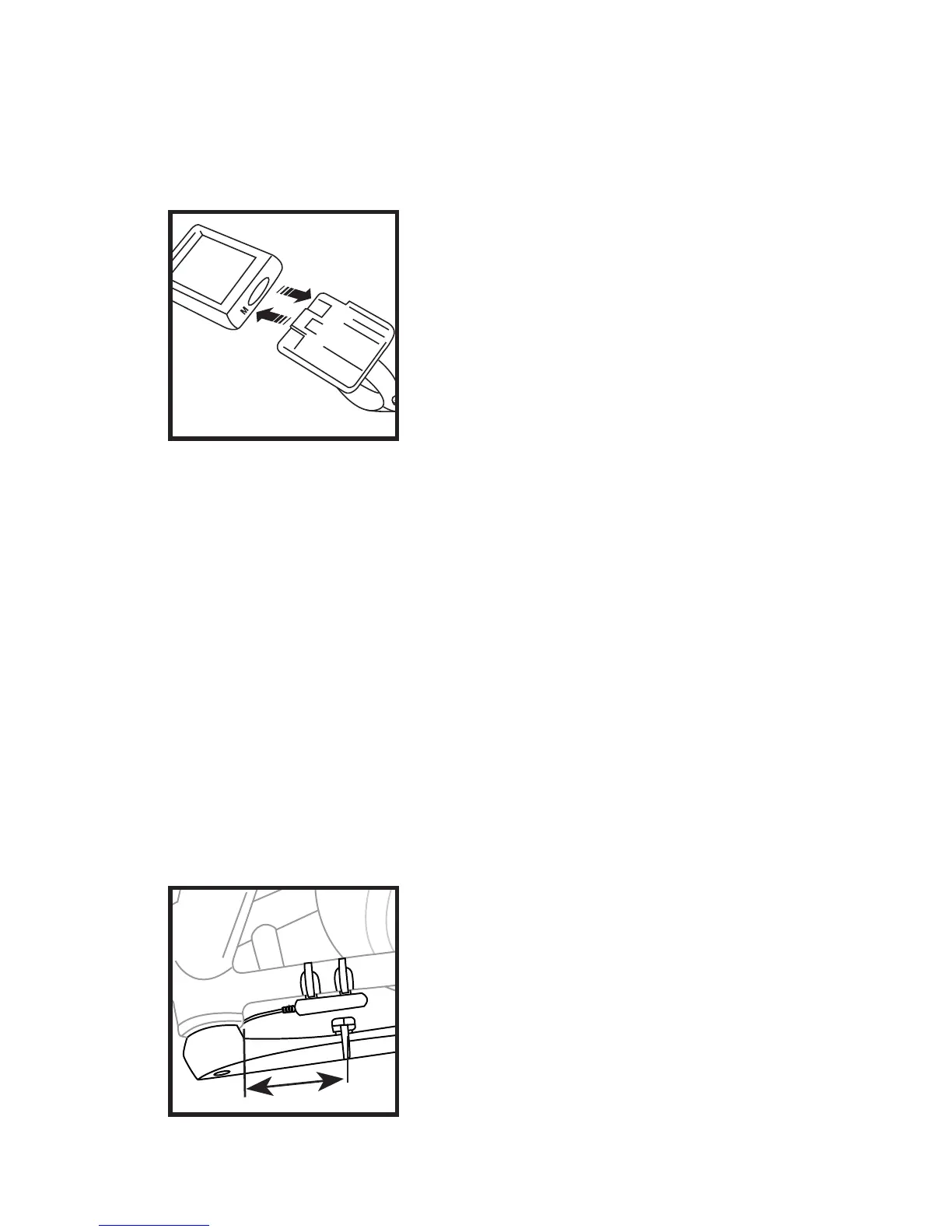
7. To remove the computer
from the bracket push the com-
puter away from you with your
thumb, with your index nger
against the back of the mount-
ing bracket for support (Fig. 18).
Install the Cadence sensor and magnet
Note: For models which do not include a cadence sensor, go to
“Calibrate the Computer” on page 12).
Before proceeding, check that the wire is of adequate length to
mount the bracket on the chainstay. The handlebars should freely
rotate without placing tension on the wire, which could damage
a wire that is too short.
8. Position the sensor
unit below the left chainstay
between 3-6in (75-150mm)
behind the bottom bracket (Fig.
19). Attach the sensor to the
chainstay with quick ties, but do
not tighten the ties yet.
Fig. 18
Fig. 19
3-6 in.



 To Next Page