E.3
Please read this instruction manual carefully
and save it for future reference.
Cycling Functions-
Center Display (always displayed)
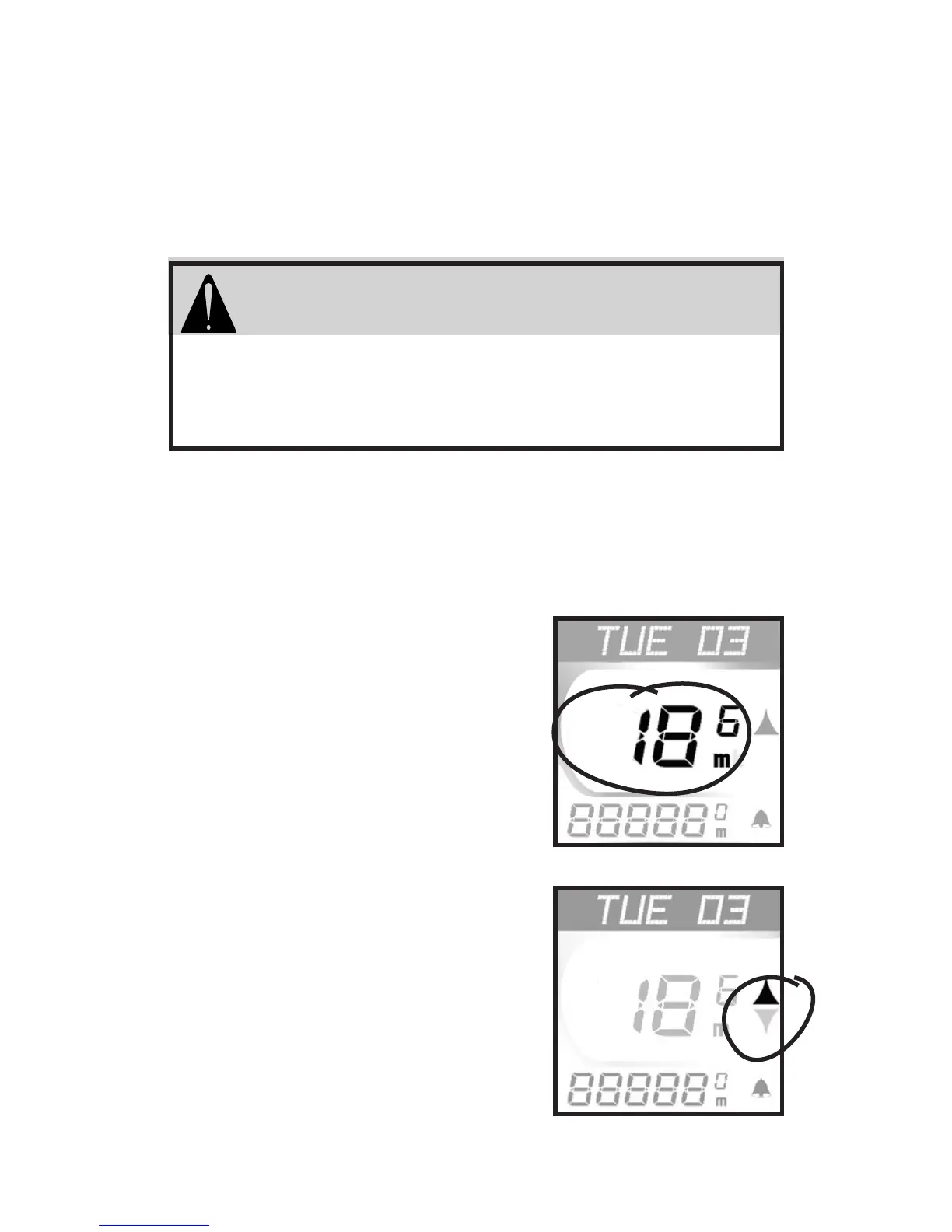
Current Speed (Fig. 1)- 0.0-99.9MI or
0.0-160KM, updated every
second.
Pacer (Fig. 2)- compares
current speed to average
speed. Arrow Up (shown)
shows current speed equal or
greater than average. Arrow
Down indicates current speed
is less than average speed.
Do not stare at your computer while riding.
Ignoring obstacles in your path may cause
loss of control resulting in personal injury.
WARNING
Fig. 1
Fig. 2
© Copyright Trek Bicycle Corporation 2001 All rights reserved



 To Next Page