3 Get started
Install dash cam
Note
•
In order to get clear images, if there is any
smudginess on the windshield, please clean it
before installing.
Caution
•
Do not place the dash cam in locations where
it may block the driver's view or affect the
operation of airbags.
1
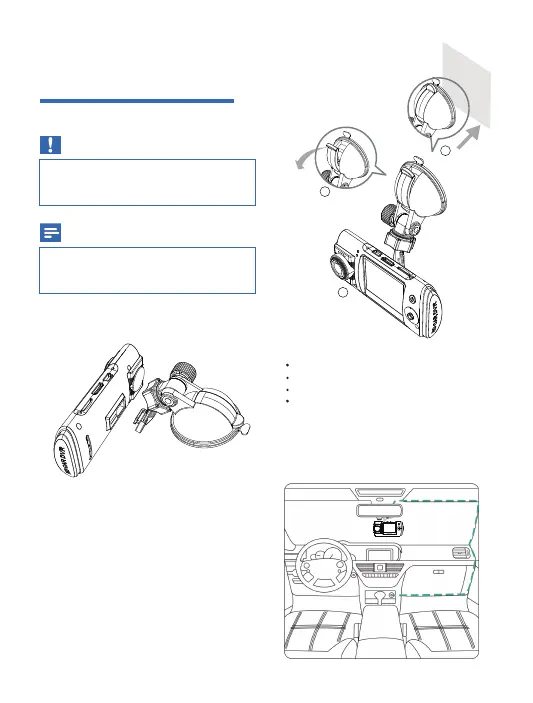
Connect the dash cam with the suction
bracket below:
2
Wipe clean the windshield.
3
Remove the protective cover of the
suction bracket and rotate the fix button
of suction.
4
Pull wrench, sucker adsorbed on the
cleaned area.
5
The sucker is not close to glass,
press wrench to fix the DVR on the
appropriate location.
6
Connect the car charger to:
The mini USB socket of the dash cam
The cigarette lighter socket of the car.
The wiring cable can run through the
edge of your windscreen. Put the cable
through gaps in your car’s a-pillar.
1
2
3
04


 To Next Page