4 Video Recording
When the
d
ash cam is turned on, video
recording starts automatically.
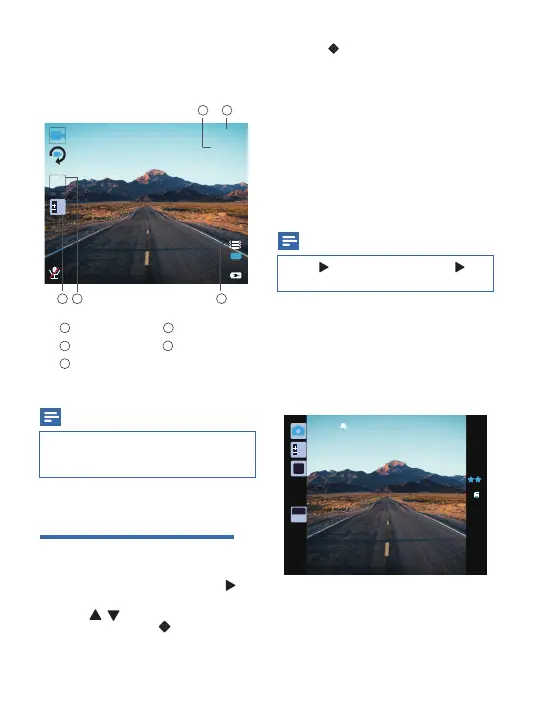
Video recording screen:
Video resolution
Digital effect
White balance
Record time
GSENSOR
1
2
3
4
5
Note
•
The
d
ash cam will continue running for a
while after the engine is shut down to protect
last recorded file.
Video settings
1
In video recording mode, press to
enter video settings menu.
2
Press / to toggle through the
sub-menus and press to enter the
sub-menu.
5 Photo capture
In photo capture mode, press to take photos.
Note
•
Press to exit the sub-menu, press again
to exit the video settings menu.
3
Press to select an option.
• Resolution
•
Loop recording
•
Time-lapse Record
•
HDR
•
Exposure
•
Motion Detection
•
Record Audio
•
Date Stamp
•
GSENSOR
•
Parking Monitor
0
AWB
ISO
AUTO
47813
5M
HDR
3
1080FHD
0
0.00GB
00:00:00
2018/01/01 01:54:08
INT
23
1 4
5
06


 To Next Page