EasyManua.ls Logo

TREND IQECO31/230 - User Manual

TREND IQECO31/230
8 pages
Print Icon
To Next Page IconTo Next Page
Loading...
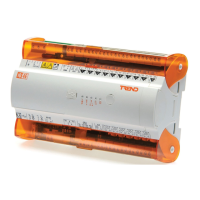
IQECO31/230 BACnet MS/TP Terminal Unit Controller Installation Instructions - Mounting TG201224 Issue 13, 13-Jan-2021.
Installation Instructions - Mounting
IQECO31/230
BACnet MS/TP Terminal Unit Controller
Important: Retain these instructions
These instructions shall be used by trained service
personnel only.
If the equipment is used in a manner not
specied by these instructions, the protection provided by the
equipment may be impaired.
https://partners.trendcontrols.com
1
Dimensions
1 BOX CONTENTS 2 STORING
CONTENTS
1 Box contents ..................................................................1
2 Storing ...........................................................................1
3 Installation .....................................................................1
3.1 Installation - Mounting ...................................................1
4 Cleaning and Maintenance .........................................11
6 Disposal .......................................................................11
WARNING Removal of cover exposes dangerous
voltages.
MS/TP Network
This product should be connected to a BACnet MS/TP
network. The network installation requirements are di󰀨erent
from an IQL on its L
ONWORKS
®
network.
3 INSTALLATION
It is recommended that the installation should comply
with the local electrical safety installation practices (e.g.
HSE Memorandum of Guidance on Electricity at Work
Regulations 1989, USA National Electric Code).
Note: For temperatures below zero special care must be taken
that there is no condensation on or within the unit.
IQECO31/230
Installation Instructions
- Mounting (TG201224)
Labels used on IQ
ECO31/230
Service button
C
+V
AUX
36 35
Connector for auxiliary power output
WMB
31 32
Connector for Wallbus displays
Connector for MS/TP trunk
Connector for USB
230 VAC
1 2 3
!
LN
Connector for 230 Vac input power.
C
n
Connector for Universal Input
C
n
Connector for Digital Input
T
C
n
Connector for Thermistor Input
C
n
Connector for Analogue Output
5
C
Connector for Solid State Digital Output
1
Connector for High Current Relay Output
MSTP OK LED
!
Caution, consult documentation
Caution, possibility of electric shock
HO
2
+60 °C
(140 °F)
0
-40 °C
(-40 °F)
95 %RH
3.1 Installation - Mounting
205 mm (8.07”)
189 mm (7.44”)
63 mm (2.48”)
129 mm (5.08”)
113 mm (4.45”)
Question and Answer IconNeed help?

Do you have a question about the TREND IQECO31/230 and is the answer not in the manual?

Overview

The IQECO31/230 is a BACnet MS/TP Terminal Unit Controller, designed for installation in various environments to manage terminal units. This device is part of the Trend Controls product line, known for its robust and reliable building management solutions.

Function Description

The IQECO31/230 acts as a central control unit for terminal applications, integrating with a BACnet MS/TP network. It supports a wide range of inputs and outputs, allowing for versatile control over HVAC and other building systems. The controller is designed to be highly configurable, adapting to different application requirements through its various connection options.

Key functions include:

  • Input/Output Management: The device features multiple connection points for various types of signals, including digital, analogue, thermistor, and universal inputs, as well as analogue and relay outputs. This flexibility enables it to interface with a broad array of sensors, actuators, and other field devices.
  • BACnet MS/TP Communication: It communicates over a BACnet MS/TP network, allowing for seamless integration into larger building management systems. This enables centralized monitoring, control, and data exchange with other BACnet-compliant devices.
  • Power Supply: The controller operates on a 230 Vac power supply, with specific terminals for connecting the main power and ensuring correct polarity. It also provides auxiliary power outputs for connected devices.
  • Wallbus Device Support: The IQECO31/230 can connect to up to 14 wallbus devices, such as room sensors or displays, depending on available controller memory and the current requirements of the wallbus devices. This feature enhances local control and user interaction.
  • Thermistors and Digital Inputs: It supports thermistor inputs for temperature sensing and various digital inputs for status monitoring or control signals. These inputs can be configured as volt-free contacts or open collector/drain.
  • Universal Inputs: The device includes universal inputs that can be configured for voltage (0 to 10 V), thermistor (0 to 200 Kohm), digital (volt-free contact or open collector/drain), or current (0 to 20 mA) signals. This versatility allows for connection to a wide range of sensors.
  • MS/TP Trunk Connection: It provides dedicated terminals for connecting to the MS/TP trunk, ensuring proper network communication. This includes provisions for cable shielding and termination to maintain signal integrity.

Important Technical Specifications

  • Power Supply: 230 Vac ±15% 50/60 Hz at 45 VA max (under full load).
  • Terminal Size: 0.14 to 2.5 mm² (22 to 12 AWG) for most connections.
  • Operating Temperature: -40 °C to +60 °C (-40 °F to +140 °F).
  • Storage Temperature: -40 °C to +60 °C (-40 °F to +140 °F).
  • Humidity: 0% RH to 95% RH, non-condensing.
  • Altitude: <2000 m (6562').
  • Pollution Degree: 2 (only non-conducting pollution occurs).
  • High Current Relay Output: 250 Vac 8 A.
  • Wallbus Device Support: Up to 14 devices, depending on memory and current requirements. Maximum twisted pair cable length 60 m (200 feet).
  • MS/TP Trunk Cable: Twisted pair cable, 120 ohms characteristic impedance. Maximum recommended length of an MS/TP segment is 1,200 meters (4,000 feet) with AWG 18 (0.82 mm²) conductor area cable.
  • Dimensions: 189 mm (7.44") x 205 mm (8.07") x 63 mm (2.48").
  • Mounting: DIN rail mounting.

Usage Features

  • Mounting Flexibility: The IQECO31/230 can be mounted on a DIN rail, either horizontally or vertically. When mounted vertically, it requires operating ambient temperatures between -40 °C and +40 °C (+104 °F).
  • Enclosure Requirement: For optimal performance and protection, the device should be installed in an enclosure rated to at least IP20 or equivalent. This helps protect it from environmental factors and ensures compliance with safety standards.
  • Easy Wiring: The device features screw terminals for secure and straightforward wiring connections. Clear labeling on the device and detailed instructions in the manual facilitate correct wiring.
  • Polarity Assurance: Specific instructions and visual aids are provided to ensure correct polarity for power connections and other sensitive inputs, preventing damage to the device.
  • Grounding: Proper grounding of the equipment is crucial for safety and reliable operation. The manual emphasizes connecting the earth terminal and ensuring all screened cables are properly grounded.
  • Termination: The MS/TP bus requires termination at each end of the segment to match the cable characteristic impedance. The IQECO31/230 includes built-in terminators that can be switched on or off as needed.
  • Configuration: The device is highly configurable, allowing users to define input types, output behaviors, and network settings to suit specific application needs. This is typically done through software tools or configuration interfaces.
  • LED Indicators: The device may include LED indicators to provide visual feedback on its operational status, communication activity, and power supply.

Maintenance Features

  • No Routine Maintenance: The IQECO31/230 is designed for minimal maintenance, requiring no routine maintenance procedures.
  • Hinged Covers: The device features hinged covers that provide easy access to the wiring terminals for installation and troubleshooting, while protecting internal components during operation.
  • Disposal: When the device reaches the end of its useful life, it should be disposed of by a suitable waste contractor, in accordance with WEEE Directive guidelines. It should not be disposed of with normal household waste or burned.
  • Troubleshooting: The manual provides detailed instructions for installation and wiring, which are essential for preventing issues. In case of problems, the clear labeling and structured connection points aid in troubleshooting. For example, it warns against connecting an external supply to the AUX output terminals, which could cause damage.
  • Cable Management: Proper cable management, including the use of screened cables and correct grounding, is emphasized to ensure signal integrity and prevent interference, contributing to long-term reliability.

The IQECO31/230 is a robust and versatile controller, suitable for a wide range of building automation applications where reliable BACnet MS/TP communication and flexible I/O management are required. Its design prioritizes ease of installation, configuration, and long-term stability with minimal maintenance.

TREND IQECO31/230 Specifications

General IconGeneral
BrandTREND
ModelIQECO31/230
CategoryController
LanguageEnglish

Related product manuals