5. Scanner
Note: Only one user can use the print server at a time. Once a user has finished using
the print server, another user can use it.
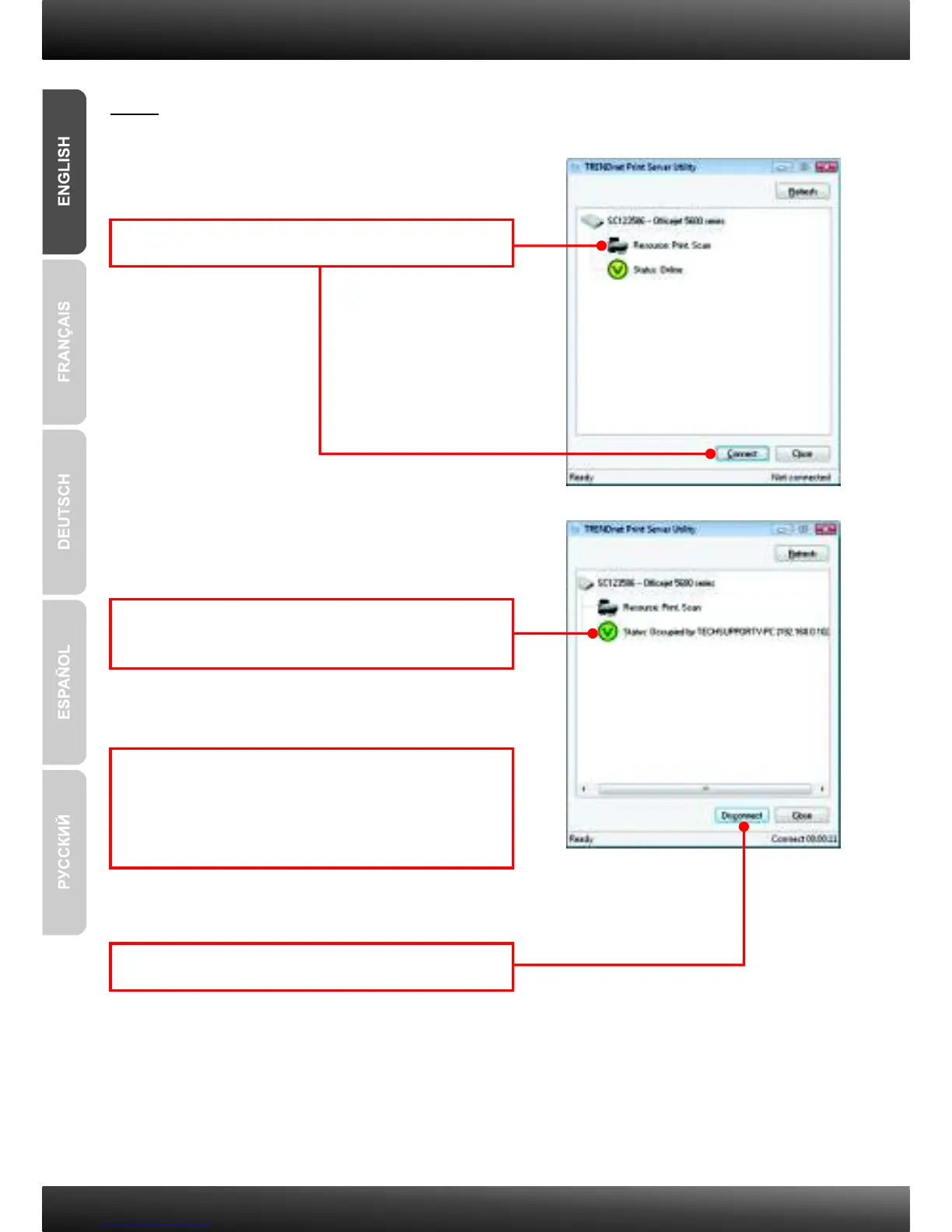
1. Click on Resource and then click Connect.
3. Place the document on the Multi-Function
Printer's Scanner bed. Then follow the
Multifunction printer software instructions for
scanning.
4. Click Disconnect.
2. Status will now show the client computer and IP
address that is currently using the printer.
9


 To Next Page
 Loading...