10
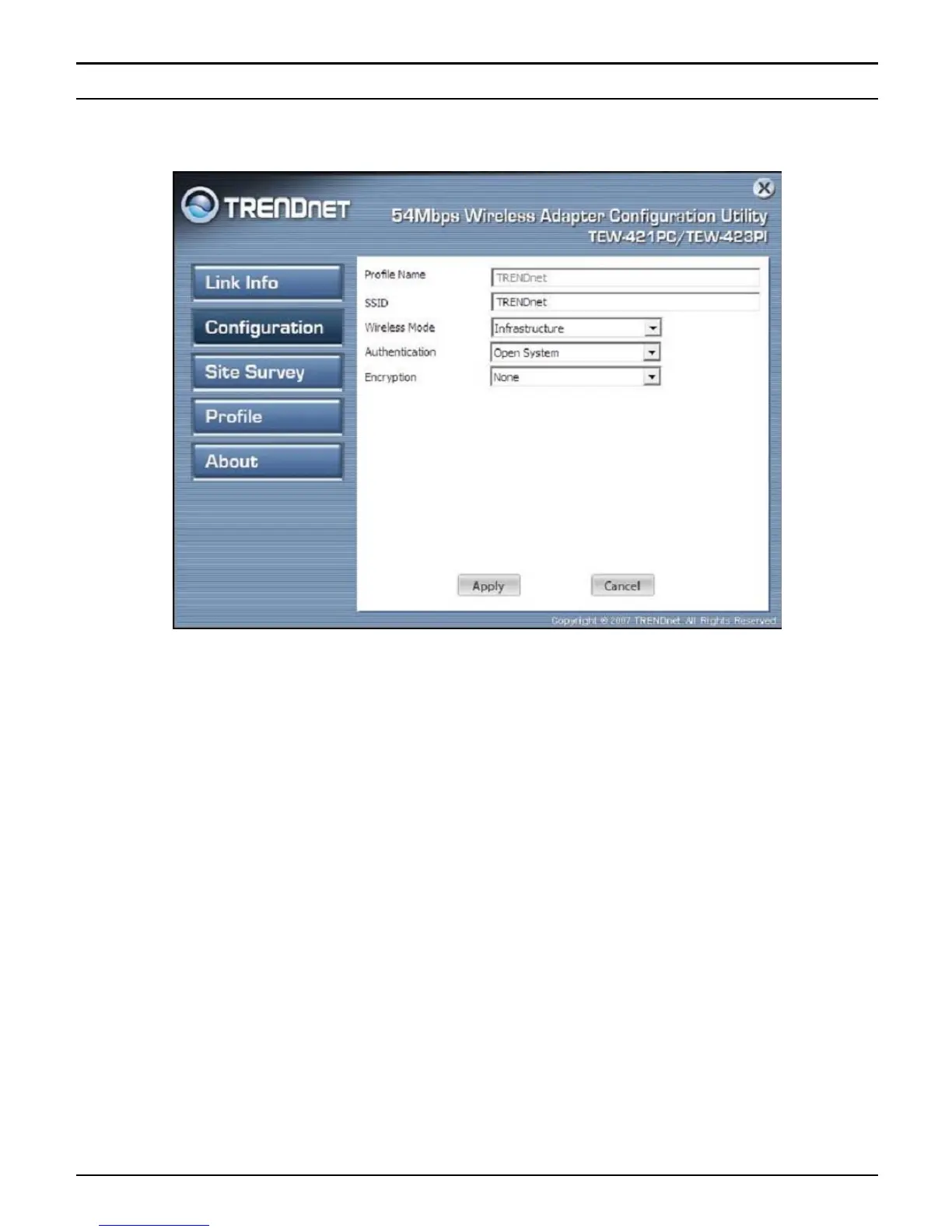
Configuration
This screen is where you set the basic wireless settings for the Wireless LAN USB
2.0 Adapter.
Profile Name: The default name is the same as the SSID of the platform which you
connected and you can change the name you favor( the key length is limited 1~32
bits).
SSID: Service Set Identifier, which is a unique name shared among all client in a
wireless network. The SSID must be identical for client in the wireless network.
Wireless Mode: There are two modes available for selection
z Infrastructure –to establish wireless communication with the LAN and other
wireless client through the use of Access Points.
z Ad-Hoc – to establish point- to-point wireless communication directly with
other wireless client device.



 To Next Page